After the update of iOS 26, many people saw an error occurring in their devices that shows “More results will be shown once Messages finishes indexing”.
Most of the users are completely unaware of this glitch and get frustrated when this pop-up surfaces, but don’t worry, we’ve got you covered, as this blog post by GetAssist mentions 5 effective methods to solve this problem.
GetAssist in Glance
To fix the message finish indexing problem in your iOS devices, you have vital methods:
- Restart your device
- Disable and re-enable iCloud messages
- Update the iOS
- Disable your iCloud backup temporarily
- Check your iPhone storage Multiple times
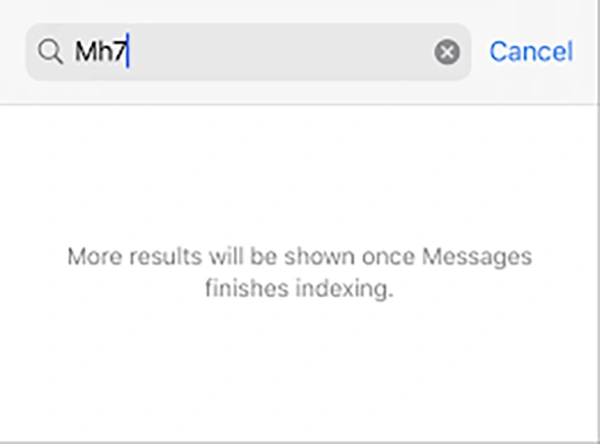
In simple words, when your iPhone is collecting messages actively and organizing a searchable database of all your text conversations, it shows the notification called “More results will show once Messages finishes indexing”. Usually, this takes a few mins or hours to collect information, but in some cases, time extends beyond expectations, and that’s where the trouble begins. This delay usually occurs due to system errors, bugs, glitches, etc. Although this problem can be fixed very easily.
To fix this method, you have easy measures that you can follow on your iPhone, as it can be done through General Settings without any third-party intervention of apps and tools. Let’s see how each method works closely.
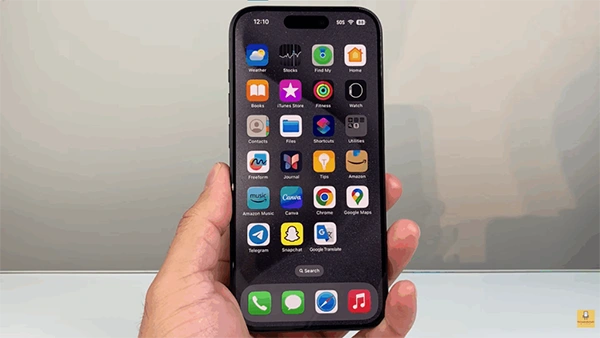
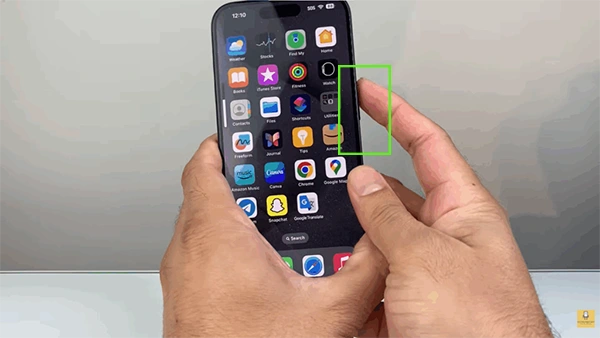
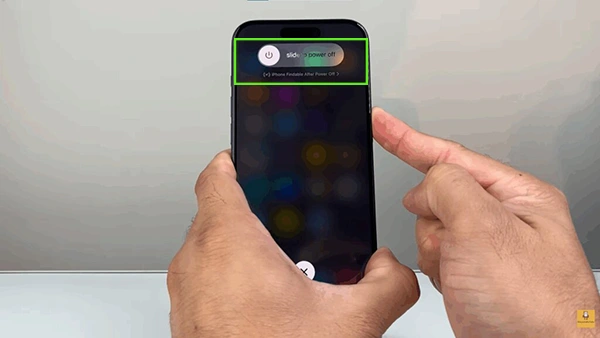
The first thing that you can do to fix this issue is restart your device, and a lot of people have found relief from it. All you have to do is:

iCloud message backup storage is a very sturdy process, and sometimes it can break the flow of incoming messages due to system prioritization of backing up previous messages. So re-enabling iCloud messages through your iCloud login makes a lot of sense as it refreshes the entire system.
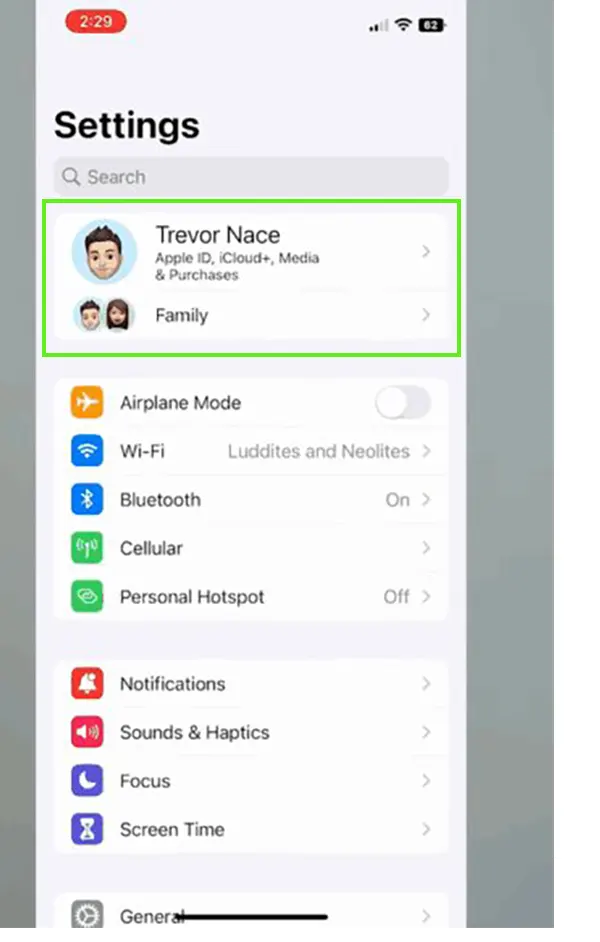
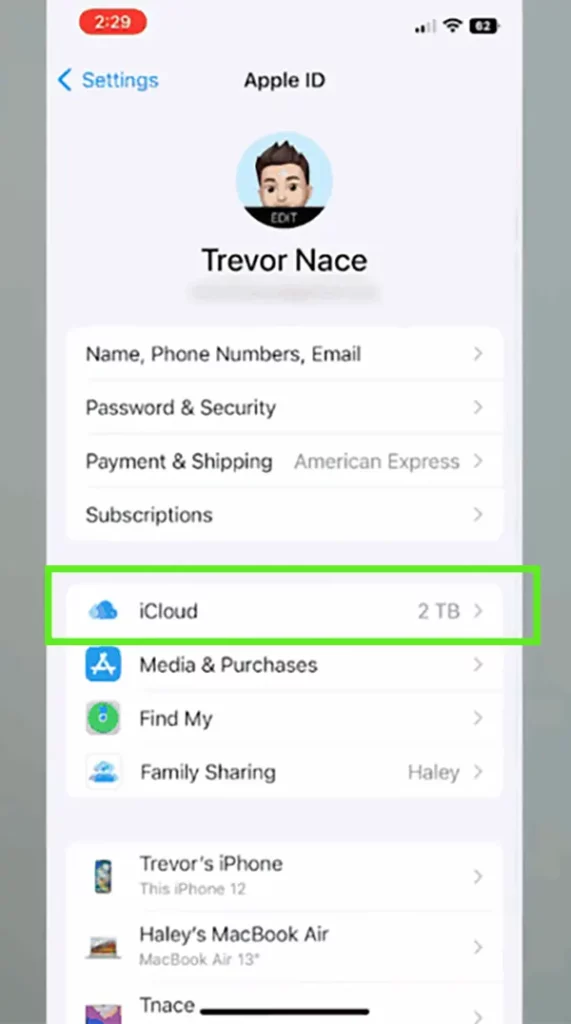
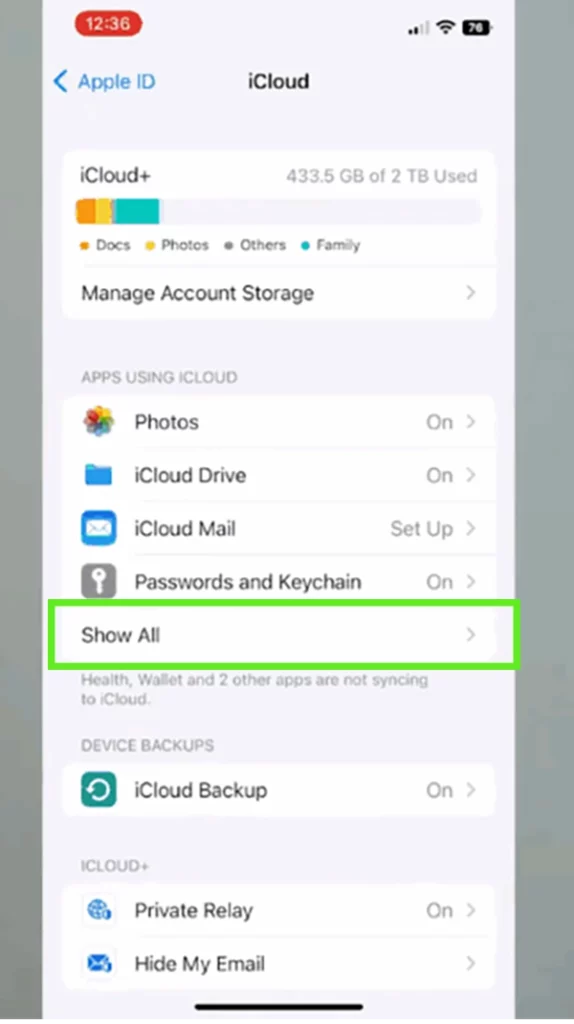
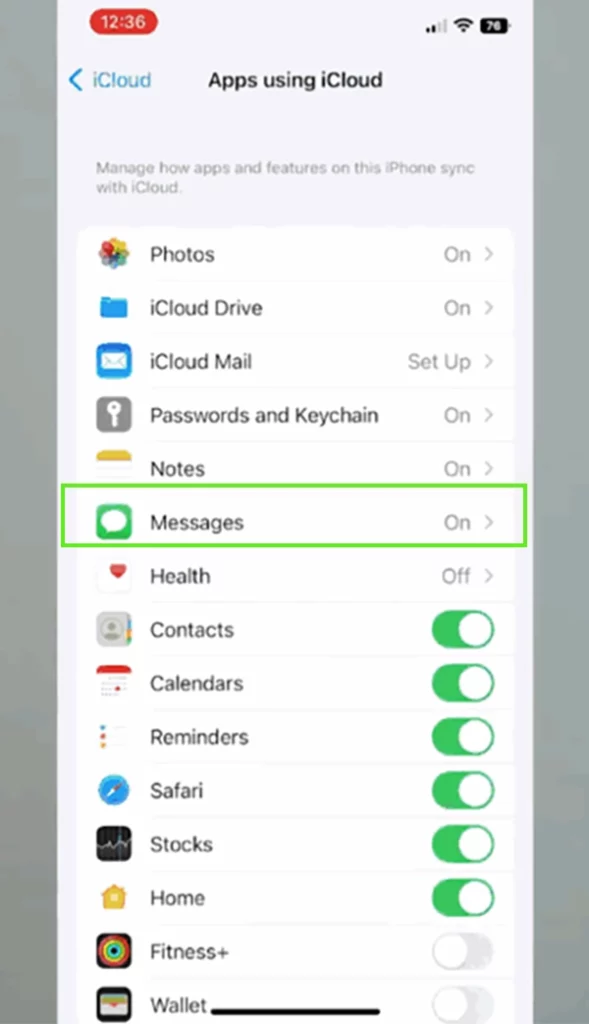
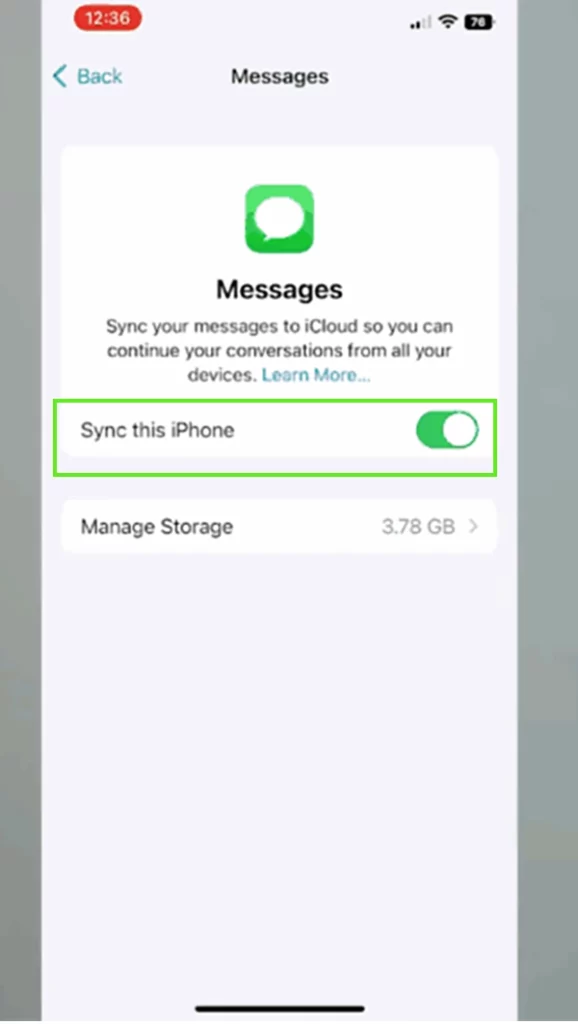
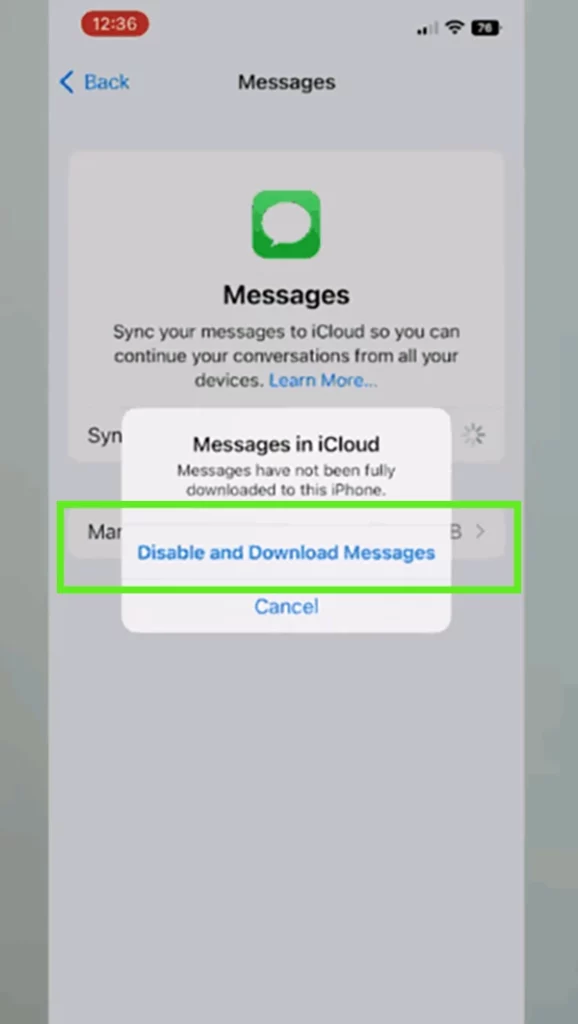
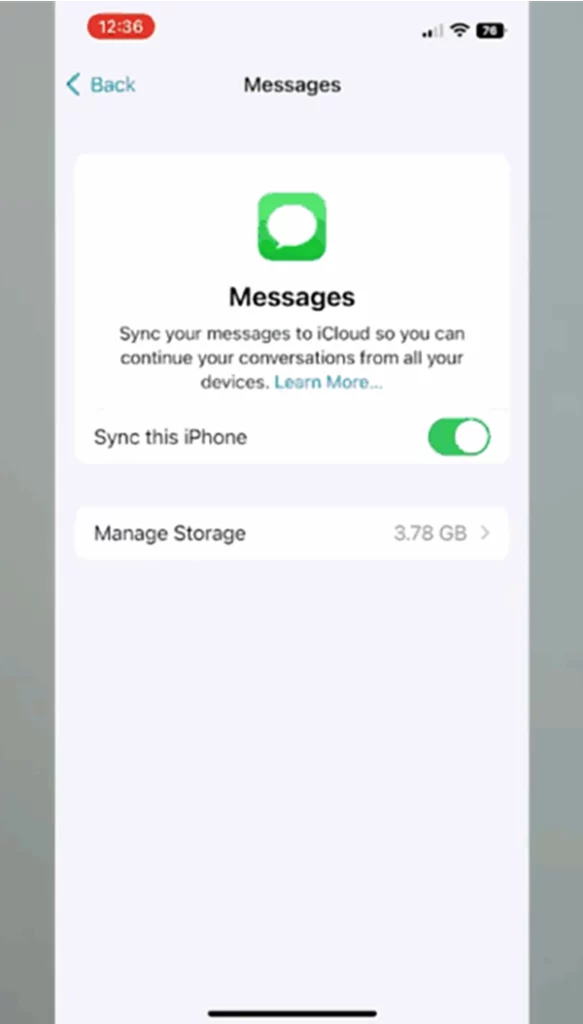
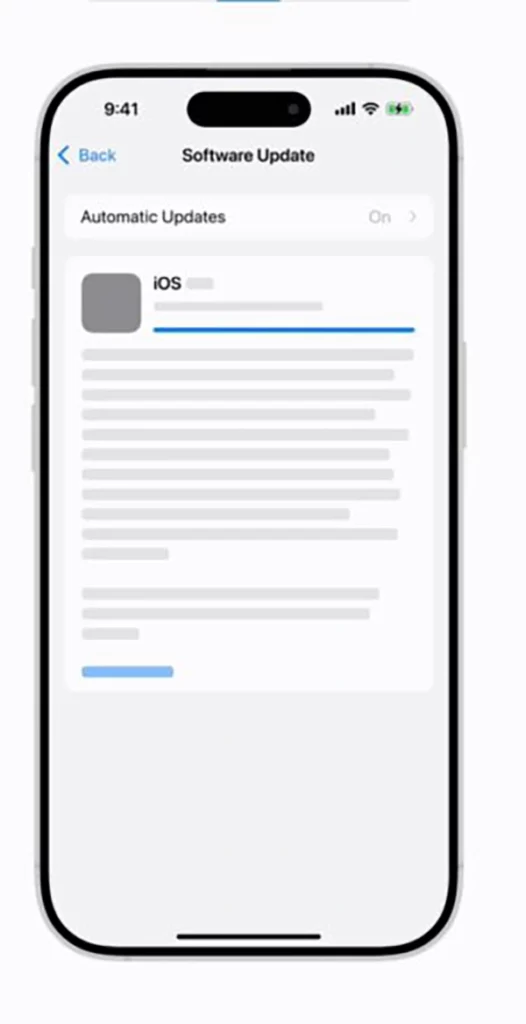
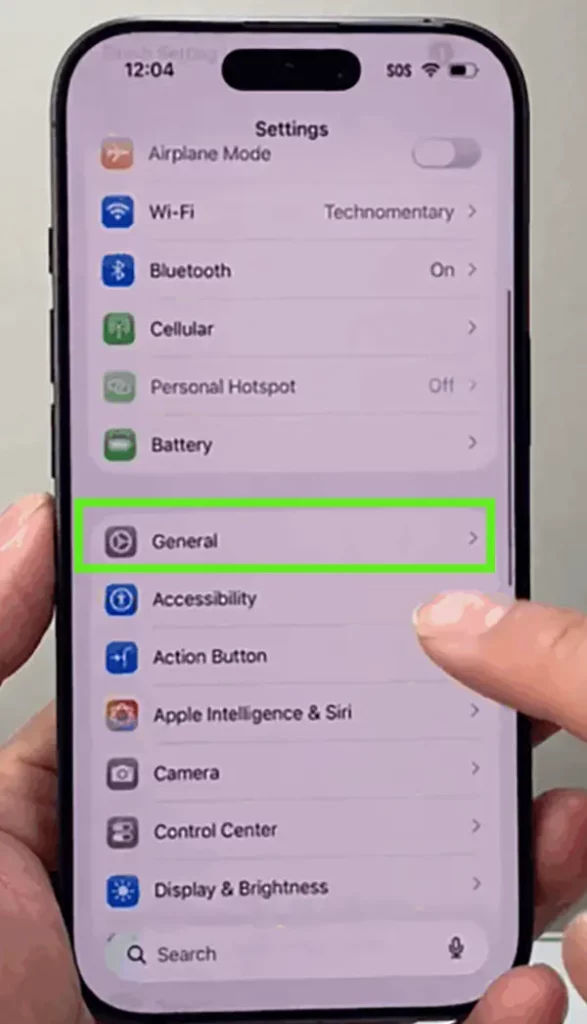
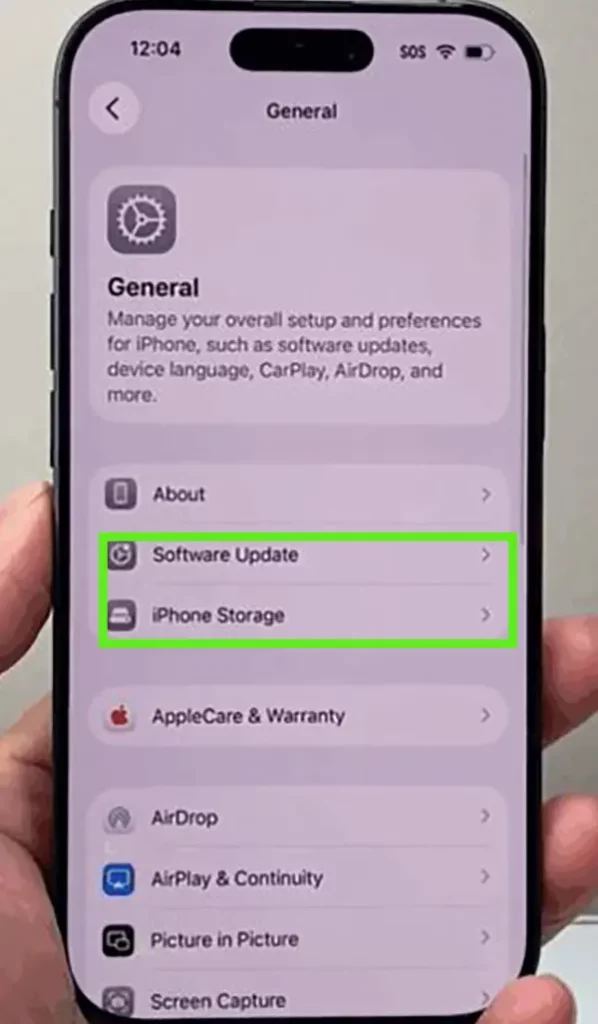
Sometimes, old software versions are making things worse in the backend systems and cause various glitches to form, harming system mobility. To avoid this, you have to update your apps on iPhone, along with the entire operating system, and it can be done in a few simple taps:
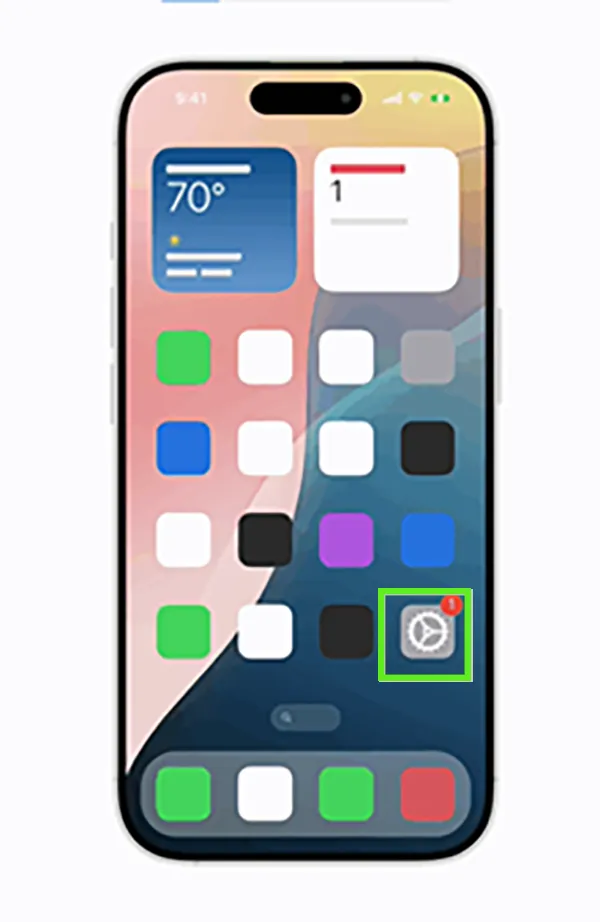
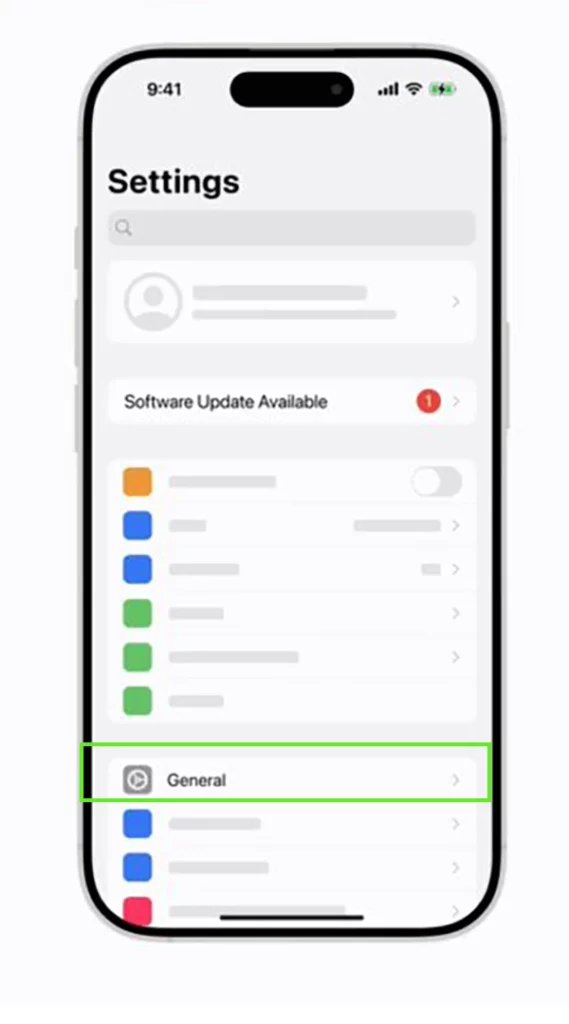
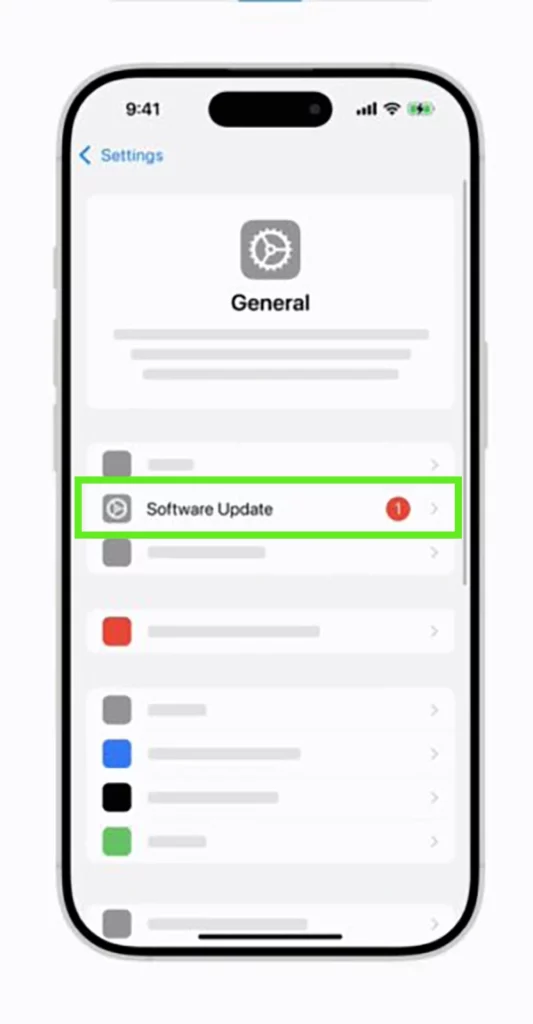
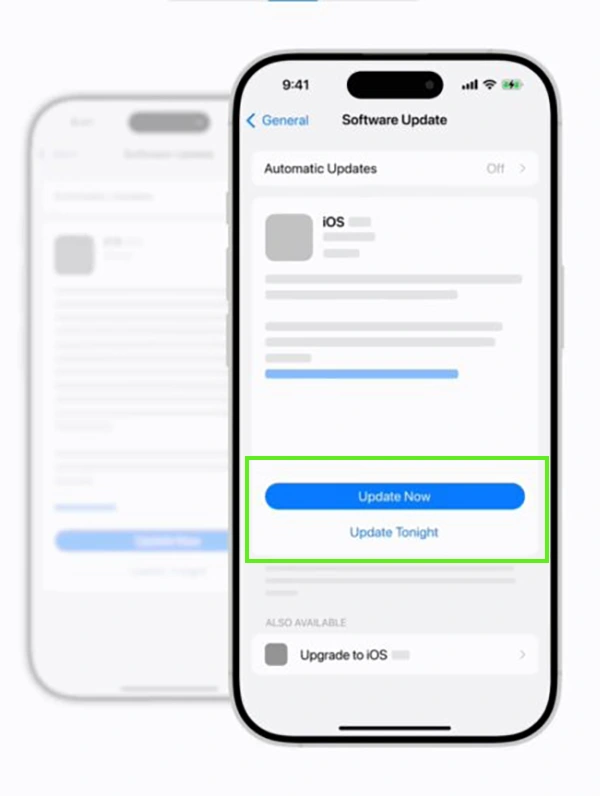
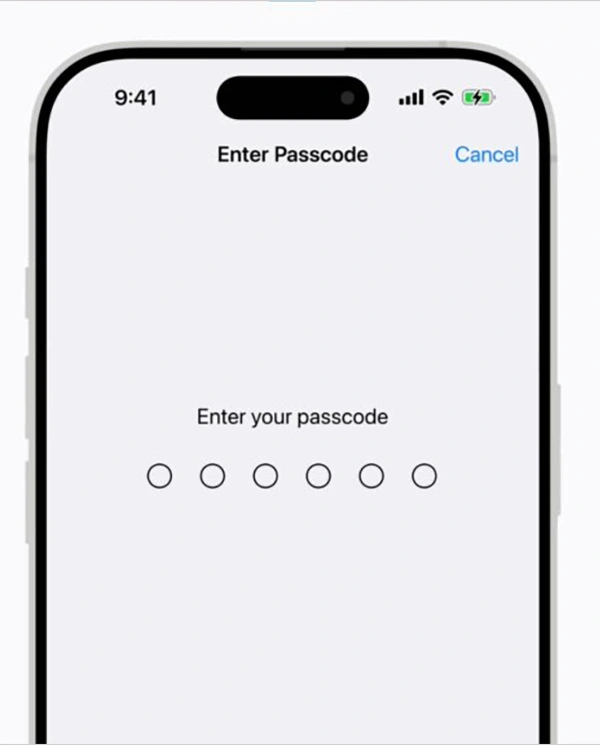
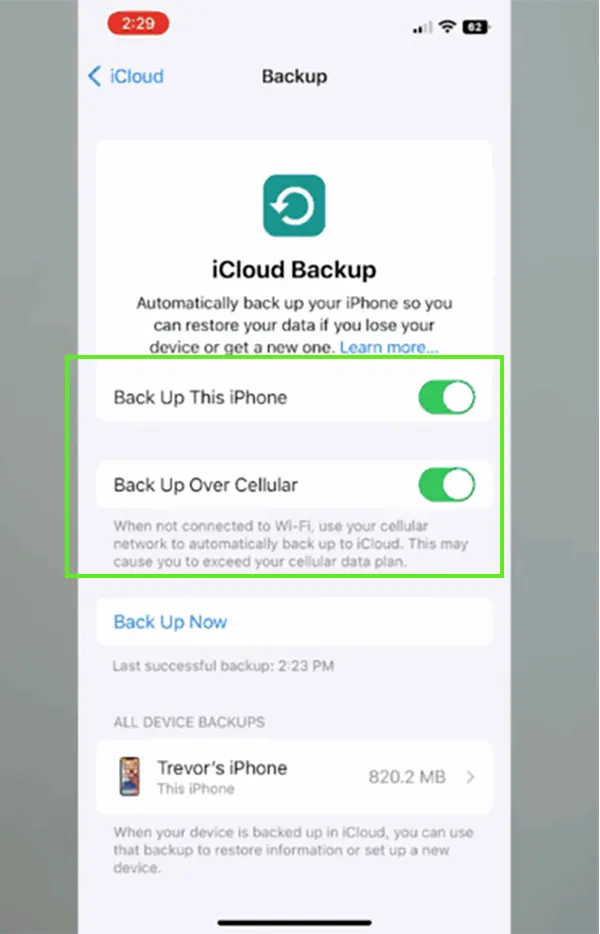
If things don’t work well after these three methods, then temporarily disabling the iCloud backup or deleting some iCloud photos is the most prominent option left on the table, because it will allow your iPhone to settle the older data first instead of backing up new properties constantly.
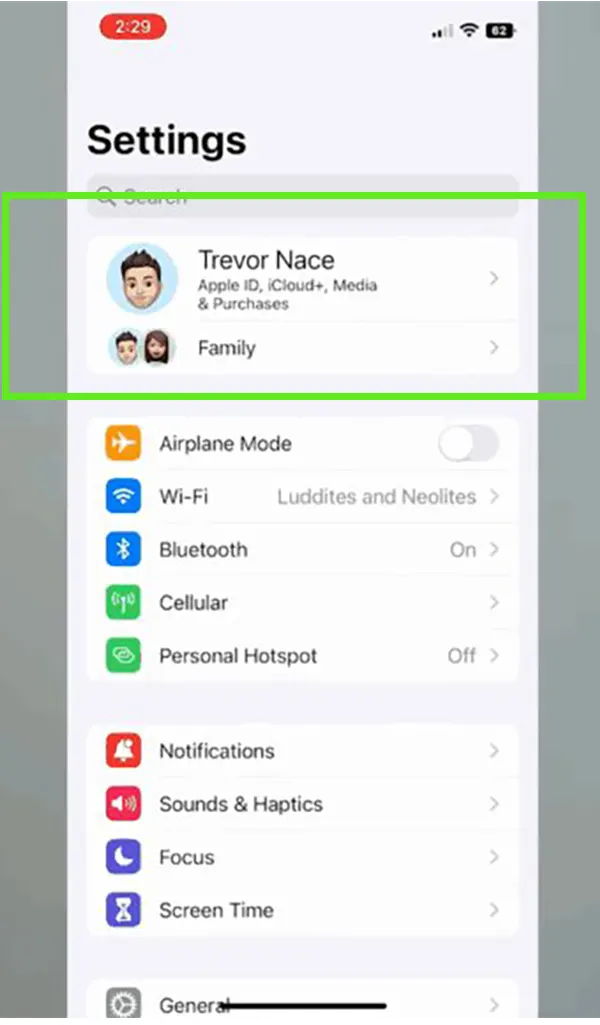
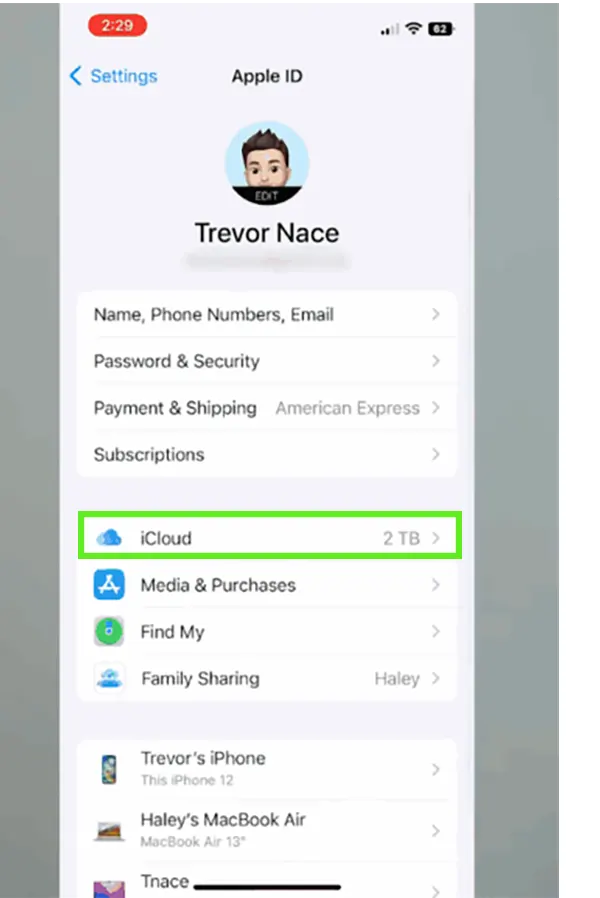
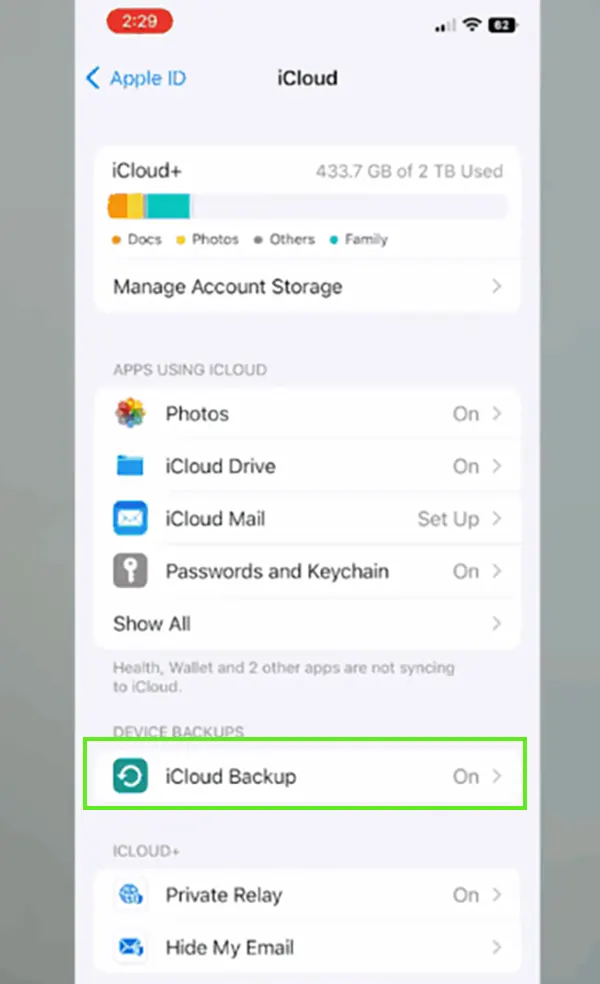
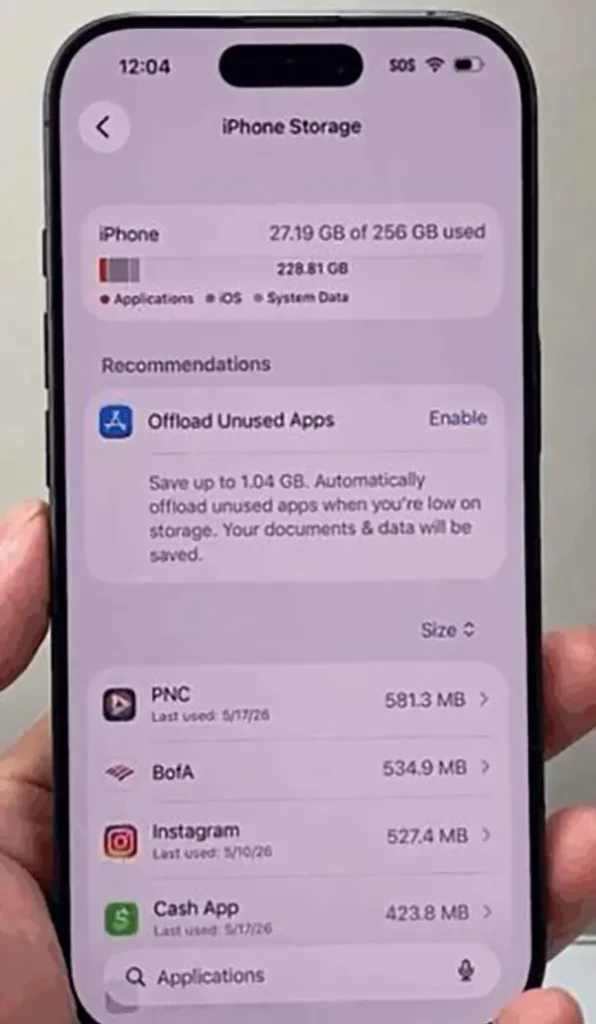
There is a possibility that your storage is the main culprit all along, as many times, some unknown files and applications stuff unnecessary data in your iPhone. That’s why checking your iPhone storage multiple times makes a lot of sense.
These are some easy yet effective methods you can use to fix the “message finished indexing” issue on your iPhone, which often occurs after major iOS updates or alongside bug fixes or security patches. Nonetheless, it is not a cause for concern, as it is just a software error that can be fixed once the settings are refreshed.
Also, if the problem persists, then for the next security update, do it as soon as possible. If you want more insights about the iPhone and troubleshooting methods for other glitches, then make sure to check out GetAssist.
Ans: Well, if this message is surfacing on your iPhone, then it means your device is scanning and organizing your message data to create a searchable database.
Ans: In normal use cases and situations, an iPhone can finish indexing in approx a few hours to 2–3 days, depending on the data you store.
Ans: Well in simple terms, it means your iPhone is organizing and cataloging your text messages in the background.