Discord is a popular platform for communication among the younger generation. You can chat and communicate during gaming with your friends. In some cases, you might need to delete your Discord account to stay away from playing games and reduce screen time to focus on other things.
We will show you the easiest way to delete your Discord account in this write-up ahead.
Before deleting your Discord account, transfer ownership of or delete any Discord server you own because you cannot access that server after deleting the account.
Follow the steps to delete your account on desktop and web.
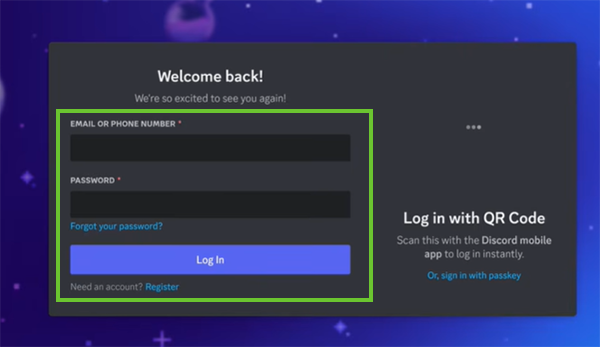
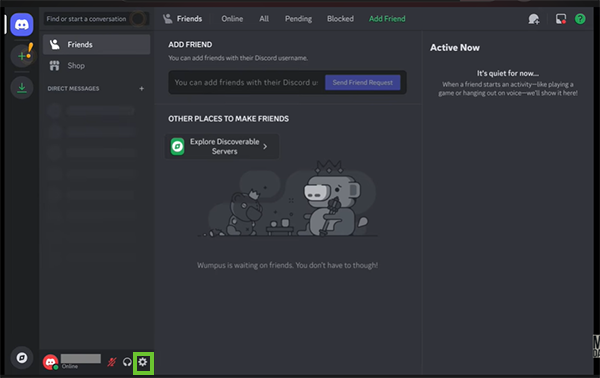
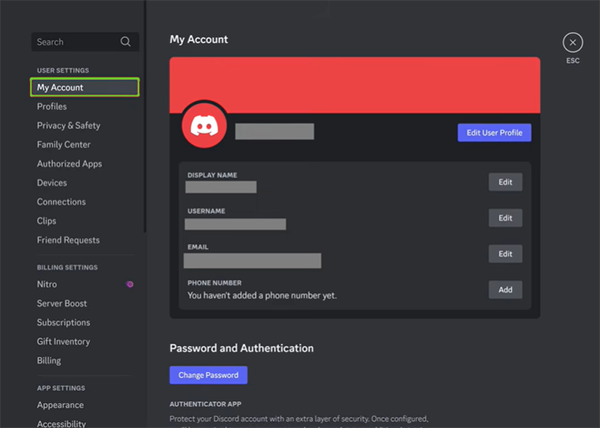
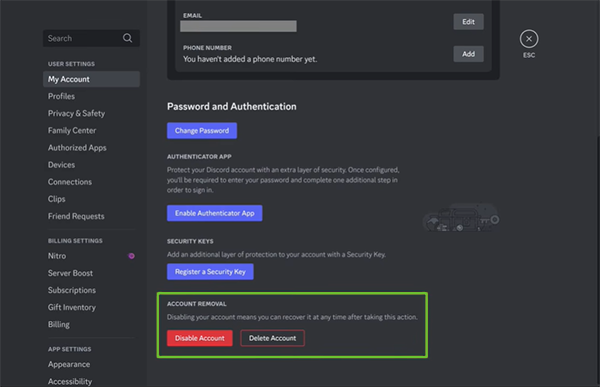
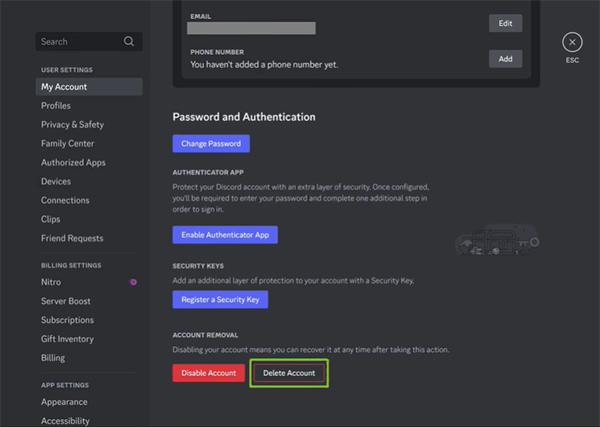
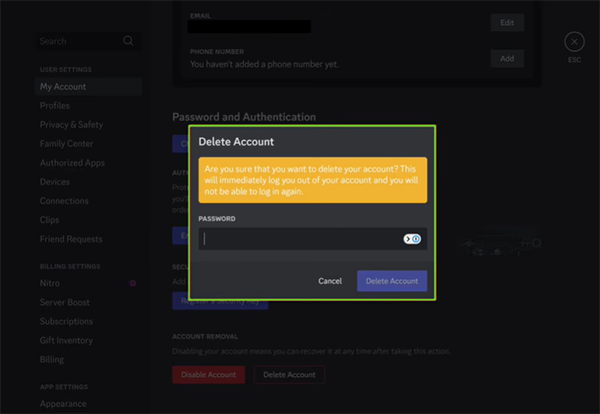
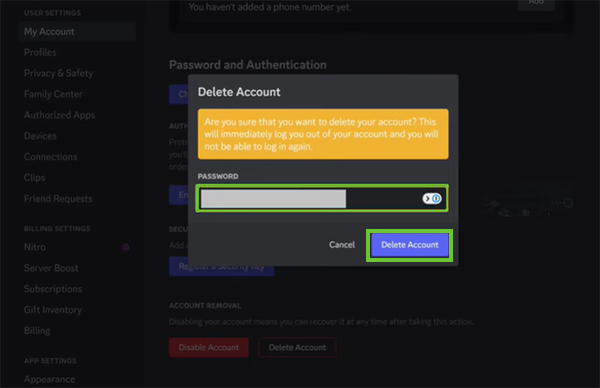
It is a platform where you can hang out with your friends, stream Netflix on Discord, play music on Discord, or watch a YouTube video together. Follow these easy steps to permanently delete your Discord account.

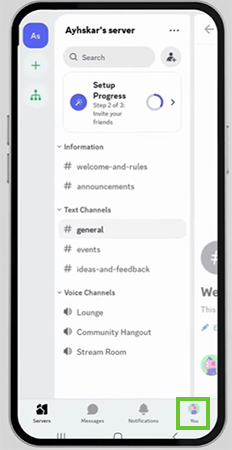
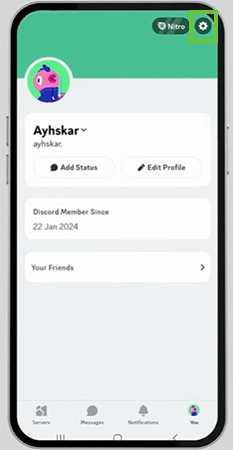
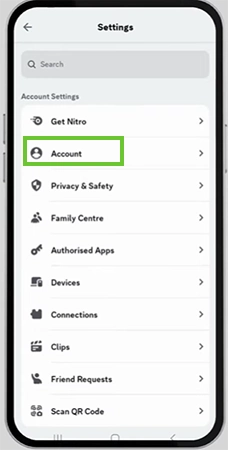
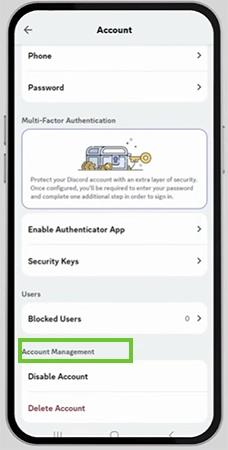
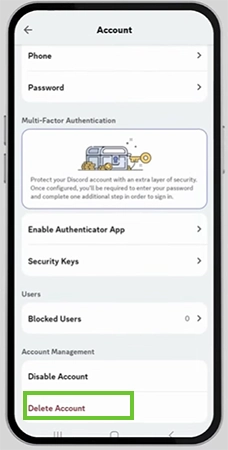
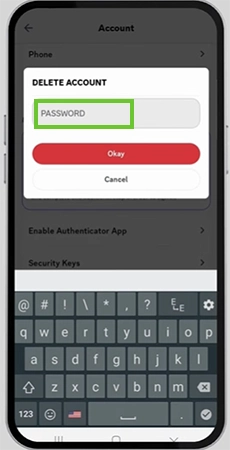
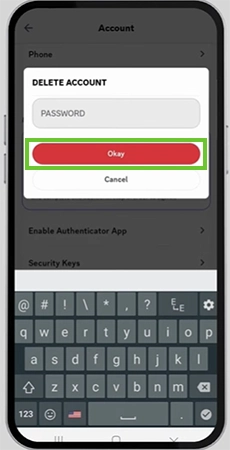
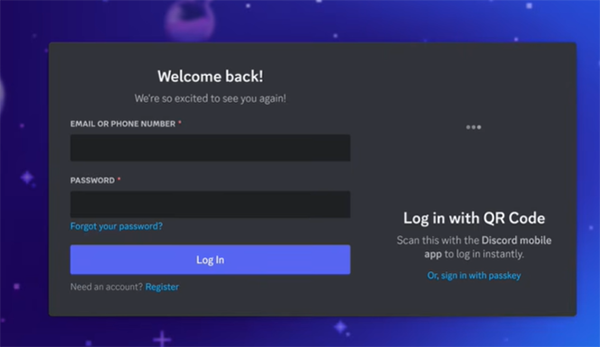
After deleting your Discord account, it remains for up to 15 days before being permanently deleted. You can easily restore your account within those 15 days; you just need to log back in, and the deletion will be cancelled. After 15 days, you cannot recover your account in any case.
Discord is not a 100% safe and private platform, and so many scammers use Discord to scam people.
Deleting your Discord account can be a completely personal decision. Therefore, it is not a 100% safe and private platform, and so many scammers use it to scam people. In this guide, we have shown you how to delete your Discord account permanently on a desktop and on both iOS and Android devices. If this guide is helpful, you can check out more such guide videos on the Getassist YouTube channel.
You can completely delete Discord by deleting the Discord application and removing the remaining files manually.
Yes, people can still see your Discord account if it is deleted; your username changes to Deleted User, your profile picture disappears, and you vanish from their friends list and shared servers.
Discord says it’s for party age verification, and they delete your ID just after the verification is completed.
No, Discord is not 100% private and safe.
People delete their Discord accounts for a mix of personal privacy, platform frustration, and safety reasons.