Using a Chromebook for the first time and suddenly all the words you type appear in capital letters instead of regular small letters? This is a common issue most beginners face when they first use a PC and stumble upon multiple keys out of curiosity to find features like taking a screenshot on a Chromebook. But don’t worry; in this short guide by GetAssist, you will learn how to turn off Caps Lock on Chromebook in two simple steps.
Stay tuned till the end!
Quick Answer
If you want to turn off Caps Lock on Chrome or enable it again to start using it, you can use the shortcut Alt+Search. You can also use the system settings methods to implement this feature. The Caps Lock notification icon is visible in the bottom-right corner of your screen near the clock.
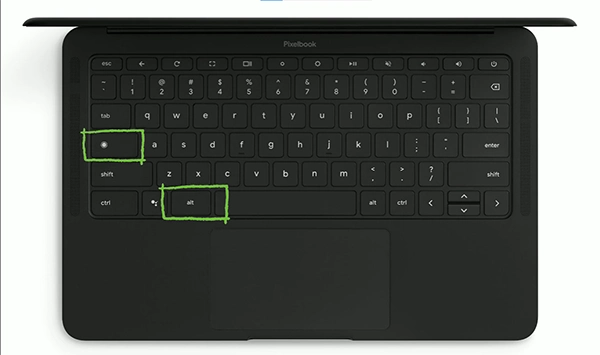
There is a shortcut on your Chromebook that you can use to turn Caps Lock on and off, and it requires only two buttons. Press Alt+Search to enable and disable the function using Chromebook’s original keyboard or any added hardware accessory.
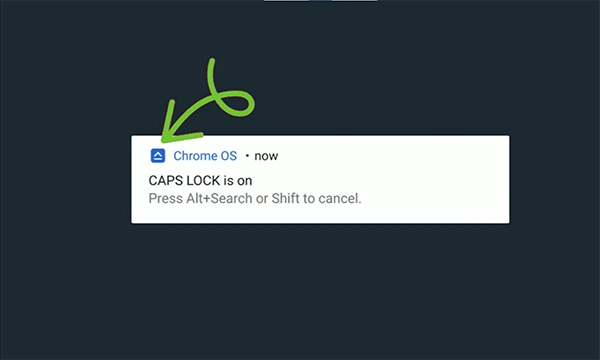
After you successfully press the shortcut, you will see this type of notification on your Chromebook that states “CAPS LOCK is on”. To turn off Caps Lock on Chromebook, press the same shortcut on the keyboard (Alt+Search) so that you can start typing in small letters.
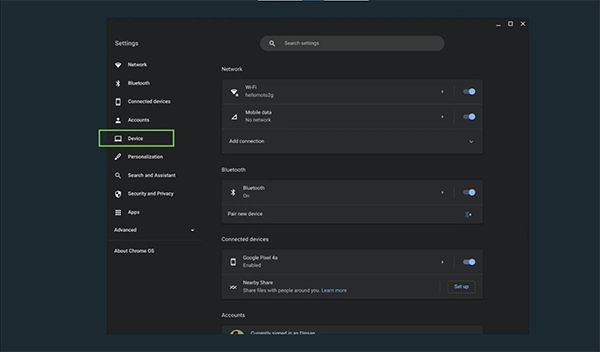
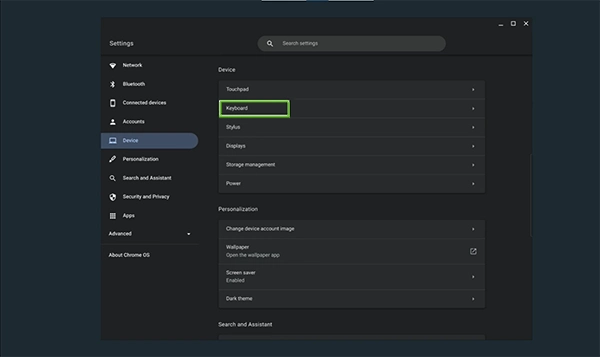
Another way to turn off or turn on Caps Lock on a Chromebook can be done via system settings. To do that, follow these steps in the correct order.
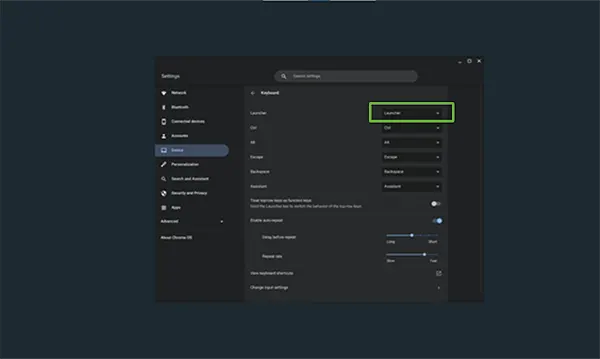
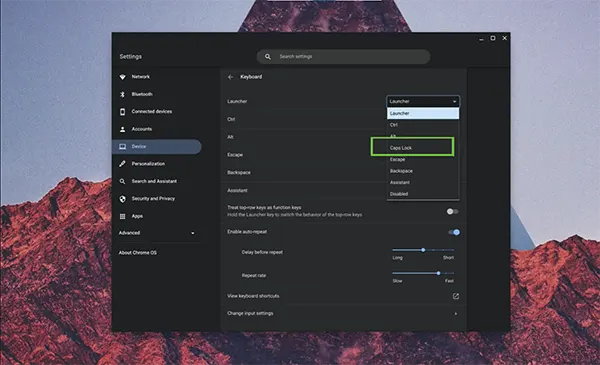
Turning off the Caps Lock feature on a Chromebook can be done in no time. The easiest way is to press the Alt+Search keys together, but another option is to reset the settings of a certain key. When you customize the keyboard layout, you lessen the chances of any embarrassing typos as well as boost your productivity. Test out the two methods to see which one works better for you and enjoy using your Chromebook without any frustration. For more such troubleshooting guides, tech updates, and social media trends, follow and connect with GetAssist on all platforms.
Ans: To remove keycaps from your Chromebook, you need to use a small flathead screwdriver or plastic opening tool to gently pry the keycap away from the underlying plastic retainer clip.
Ans: The easiest way to uncapitalize text on your Chromebook is to press Alt + Search (or Alt + Launcher / Alt + Everything button with a circle icon) on your Chromebook keyboard. Other than that, you do this by going to the system settings menu.
Ans: This shortcut immediately secures your computer when you step away by locking it. To unlock the screen and return to your work, you must type your Google Account password or PIN.