For creating a binge session with your online friends and family, Discord is a fantastic place, and learning how to stream Netflix on Discord can make the evening more captivating. However, Netflix doesn’t allow any third-party intervention, so there might be some issues, like a black screen or Netflix login failures. That’s why, to avoid all of this chaos, read this article till the end!
If you want to know how to stream Netflix on Discord, then you need to follow some convenient steps that will break the platform barriers and cast it perfectly without the repetitive issues of audio lags and black screen. Let’s see how to do this action without resetting your Netflix Password.
Procedural Outlook
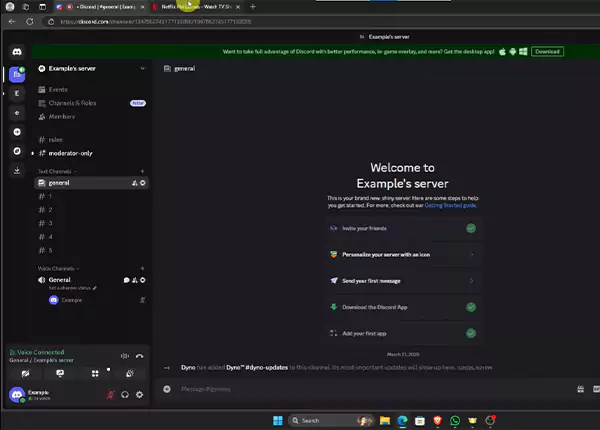
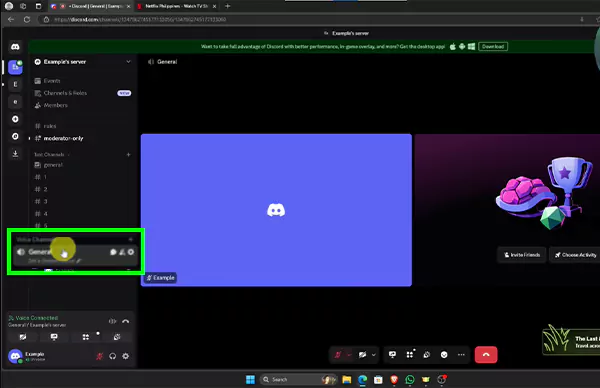
- Open Discord and Join the Channel
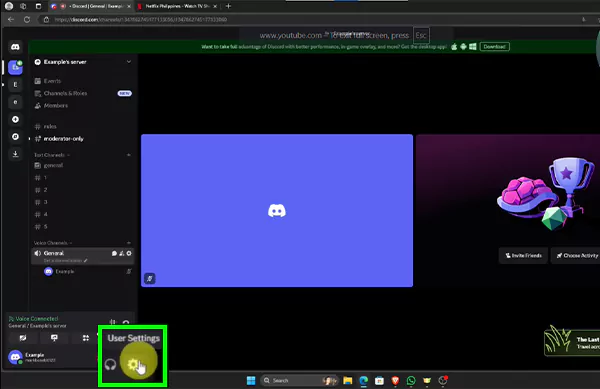
- Then go to Discord’s User Settings
- Click on Voice and Video Settings
- Click on the Video section
- Disable the graphics acceleration settings.
- Go to your browser settings and disable the same setting (graphics acceleration)
- Cast the Netflix window without any delays or disruptions
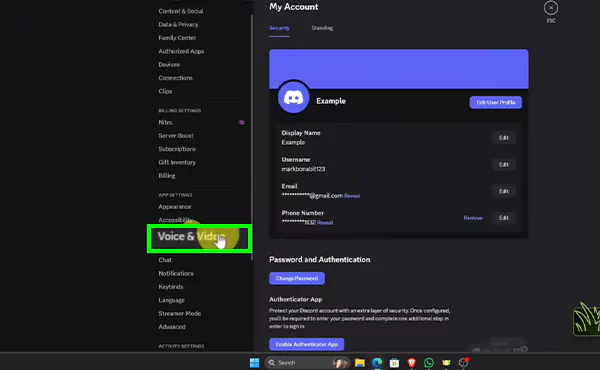
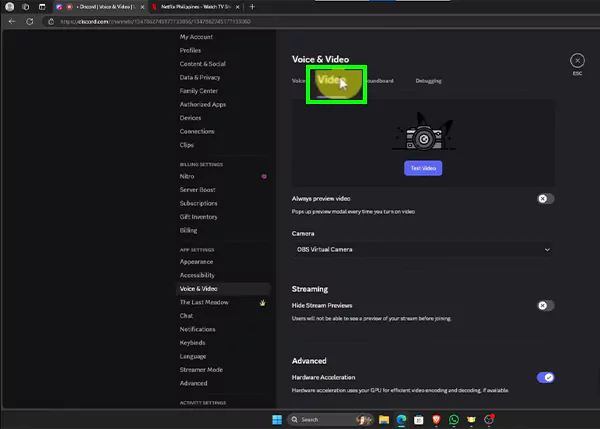
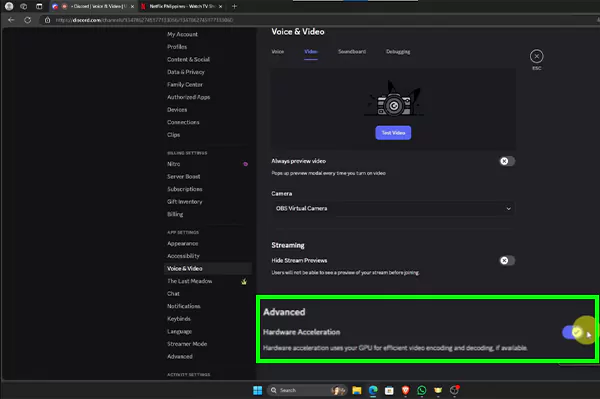

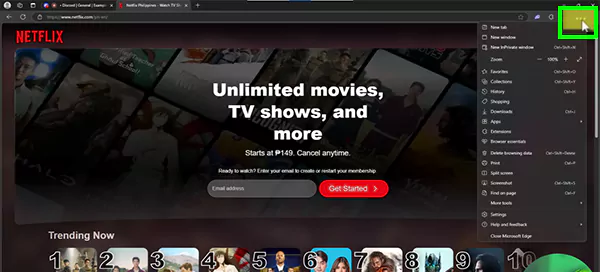
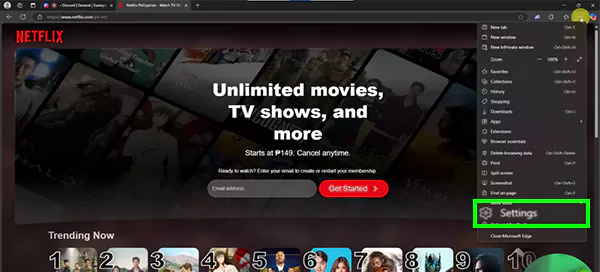
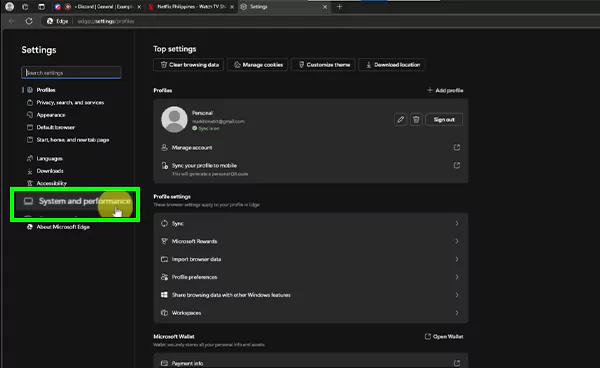
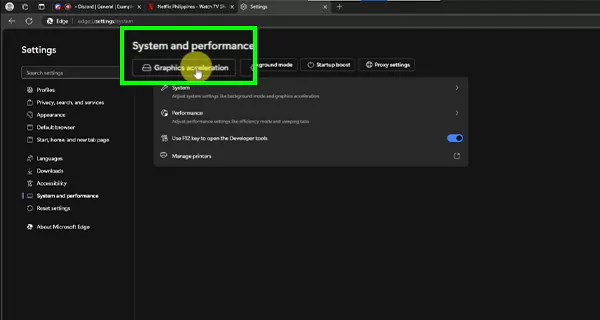
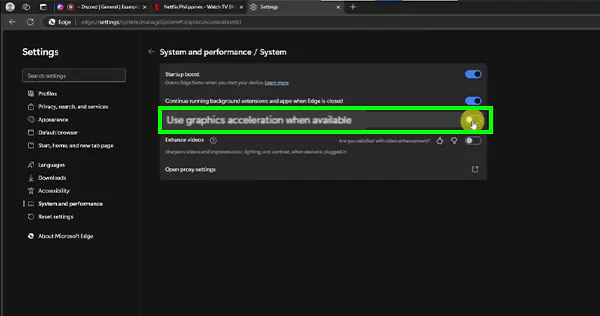
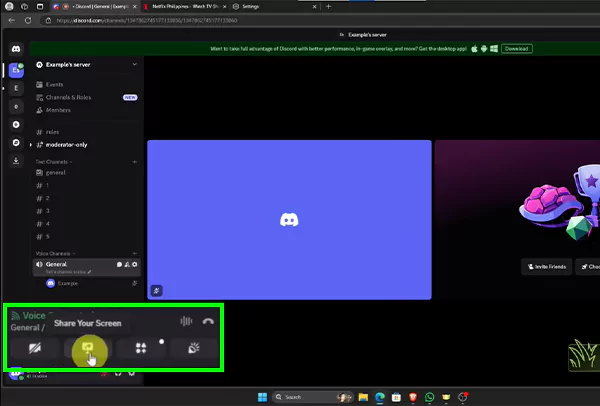
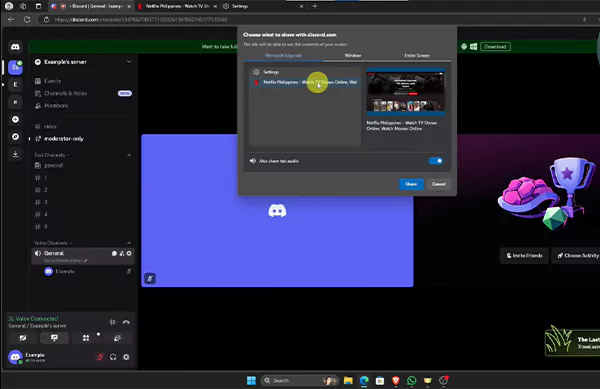
Craving more such hacks and everyday solutions? Then, without wasting any more time, check out and subscribe to the GetAssist YouTube Channel, along with pressing the bell icon for the latest tech updates.
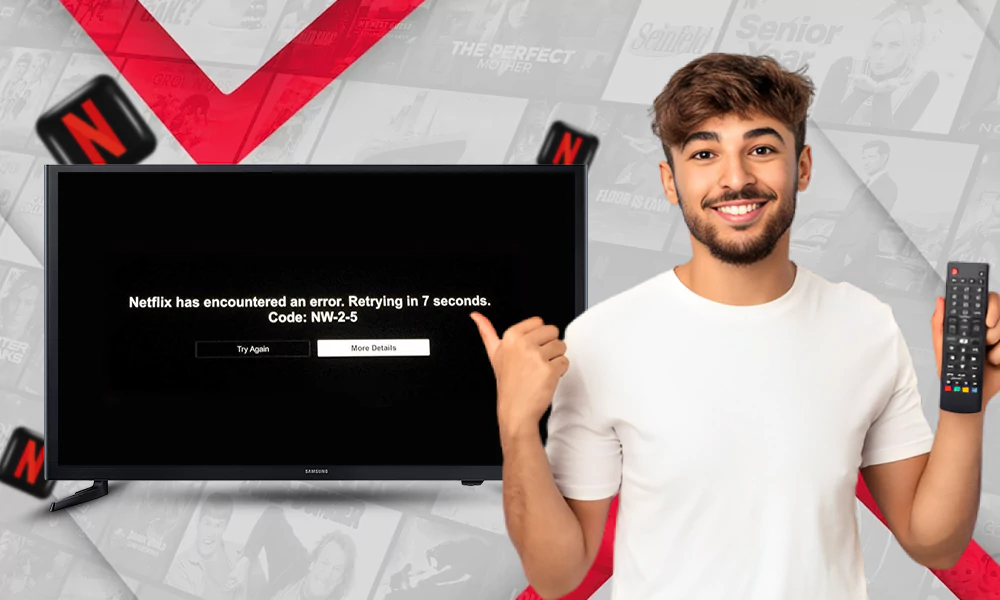
Well, specifically, there are only a few problems or glitches that appear in Discord every once in a while, which can make the experience a bit frustrating. These issues are commonly known as:
To minimize your searching time to fix the potential issues, we have curated a chart that provides the best troubleshooting solutions for all the recurring problems. That chart can help you watch Money Heist on Netflix or any of your favorite shows with your friends without the chaos of fixing things.
| Issues | Troubleshooting solution |
| Black Screen | Disable “Hardware Acceleration” or “Graphic Acceleration” (according to your browser) and turn off this setting too in Discord. |
| Audio Displacement | Make sure that your system’s sound is enabled, and don’t go for the “Entire Screen” option; instead, go for sharing for a particular window of the streaming platform. |
| Laggy Streams | Close background applications, lower the streaming quality, and turn off the power saving mode of your systems. |
| Browser Incompatibility | Disable the DRM setting, and if the problem persists, then change the current browser. |
Surpassing every issue and platform restrictions, we have successfully shown users how to stream Netflix on Discord so that they can enjoy their captivating thriller shows and mind-bending movies without any disruptions. Also, if issues persist, then these troubleshooting solutions can help you in so many ways, if they don’t work, then we advise you to restart your systems and clear the background cache from the hard drives.
To share Netflix without a black screen, disable hardware acceleration in your browser (Chrome/Edge) or Discord, which prevents DRM (Digital Rights Management) from blocking the stream.
Although there are no system-disruptive risks involved, you can face problems like a black screen, audio incompatibility, browser crashes, etc., during your playback session. All these things can ruin both your mood and experience of the people watching.
A soft ban on Discord is a consequential step that bans and then immediately unbans a user to purge their recent messages (typically within the last 24 hours) from a server.