Downloading unofficial applications that are not available on the App Store, or clicking on unknown websites or links, can cause viruses and malware on your device.
You just need to perform these simple steps to learn how to remove virus from iPhone and malware from your device, such as a hard restart, which helps you to stop suspicious applications from running in the background; an iOS update; and removing web data.
Viruses and malware can decrease performance and result in app crashes and other issues. You can easily scan and make your device more secure and responsive by following the fixes mentioned below.
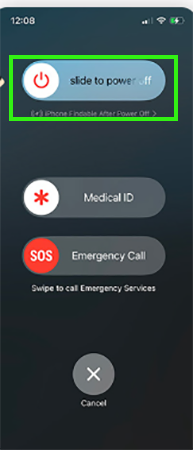
Restarting your phone helps to stop the virus-causing application from running in the background of your device. Check out the process:
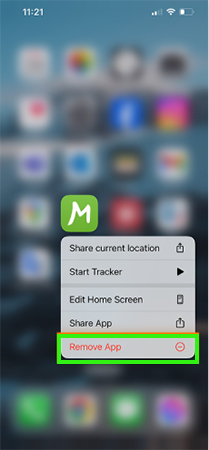
Third-party applications that are not listed on the official App Store bypass the strict anti-virus guidelines and increase the risk of viruses. To delete those suspicious apps:
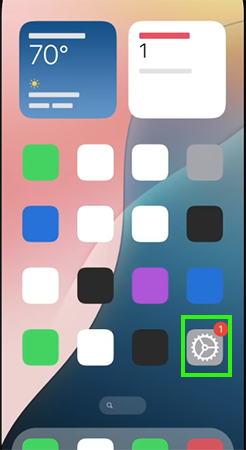
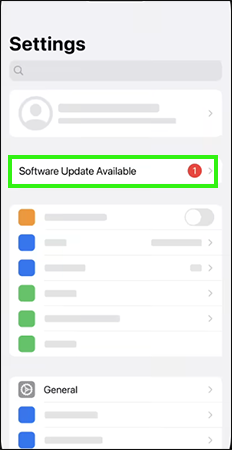
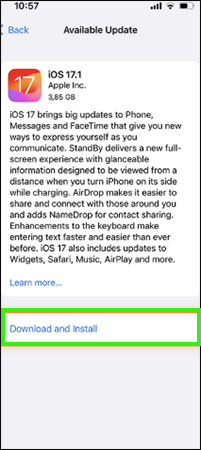
Updating your phone to the latest iOS will increase security, improve responsiveness, unlock new functions, and strengthen antivirus protection. Updating your iPhone to the latest available version will remove all the bugs and glitches. To update, follow the process:
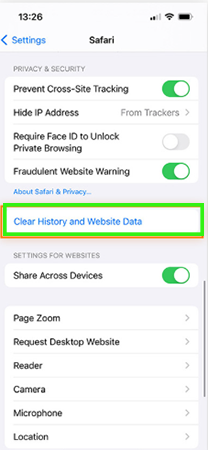
Removing all web data and history will clear virus-causing websites and clear local memory, which will also help prevent your device from viruses and malware. Follow the steps:
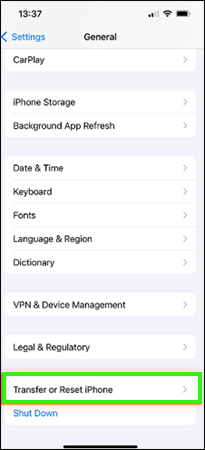
Resetting your iPhone is the best and easiest way to remove all the data, including viruses, applications, and web data. Consider noting that all of your data will be removed except for iCloud backup. Check out the steps.
There are a few easy steps that can help you to prevent your device from viruses.
iPhones also get viruses by making these 4 mistakes.
Viruses and other malware can steal personal information without permission, causing unwanted misuse. To stay protected, use this guide to check for and remove suspicious viruses, and for more such video guides, check out the Getassist YouTube channel.
Your iPhone will work suspiciously and be laggy; it will take more time than usual to perform any task.
Download a virus protector from the App Store and avoid clicking unknown links and downloading unofficial apps.
Yes, viruses can have a huge effect on performance because they always run in the background of your device, use memory, and increase power consumption. It will also cause shorter battery life and overheating.
Yes, a virus can steal all your device information, including personal information, photos, videos, etc.
Neither Google nor Apple sends warning messages; they only send marketing emails for paid antivirus apps and websites.