Imagine doing conversation with your favourite person or making a presentation for your favourite team member with just bland words. Avoid this by learning how to get emojis on Mac or your other Apple desktops with just a few clicks on your keyboard, which is mentioned in this insightful post by GetAssist. Make sure to read it till the end!
Well, to open the emojis on Mac and use them on various docs or socials, you need to follow some easy steps, which are as simple as snipping on Mac.
Here is how to get emojis on mac:
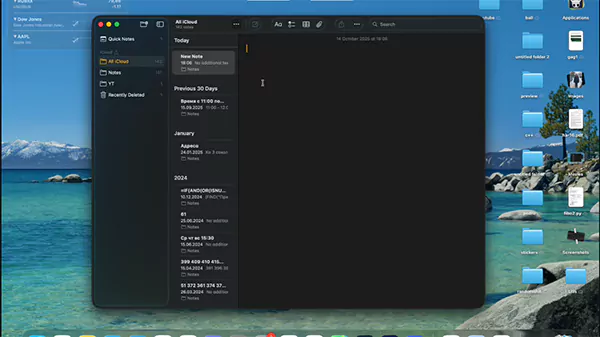
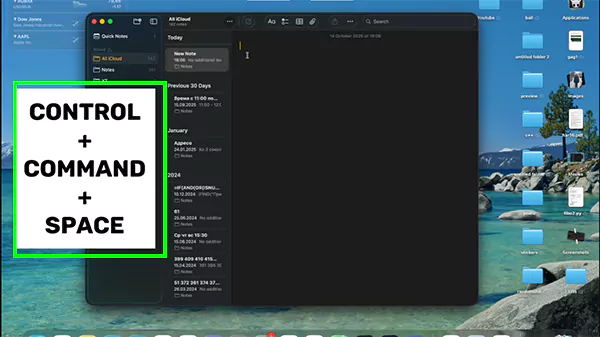
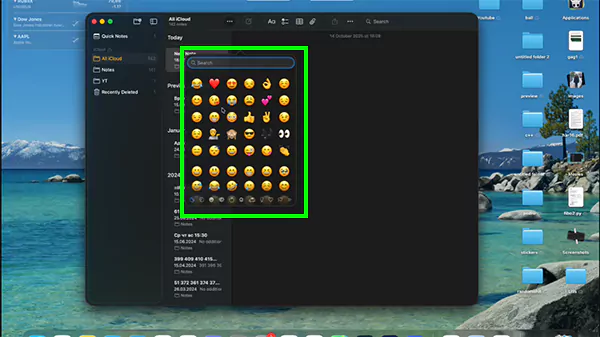
If you liked this shortcut about your MacBook and want to learn more such key things, then you must check out the GetAssist YouTube Channel and subscribe to learn countless engaging tips and tricks.
Now, when you get bored with using yellow expressive emojis, you have to know some special ones that will keep the conversation going. Some special emojis have special significance, like:
These emojis make the conversation so beautiful that the other person might take a screenshot on the Mac they are using to preserve the lifelong memories.
To sum up how to get emojis on mac, we just want to say that macOS has tons of creative emojis that target every emotion of the human mind and make conversations or presentations more engaging. So if you are unable to maintain healthy gossip and send lifeless projects, then make sure to add your favourite emoji on Mac. For more such engaging articles, make sure to follow GetAssist.
By pressing control+ command+ space, the emoji panel will pop up and you can select it from there.
Yes, as per the latest update, you can now create custom emojis of your avatar using GenMoji, which is empowered by Apple Intelligence.
No, this is the cute smile that you can send to anyone without any hesitation of breaking the flow of your chatting session.