The alarm is one of the most important things for us to wake up on time every morning. The default alarm sound on iPhone is boring, and you might want to change it. iPhone gives so many free and paid alarm sound options you can choose from.
Follow this guide and get to know how to change the sound of your alarm.
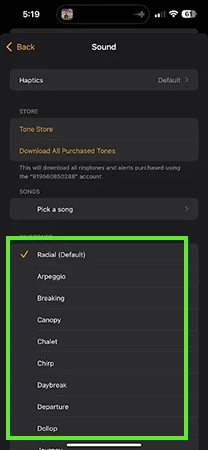
Follow these easy steps to change your old and boring alarm sound on your iPhone. The iPhone offers many options to choose from, including some paid premium sounds.
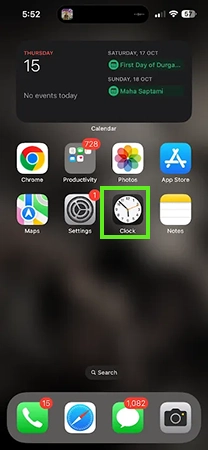
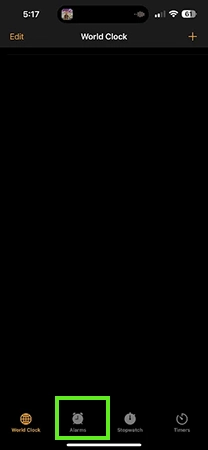
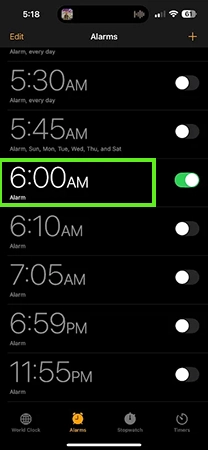
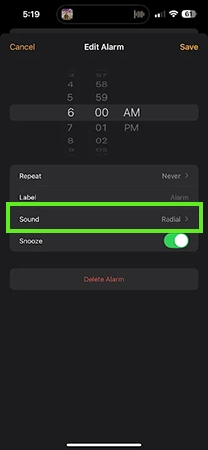
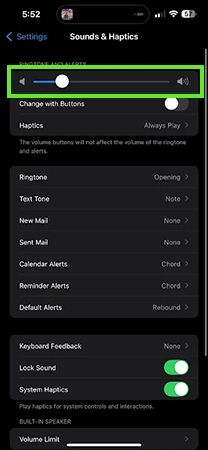
You can adjust your iPhone’s volume settings. This will help you to set the desired loudness for your alarm.
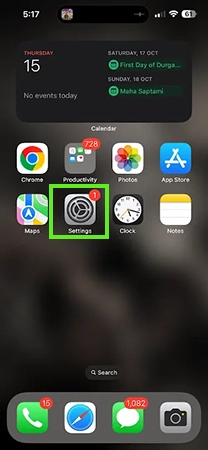
An alarm is one of the most important things for many people; they regularly use it to wake up in the morning. But most of the people do not like the default and boring alarm sound.
They want to change it, but I wonder how do i change sound for alarm on iPhone. In this guide, we will show you step-by-step methods to change the alarm sound you can choose between free and paid sounds. If this guide is helpful, you can check out more such guide videos on the Getassist YouTube channel.
Yes, you can change your alarm sound on iPhone by opening the Clock app, selecting Alarm, tapping on Sound, and choosing your favorite ringtone.
No, haptics are very useful on iPhone because it doesn’t have any delay or a buzzy feeling.
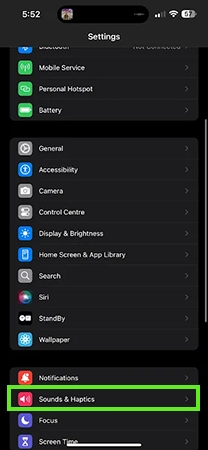
You can change your default ringtone on your iPhone by going to Settings, then Sound & Haptics, and changing your default ringtone.
The default iPhone alarm sound is called Radar; historically Classic, or Radial in iOS 17.
No, you cannot change all your alarm sounds at once on an iPhone; they must be edited and updated individually.