Ever felt amused or frustrated by seeing your data instantly gone by just doing some important tasks like call screening during meetings or editing, then it’s not something strange; it’s the unawareness of data management. So learn how to check data usage on iPhone with some easy steps through this detailed guide by GetAssist.
Along with this, we will also provide the important mediums to track the daily data usage of your devices effectively.
Read it till the end!
Well, to track the overall data usage on iPhone or your other Apple devices, like an iPad, you just have to do some taps on the settings to reach the page where all the data pops up. Let’s take a look at how to get there:
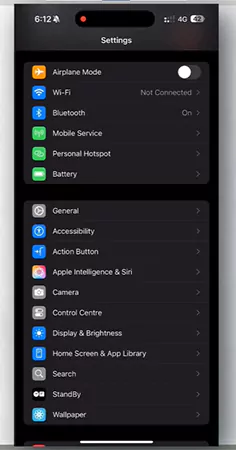
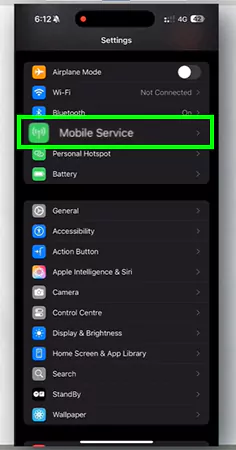
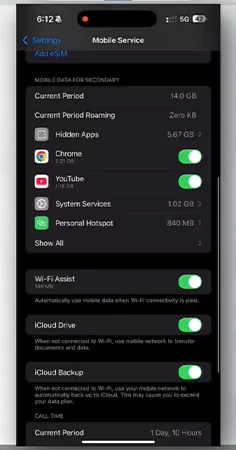
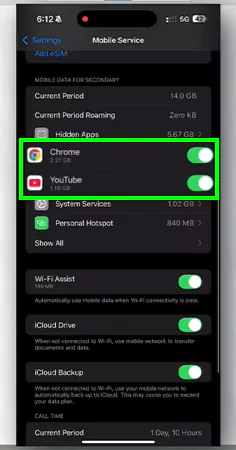
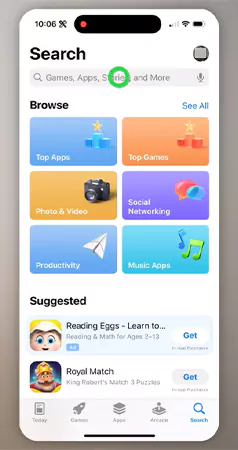
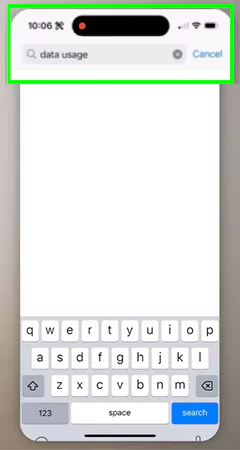
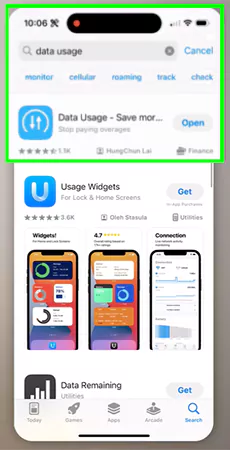
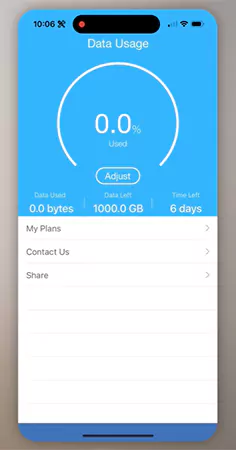
After seeing the overall cellular data retention of your iPhone, you must be curious about the way to learn to track daily consumption while doing your day-to-day tasks, as there isn’t any official way possible. But we have a perfect solution to this query in just a few easy steps:
Now that you have learned a new feature of the iPhone, we hope that you are curious about learning more things, and for that, make sure to check and subscribe to the GetAssist YouTube channel. Here you will get the latest iOS updates and troubleshooting when you enable the bell icon.
At last, we just want to say that learning how to check data usage on iPhone is very important for every Apple user, as it brings a sort of clarity in their internet consumption and provides valuable insights.
Due to the unavailability of the official feature, we have suggested a third-party app that will help to monitor your daily data coverage. For more such intriguing articles, make sure to follow GetAssist.
The triple-tap trick on iPhone is a great accessibility feature that is used for doing various actions, such as opening the camera or flash.
All the iPhone models before iPhone 11 are now outdated, as they won’t be getting updates after iOS 26.
To protect your online data on an iPhone, you just need to enable a VPN or use a trustworthy data modem.