While using your Apple device, have you ever seen changes in your battery icon and asked yourself, “Why is my iPhone battery yellow?” Then don’t feel confused. It is a very impressive feature that helps extend your device’s longevity and provides many other benefits, which we will look at in this article.
Overview
- iPhone yellow battery is a conventional animation of Low Power Mode that changes the colour of the battery icon when the phone goes below 21%
- To enable or disable this option, just go to the following:
Settings > Battery > Low Power Mode (A toggle for on/off will appear)
The yellow iPhone battery icon is an indicator that will tell you about low battery status after a long day of mobile usage. This feature was first introduced in iOS 9, and it has become the most important part of the battery management ecosystem as it sends a notification to switch the phone into power saving mode and changes the animation color to yellow.
Users can easily enable and disable this feature by just following some simple steps in the settings, which are relatively easy, similar to the call screening procedure. In the next phase, we are going to look at a procedural way of doing this in detail.
Changing this setting is very simple, and you don’t even have to update apps on your iPhone, as it requires only three steps:
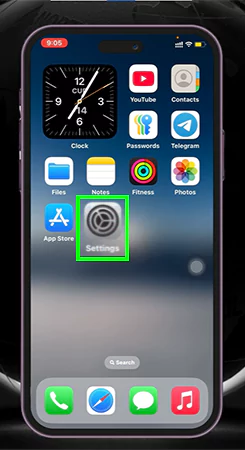
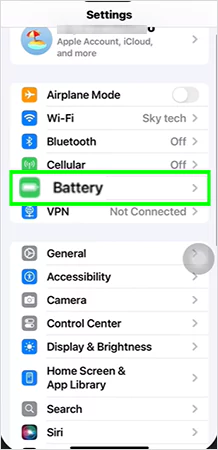
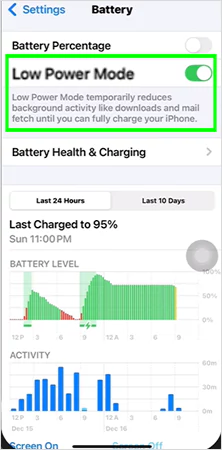
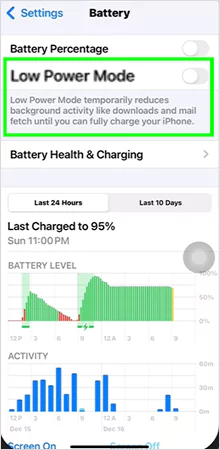
As you all know, the iPhone is full of such features, and if you are willing to learn them and also need rapid iOS updates, then do subscribe to the GetAssist YouTube channel along with pressing the bell icon.
Well, this was all about low battery mode on iPhone, and now you can never fumble with the answer to “Why is my iPhone battery yellow?” when someone asks you about it. This is a very small yet distinctive feature on iOS, which was released back in September 2015 and provided a leading edge in maintaining sustainable battery health of Apple devices.
Although this feature is pre-enabled, it can be changed according to the user’s preferences. Found this blog insightful? Then make sure to stick with GetAssist for more such content.
If you want to get rid of the yellow battery on your iPhone, then just go to the battery settings and disable the low power mode. By doing this, you won’t see a yellow battery icon.
This usually happens because you haven’t disabled low-power mode after charging your device. To make the color white again, just go to the battery options in the settings and disable the low power mode.
No, it is not bad to use low power mode; in fact, it comes under one of the best practices for using an iPhone and maintaining its longevity.