There are so many benefits of changing the name of your iPhone. It gives you a new identity that can help you to find your device among other iPhones. If you want to know how to change iPhone name, Apple ID name, and why it is necessary, keep following this guide till the end to get a comprehensive grasp.
There are so many benefits to change name on iPhone, as you can easily find your device among other devices in public places, and if you are using AirDrop to share data, you can easily find your device by its AirDrop name. Let’s change your iPhone name in a few easy steps.
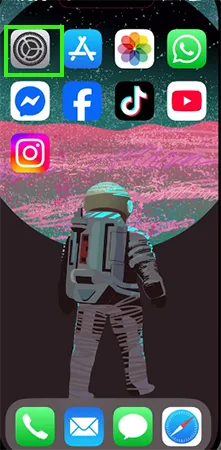
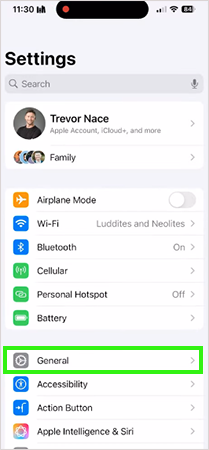
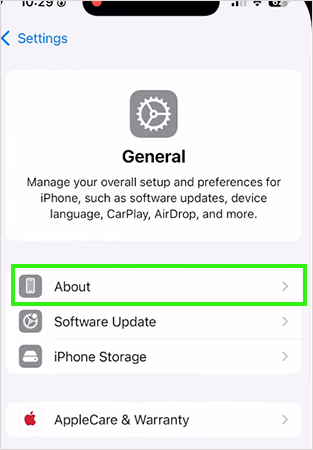
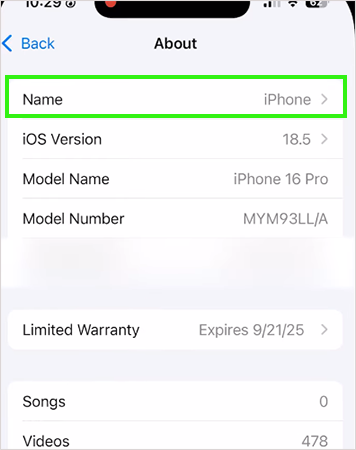
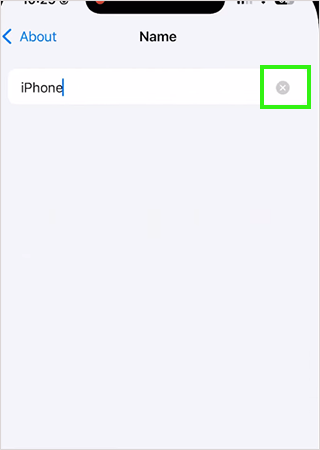
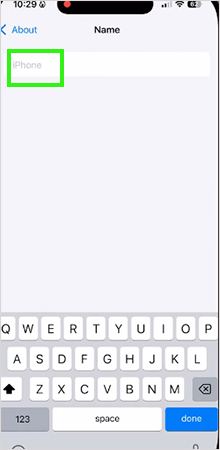
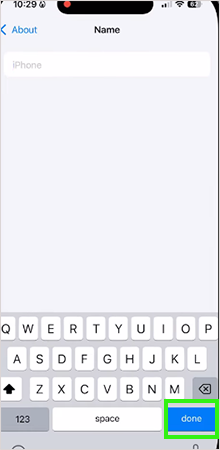
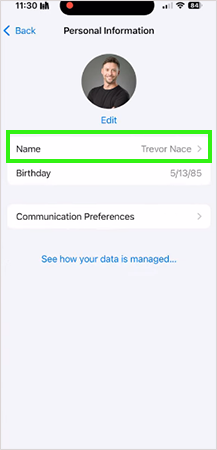
On an iPhone, you can easily change the Apple ID name whenever you want. If you want to give your Apple ID to someone else, you can change the Apple ID name, and there is no limit to how often you can change it. Follow these 6 easy steps to change the name on your Apple ID.
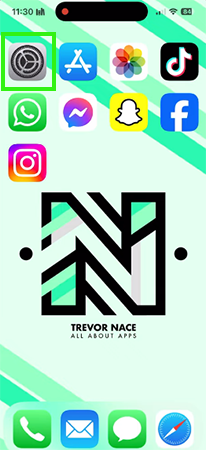
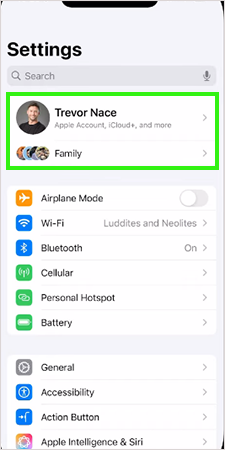
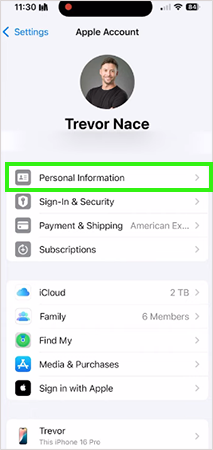


Changing the name on an iPhone is very important; it helps you identify your device among all Apple devices nearby. Apple sets the default username” iPhone ” for all devices, so whenever you try to send files or connect to a hotspot or Bluetooth, you can see so many iPhones. After changing your device name, you can easily find it on a list of devices.
The default username of all Apple devices is set to iPhone, so whenever you open AirDrop or any sharing option, you can see so many iPhone-named devices nearby and cannot find your device. Changing the name will make it easy to find the device among all the iPhones.
Whenever you are using multiple Apple devices, you can face difficulty connecting your AirPods or any other Bluetooth device because you cannot find your own device due to a similar username on all the Apple devices. Change the username on all your Apple devices to differentiate them.
In public places like malls and restaurants, there are multiple devices with the same username. If you try to connect via Bluetooth, try to use AirDrop, or use any other wireless connection like sharing a hotspot, you can find so many iPhone-named devices, so always change your username on your iPhone to prevent those troubles.
Changing your device username will help you in so many activities, like connecting Bluetooth devices, using multiple Apple devices, using AirDrop in public places like malls and restaurants, and sharing a hotspot.
A different username can make it easy to identify your device very quickly, and you can change your username whenever you want; there is no limit to changing it. In this article, you will learn how to change your username and Apple ID name. For more such video guides, check out the Getassist YouTube channel.
No, changing your username can’t affect app data or any personal information; it only changes your device username, which helps you find it among other devices.
When you back up your old data to your new Apple device, it sometimes also transfers your username due to a temporary glitch. Just restart your iPhone to fix this problem.
There are many reasons you can’t change your username because your Apple account will be your employee ID or a school ID, so you cannot change the username due to a lack of administrative permission or a temporary software glitch.
You can change it as often as you want; there is no limit to changing your username. Always try to remember your current username because changing username so often can make you forget it.