How do you Find Your WhatsApp Number on iPhone and Android?

| Updated on July 25, 2026

Finding your WhatsApp number on time is a big headache when someone is asking for details to connect with you. 

To get rid of this problem and get it quickly, go through this whole article and learn how do you find your WhatsApp number on different devices.

How do you find your WhatsApp Number? (iPhone and Android)

Follow along and learn how to find your WhatsApp number on different devices. 

Steps to Find WhatsApp Number on Your iPhone 

To find the WhatsApp number on your iPhone, you just have to follow these steps: 
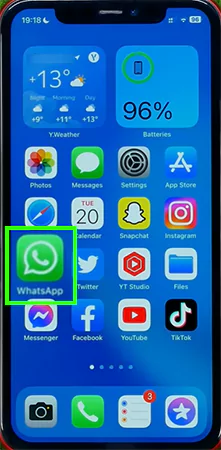
  • Open WhatsApp on your phone
    Open WhatsApp
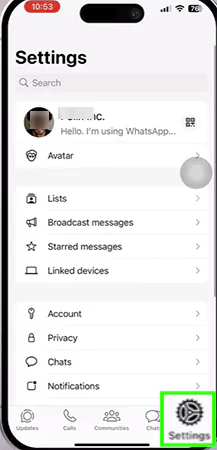
  • Then tap on Settings at the bottom right of your phone.
    Tap on the settings
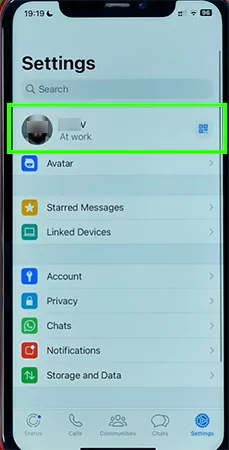
  • Tap on your profile picture.
    Tap on your profile picture
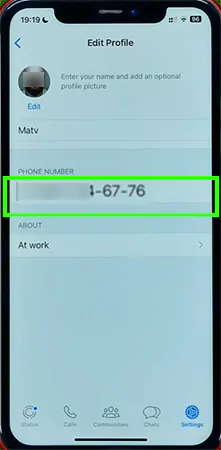
  • Your WhatsApp number shall appear.
    Your Number shall appear

Steps to Find WhatsApp Number on Your Android

The steps to find your WhatsApp number on your Android are: 
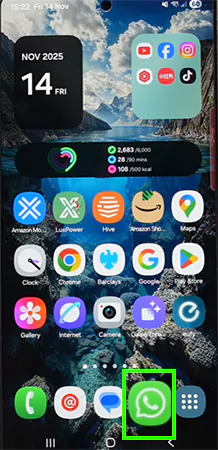
  • Open WhatsApp on your phone
    Open WhatsApp on your phone
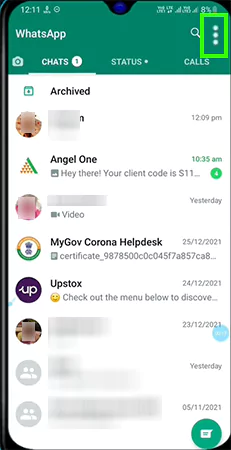
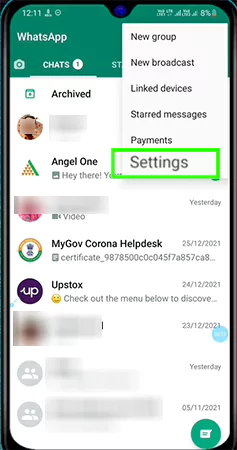
  • Once you have opened WhatsApp, tap on the three dots in the top right corner of your app.
    Tap on the top right corner of the app
  • Tap on Settings.
    Tap on Settings
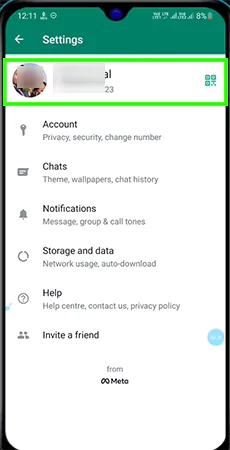
  • Your profile picture will appear. Tap on that
    Tap on the profile pictures
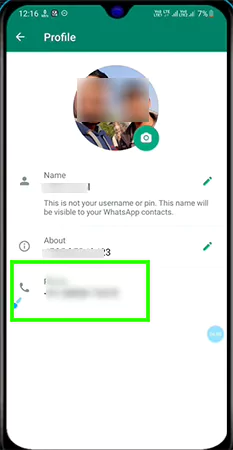
  • Next, all your details such as name, number, and about will appear.
    Your number shall appears

Steps to Find Number from WhatsApp Web Login 

Steps to find the number from WhatsApp Web login are: 
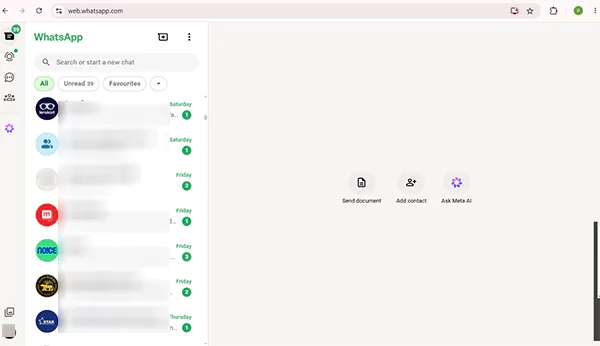
  • Open WhatsApp Web
    Open WhatsApp Web
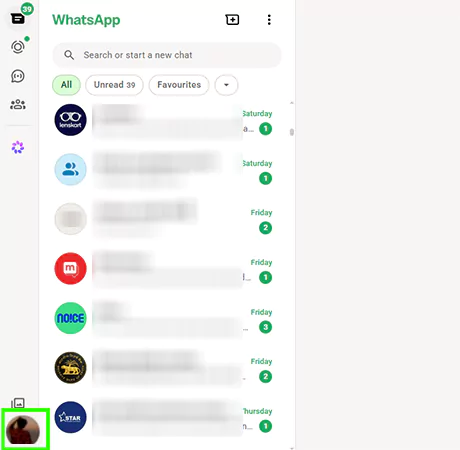
  • Click on the profile picture on the bottom left on your screen.
    Click on the profile picture on the bottom left
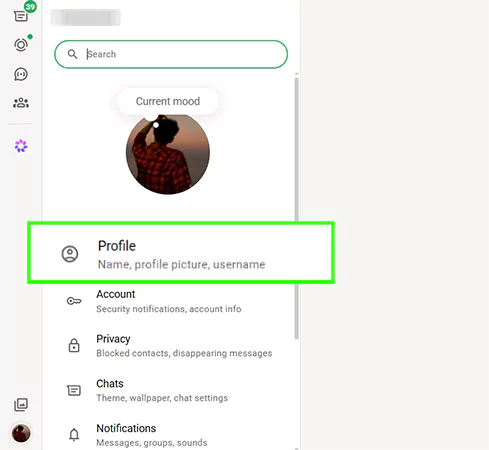
  • A menu will appear; click on Profile.
    Click on profile
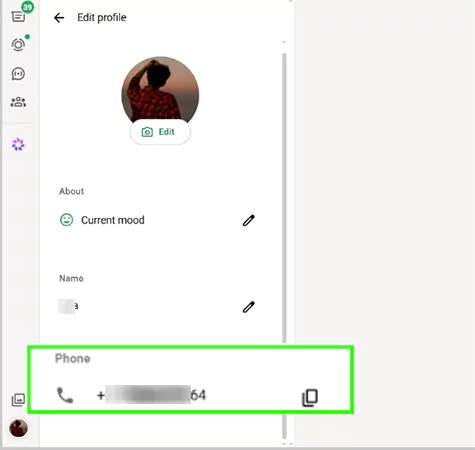
  • Look at the phone section; you will find your number
    You can find your number here

Conclusion

If you are setting up a new profile or just want to confirm your WhatsApp number to share it with your friends, it is a straightforward process. By going through this article, you’ll never have to go through so much brainstorming in the future to know the process again. 

If you want to troubleshoot more such issues, then please visit the GetAssist YouTube channel for the relevant videos. 

FAQ

Can I change my WhatsApp number without data removal if I get a new SIM?

Yes, you can change your WhatsApp number without losing the data. But to do this, you must use WhatsApp’s built-in Change number feature.

Can I have two WhatsApp accounts with different numbers on the same device?

Yes, you can have two accounts on a single device. Each account must have its own unique phone numbers. You can simply use the In-app multi-account feature or download WhatsApp Business.

Can I hide my WhatsApp phone number from others?

No, you technically can’t hide your WhatsApp number from others. WhatsApp requires phone numbers as identifiers. Anyone who has you saved or is in a group chat with you can see your number.


Janvi Panthri

Senior Writer, Editor


Related Posts

×
×