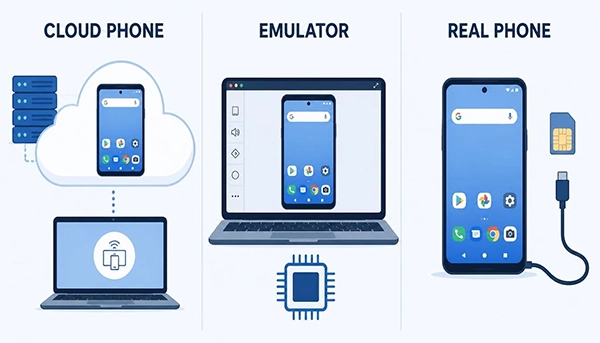
“Cloud phone” is making a lot of buzz everywhere nowadays. From marketing teams and app developers to social managers, everyone is using it. Some cloud phones are virtual, but others are real smartphones you control over the internet. There is quite a difference between these two that most people probably overlook. Read the full blog to know what a cloud phone is and the difference between virtual and real devices.
A cloud phone is an Android phone you use regularly. You open it in a browser or an app on your computer. You tap, type, and install apps just like on a phone in your hand.
The phone itself is somewhere else. That “somewhere” determines what kind of cloud phone you have.
There are two main types:
When you rent a real cloud phone, you get remote access to a physical Android smartphone that someone else keeps online, and you control it from your browser.
Note: “cloud phone” is also a name for business phone systems that route calls over the internet. This article is about Android devices, not call systems.
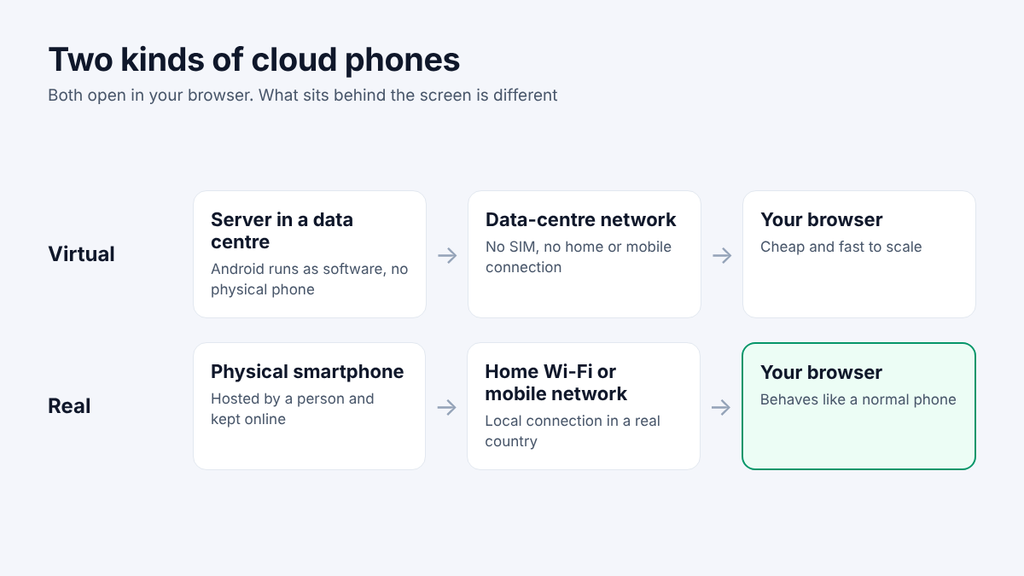
Image 1 · ALT: Diagram of a virtual cloud phone running on a data-centre server versus a real cloud phone, a physical smartphone on a home or mobile network, both opened in a browser
A virtual cloud phone is software. A provider runs multiple Android instances on powerful servers. Each instance acts like a separate phone.
This approach has actual strengths:
It also has limits. A virtual phone has no actual hardware. It has no SIM card. It goes online from a data centre, not from a home or a mobile network.
Many apps check whether they run on an actual device. Google gives developers a tool for this called the Play Integrity API. On Android 13 and later, a device must give hardware-backed proof that it runs a certified manufacturer system to pass the standard device check. A virtual phone cannot offer that proof.
A real cloud phone is an ordinary smartphone. The difference is that you are not keeping it. Someone keeps it online, and you control it through the internet.
DroidDesk works this way. It rents out actual Samsung Galaxy phones that owners keep online at home. Each phone uses its owner’s Wi-Fi or a local mobile network. You select a country and a model, then open the phone in your browser or a desktop app.
Because the device is real, it behaves like any normal phone:
Pricing is per device. A phone costs $5 for an hour, $15 for a day, or $60 for a week. Monthly plans begin at $180. Your apps and data are deleted when the rental ends.
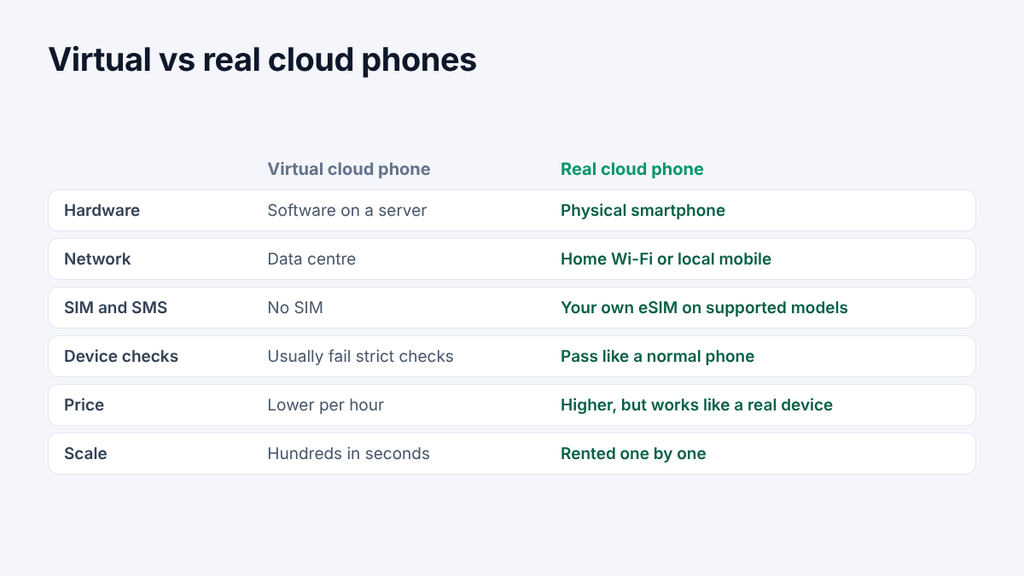
The main differences between virtual and real cloud phones are:
Pick a virtual cloud phone if:
Select a real cloud phone if:
Many teams use both. They run simple tasks on virtual devices and move the essential steps to real phones.
Beginning is simple:
A one-hour test is enough to see whether an actual device solves your problem.
“Cloud phone” can mean a virtual system on a server or a real smartphone you use remotely. Virtual phones are cheap and fast to scale. Real cloud phones are expensive, but they act like the phone in your pocket. If your work depends on a genuine device, a real network, or a SIM, a real cloud phone is the safer choice.
The disadvantages of using a cloud phone are emergency calling limitations, security, and privacy risks.
A cloud phone system costs around $10 to $60 per month.
Nextiva is considered the best cloud-based phone system.