Being a student or bibliophile, you might have read books through various formats, whether offline or online, but have you ever tried Kindle Cloud Reader? If not, then you are missing out on so many things. But don’t worry, as this article by GetAssist provides every single detail of this utility to guide new users.
The Kindle Cloud Reader is a web-based service that is crafted by its parent company, Amazon, to provide an extensive reading ecosystem to its readers. The accessibility of this software is very smooth, as you use it by just logging into your Amazon account and starting to add your favorite books to read without disturbing your on-the-go tasks. This iconic Kindle web reader is catered to with so many options like Kindle reader, audiobook, hardcover, and paperback so that you won’t settle for limited experiences.
Accessing Kindle Cloud Reader is a pretty simple thing, and it doesn’t require you to change your online Amazon country, as the entire procedure is designed to support every age group. Time to break down the steps!

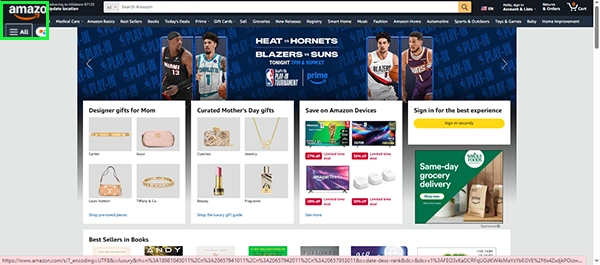
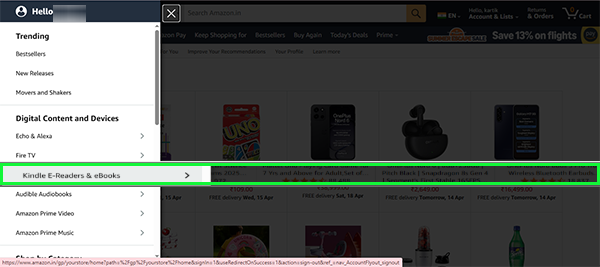
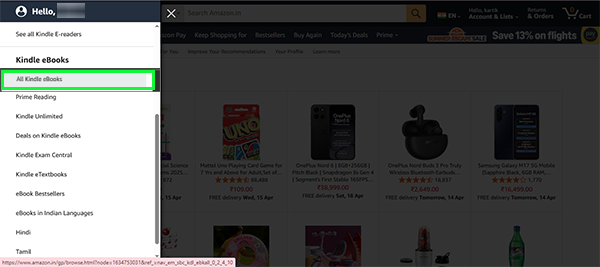
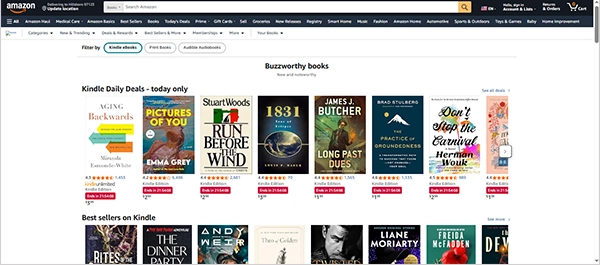
As you all know, more ebook options like Kindle web reader provide the same experience or, in fact, a better UI in some cases. So to explore that side, make sure to check out the GetAssist YouTube channel.
Adding e-books to the Kindle online reader is way simpler than purchasing them from offline stores, as you just need to do a few clicks:
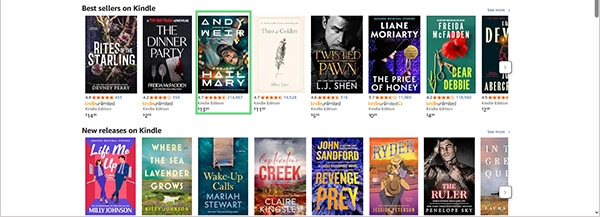
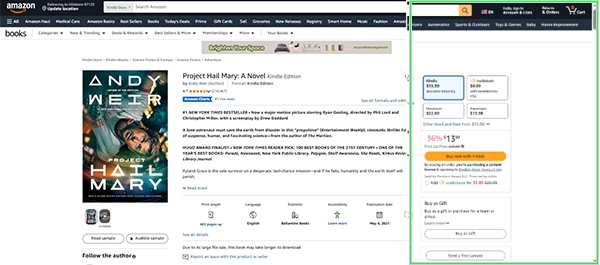
The Kindle cloud reader is by far the most consistent tool that has brought a library of a million books, novels, and textbooks to its users in a single software application aligned with Amazon Services. Account creation of the Kindle web reader for this utility is easy because you can directly access this platform through Amazon, and so is adding books.
Yes, it comes free with an Amazon Prime membership, but there are also some that need to be purchased additionally.
Yes, as long as you haven’t taken any subscription, you need to.
A Kindle is absolutely worth it for avid readers, offering immense convenience, portability, and a superior reading experience compared to tablets or phones.