Visual content is no longer a ‘nice-to-have’ aspect in 2026. It has become one of the most attractive elements in posts, reels, videos, reports, and various other content. But to fulfil the rising operations, teams now want tools that deliver the same visuals but with less effort and time.
That’s exactly where modern infographic generators come in. They provide engaging visuals while simplifying complex information without the need for heavy design teams.
Sounds exciting – right? Keep reading to learn about the 6 best infographic generators in 2026 for faster, smarter visual content creation.
Key Takeaways
- Modern infographic generators in 2026 help teams to build professional visuals in less time and with more accuracy.
- Canva and Piktochart are beginner-friendly tools with drag-and-drop features and can be used without knowing any complex terms.
- Selecting the right platforms depends heavily on business needs, scalability and customization.
A nonprofit communications lead I’ve worked with on several reporting campaigns had a straightforward brief: turn a 42-page annual impact report into something participants would actually read before a funding review. The data was solid. The format wasn’t working. Dense PDFs and static charts were being denied internally and externally.
Their first attempt used a standard design tool to clean up the existing layout. It looked more polished, but the core problem remained. Too much to read, no clear path through it.
We rebuilt it using a modern infographic generator, restructuring the report into visual overviews and branded sections reusable across presentations and social posts. Board engagement improved immediately. Stakeholders were using specific sections weeks later.
Presentations with visual aids are up to 43% more powerful than those without. For a funding review, that difference is easy to measure.
The best infographic generators in 2026 are built to produce that kind of impact at scale.
Not every team can fulfil there need and satisfy them demands with same tools. Below are the top picks as the best infographic generators in 2026:
The best infographic generators in 2026 are no greater than just design tools. They’re becoming full visual communication sites for marketers, HR teams, educators, consultants, and business leaders who need professional content prepared quickly and routinely. The tools below stand out for usability, scalability, AI support, and real-world business value.
The process to select the right tool might be complex as too many of them are available in the market. Here are the easy-to-follow steps to locate the right infographic generator in 2026:
The best infographic generators in 2026 balance elegance with professional output. Many organizations no longer have hired in-house designers for every project, so comfort matters just as much as advanced specs.
A strong platform should allow marketers, HR teams, educators, and operations staff to create effective visual content without putting in hours learning complex software.
That does not mean losing design quality. The strongest tools combine friendly editors with professionally structured templates, strong typography systems, customizable branding, and modern layout freedom.
AI-assisted generation is also becoming a major asset, especially for teams creating reports, presentations, and data-heavy visuals at scale.
A platform that feels easy on day one but still adjusts for larger communication needs typically offers the best long-term value.
Many businesses that look for the best infographic generators in 2026 are not just creating social graphics. They are displaying internal reports, survey findings, campaign analytics, operational metrics, and buyer updates.
Because of that, data visualization accuracy matters more than ever. Strong infographic tools should support charts, graphs, maps, timelines, comparison layouts, and presentation-ready reporting structures that help readers learn information quickly.
Teams should also look critically at how easily data can be updated or imported. Some tools focus strongly on designs but struggle with clear business reporting workflows. Others choose clarity, accessibility, and scalability for ongoing reporting needs.
The best platforms simplify the process of turning informal information into visuals that executives, clients, and audiences can instantly understand.
AI has rapidly become one of the main features of modern design software, but not every approach is equally useful. Some platforms simply add AI labels to basic automation, while others notably reduce production time and improve creative workflows.
The best infographic generators in 2026 use AI to deal with layout generation, content summarization, visual recommendations, presentation building, and design upgrading. This is especially significant for teams producing large volumes of branded content under rigid deadlines.
What influences most is whether AI improves decision-making without removing creative control. Strong tools still allow teams to customize layouts, improve messaging, and maintain brand integrity while automating repetitive design tasks.
Organizations that utilize AI-enhanced design workflows are increasingly prioritizing platforms that combine speed with editorial and visual freedom.
Modern infographic creation is rarely a solo task. Marketing teams, communications departments, executives, and external stakeholders often work together across the same visual assets.
That makes collaboration infrastructure valuable. The best tools support shared workspaces, commenting systems, approval routines, cloud access, and team editing services that reduce production slowdowns.
Brand consistency is equally important. Teams should look for platforms that support reusable templates, brand kits, font management, color controls, and unified visual systems. These features become especially important for organizations that handle multiple campaigns or departments at one time.
A good infographic generator should help organizations maintain visual quality without slowing down production speed.
Infographics are no longer limited to blog posts. Businesses now modify visual content across presentations, social media, email campaigns, internal communications, training materials, and digital reports.
The best infographic generators in 2026 support customized exports across multiple formats and channels. High-resolution PNGs, PDFs, presentation slides, web plugins, and social-ready resizing options all translate to a more efficient content workflow.
Some tools also perform better when using long-form visuals, mutual assets, or presentation-style storytelling. Others are optimized simply for quick social graphics.
Choosing a platform that supports multi-channel production helps teams maximize the value of every visual asset they build.
In the wide range of tools available in the market. Below-mentioned are the best one to choose. One can rely on them blindly.
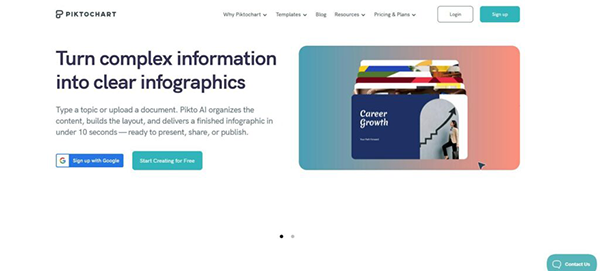
Why Piktochart is the best infographic generator in 2026:
Piktochart makes professional visual communication attractive to non-designers while still offering the structure, adaptability, and AI support modern teams need.
Piktochart is especially strong for business-focused infographics, reports, presentations, and departmental communications. Its AI-assisted tools help users quickly turn raw ideas, documents, and data into elegant visual assets without calling for advanced design experience.
The platform also wins out for its data visualization features, including charts, timelines, maps, and report layouts tailored for clarity and readability. That makes it specially useful for marketers, educators, HR teams, consultants, and operations professionals that deal with dense content.
Unlike many design tools that put aesthetics first, Piktochart focuses heavily on communication and usability. The layout is intuitive, collaboration-friendly, and built to support fast content production across teams.
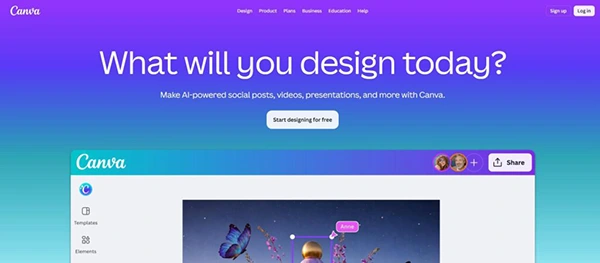
Canva has become one of the most famous design platforms in the world by making visual content creation open to nearly every type of user. In 2026, its biggest advantage remains collaboration. Marketing teams, educators, startups, and enterprise departments usually rely on Canva for fast-moving design workflows that call for multiple partners.
The platform offers an extensive template ecosystem that involves presentations, infographics, social graphics, reports, whitepapers, and branded marketing pieces. Its drag-and-drop editor keeps the learning curve fairly low, which is a major reason Canva continues to grow beyond traditional design target groups.
Canva has also invested heavily in AI-assisted design tools, helping users generate layouts, resize assets, and handle repetitive production tasks. Mixed with strong brand kit capabilities and cloud-based collaboration, the platform performs particularly well for remote teams managing content across several channels in parallel.
For organizations that value accessibility, speed, and collaborative visual production, Canva is still one of the strongest all-purpose design platforms available.
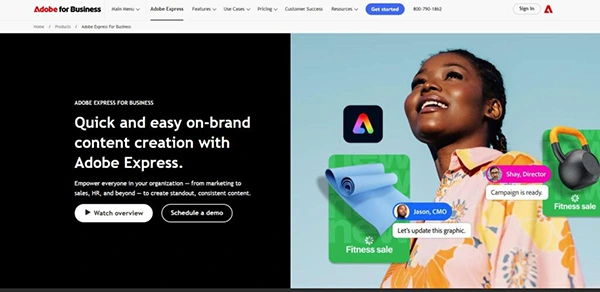
Adobe Express depicts itself as a faster, more practical extension of the broader Adobe ecosystem. In 2026, the platform goes on attracting users who want efficient content creation without committing fully to the complexity of professional tools like Photoshop or Illustrator.
The platform performs uniquely well for marketing graphics, branded content, promotional visuals, presentations, and short-form digital assets. Its partnership with Adobe Creative Cloud gives users easier access to fonts, stock assets, and existing brand materials, which can vastly improve production efficiency for certified creative teams.
Adobe Express also profits from strong branding controls and AI-powered editing features that improve resizing, background removal, and layout generation. These tools help smaller teams produce attractive content faster while upholding a professional visual style.
While it is not as special in infographic storytelling as some exclusive platforms, Adobe Express works well for organizations already active within Adobe-centered creative workflows.
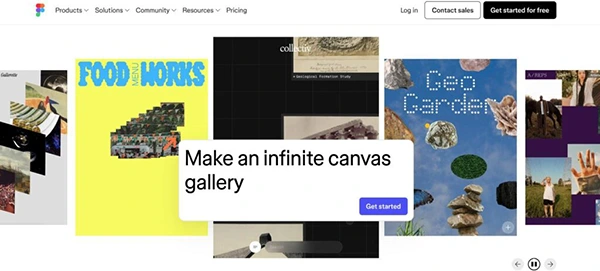
Figma has gone far beyond its original role as a UI and product design platform. In 2026, many teams now use it as a unified visual workspace for presentations, diagrams, internal systems, branded assets, and infographic-style communication projects.
Its biggest distinction remains real-time collaboration. Multiple people can edit, comment, and review projects at once, making Figma particularly effective for remote teams and organizations with cross-functional creative tasks.
The platform also offers great flexibility. Unlike template-heavy design tools, Figma gives users greater control over layouts, systems, and custom visual structures. This responds strongly to designers and product-focused teams that need scalable design continuity across multiple projects.
Although Figma has a higher learning curve than beginner-focused infographic generators, it is successful in environments where collaboration, customization, and structured design systems matter more than rapid template-based production.
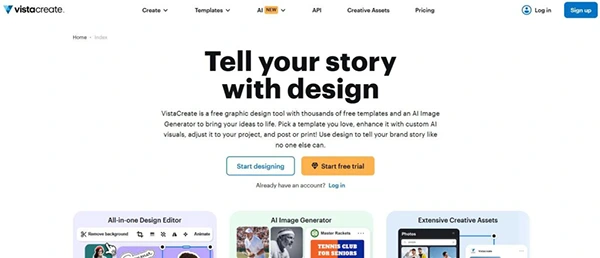
VistaCreate is centered on helping marketers, creators, and small businesses produce visual content quickly without needing advanced technical skills. The platform is most popular among users creating high volumes of social graphics, lightweight promotional materials, and short-form digital content.
Its template library involves a wide range of formats, including infographics, animations, presentations, ads, and platform-specific social media materials. The structure remains consciously simple, allowing users to move from concept to finished design with minimal setup time.
VistaCreate also focuses on speed through prebuilt layouts, stock media coordination, and quick resizing tools that support multi-platform publishing workflows. For smaller teams that manage daily content demands, these efficiencies can vastly reduce production time.
While it is less focused on complex reporting or data-heavy visualization, VistaCreate performs well for dynamic marketing environments where consistency and service speed are the primary priorities.
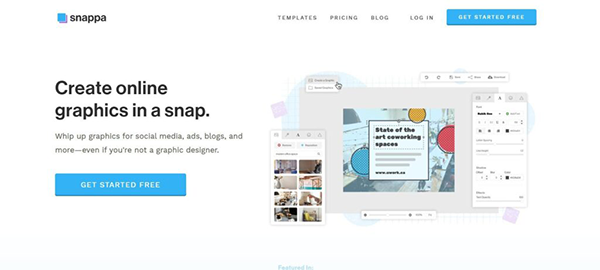
Snappa is designed for users who want simpler graphic creation focused on speed and usability. In 2026, it continues serving marketers, bloggers, freelancers, and small businesses looking for a lightweight solution to more feature-heavy design platforms.
The platform’s interface is deliberately minimal, helping users create graphics quickly for blogs, social media, email campaigns, and digital advertising. Built-in stock photography access, preset dimensions, and improved editing tools help ease everyday content workflows.
One of Snappa’s biggest advantages is its appeal to beginners. Users with little or no design background can produce stunning marketing visuals without requiring overly complex interfaces or advanced customization systems.
Although it lacks some collaboration and AI-driven traits found in larger platforms, Snappa serves as a practical solution for users prioritizing simple design production and fast content execution.
With the rise in demand for content for various businesses, clear visual communication has become truly important. Infographic generators play a significant role in completing their demand for the same. They help businesses and design teams to simplify complex information and provide visual and engaging content without the need for rigid workflows.
Selecting the best tool in 2026 is not just limited to choosing one that provides speed, but it is about chasing one that has speed with more trustworthy and flexible modern platforms. Whether the goal for an individual is to create reports and select the right infographic generator, one that saves time and efforts is the winner.
An infographic generator is a modern tool that helps users to create visual content, such as reports and presentations.
As the demand by businesses for creative and engaging content is also rising. And modern infographic tools satisfy this by providing content in less time.
Canva and Piktochart are usually considered best for beginners because of their simple interface and drag-and-drop features.