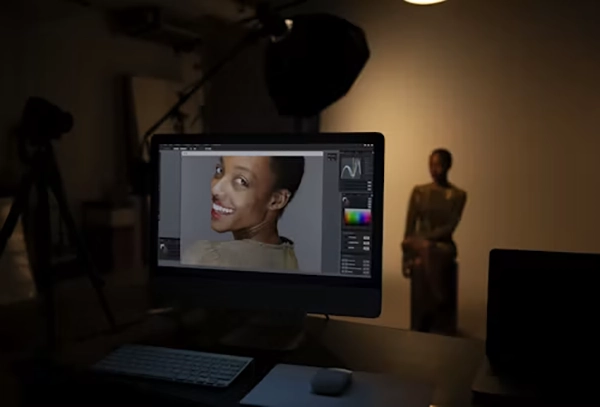
Finding the best free photo editor for Mac is very challenging in today’s robust online catalog of platforms. Many of them provide legit features that can level up your creativity, but some of the tools are just being promoted through intense marketing.
Which is why, to eliminate all your confusion and bring you clarity, this article by GetAssist covers the top 5 free photo editors for Mac users that bring all the important and extraordinary features.
List of Best Free Photo Editors for Mac
Stop wasting your time doing hours of research and take a look at these 5 best free photo editors, which have some insane features, optimum stability, and work perfectly with almost every file type without any distortions. Read till the end.
Apple Photos
Apple Photos is a built-in, free Mac app that offers seamless integration with the entire Apple ecosystem. It helps to save and edit photos under one roof, making it highly accessible for everyday edits and saving time in editing.
Core Features
Pros
Cons
Seamless blend with the Apple Ecosystem.
Simple set of tools.
AI-based search, facial recognition, and object removal.
Clean and intuitive interface.
Doesn’t require file import or export.
Completely free and built directly into macOS
Works well with the paid iCloud storage option for storing large files.
Provides limited options for advanced export and batch-renaming
Luminar Neo
Luminar Neo is a powerful AI-driven editor that comes with some insane features to boost your creative capabilities in no time. You can remove objects, change themes, and work on multiple layers without any interruptions.
Core Features
Pros
Cons
It has AI-based tools like Sky Replacement, Relight AI, and automated object/power line removal
You can work on multiple layers at the same time.
Comes with systematic extensions like Noiseless AI and GenExpand.
Beginner-friendly interface.
Has industry-best standalone features
Works well on new and old MacBooks.
Heavy resource usage can cause lag on older or low-RAM computers.
Requires constant updates and add-ons.
Canva
Canva is a user-friendly, browser-based design platform packed with drag-and-drop templates, stock assets, and handy AI creation tools. It is undoubtedly one of the most popular and versatile photo editing hubs, catering to millions of users across the globe every day.
Core Features
Pros
Cons
Drag-and-drop interface with thousands of elements and templates.
Availability of AI tools like Magic Write, Magic Design, and text-to-image generators.
Provides real-time collaboration on projects.
Extremely friendly for beginners.
With the free tier, you can access millions of graphics, fonts, and photos.
Usable on web, mobile, and desktop.
Requires a steady internet connection for most features
If you want to unlock advanced features and new themes, then getting a premium version is the only key.
Adobe Lightroom
Adobe Lightroom is a perfect example of a professional photo editor that has some advanced raw processing capabilities, cloud synchronization, and AI masking features to make organizational tasks more effective, precise, and fresh.
Core Features
Pros
Cons
Provides non-destructive color grading, masking, and tone curve adjustments.
AI Denoise, Lens Blur, and intelligent subject/background selection are available in the roster.
Has multi-device support through cloud synchronization.
Can fulfill industry standards for photo editing and catalog management.
High-end detail preservation and output delivery.
Carries multiple sets of editing presets.
Steeper learning curve for complete beginners compared to basic editors.
Requires an Adobe Cloud Platform membership.
GIMP
GIMP is a 100% free, open-source image editor offering deep layer control and advanced retouching capabilities that you get mostly in paid software. Although it doesn’t have any serious drawbacks, it has a bit of a complex interface for editing beginners.
Core Features
Pros
Cons
Bring multi-layer project management with masks, paths, and channels for detailed graphic composition.
Highly customizable UI as it supports the installation of third-party extensions.
Cross-platform compatibility is available for Linux, macOS, and Windows.
100% free and open-source with no subscription fees or paywalls.
Has all the premium features that other tools require a subscription for.
Complex interface that can overwhelm beginners.
The update cycle is slower compared to commercial competitors.
If you want to learn more about editing software for both Windows and Mac or how to find the best AI-based tool to minimize your workforce, then you can check out the GetAssist YouTube channel for the latest recommendations.
Choosing the best free photo editor for Mac or MacBook Prois a bit challenging if you are unsatisfied with the pre-installed Apple Photos, as the market is full of overhyped and fake platforms that are only good for bringing mediocrity to the table. To make things easier, we have mentioned five integral parameters that will help you make a practical and sustainable decision.
Identify your usage: First of all, you need to identify your usage by looking at the requirements of your workflow. It makes it easier to find an ideal solution, as you don’t stumble upon different advanced software programs that have features you never use.
Check feature list: Checking a list of important features like color grading, dimension alteration, recomposition, depth effects, etc. is vital because without them, outputs will look unfinished and bland.
Look for external benefits: If you want to showcase the A-game of photo editing, then you need to look for a platform that supports creativity with external benefits like resource packs, elements, markups, various themes, etc.
AI benefits: As you know, AI makes so many creative decisions and changes a lot easier, especially in times when you have to deal with multiple projects at once. Lack of this integration can make you stuck with generic modifications for hours.
System capability: Lastly, check the hardware and software capability of your Apple MacBook, as it helps you understand what platforms will provide stable performance. Going for platforms beyond the device’s strength can bring low-quality production, constant crashes, lags, jitters, and many more problems to the table.
The best free photo editor for Mac depends on ease of use and what features you’re looking for. Apple Photos, Luminar Neo, and GIMP all have their pros and cons when it comes to layers, interfaces, and editing controls, so take a moment to assess your daily workflow and use the best image editor for Mac that fits your skills! Also check for important metrics that we have mentioned, which will help in taking more realistic decisions rather than making you fall for endorsements or popularity.
FAQ
1. What is a good free photo editor for Mac?
Ans: There is no single good free photo editor for Mac because every software has its pros, cons, and signature features. However, if you want to do basic or intermediate changes, then you should always use Apple Photos.
2. Are MacBook Pros good for photo editing?
Ans: Yes, the MacBook Pro is an exceptional choice for photo editing, offering industry-leading display quality, powerful Apple silicon performance, and robust connectivity.
3. Is Photoshop better on Mac or Windows?
Ans: Photoshop works well on both Mac and Windows operating systems. The performance of photo editors like Lightroom and Photoshop depends on hardware capabilities and updated software. Go for the device that fits your budget instead of seeing brand tags.