You can reset your Acer notebooks using different built-in methods like Windows default settings or the Windows recovery method. The resetting process also depends on the Windows version. All Windows versions have different processes for resetting the Acer notebook. Let’s see how to reset Acer notebook in different Windows versions.
Resetting your Acer notebook will erase all the data, set the notebook to its default settings, increase the responsiveness and performance of your notebook, and resolve issues like the Acer loading screen stucks.
You can reset your Acer notebook by yourself in just a few easy clicks shown below.
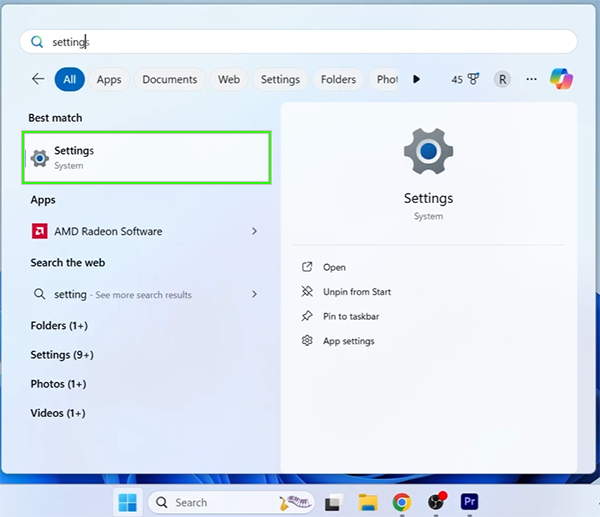
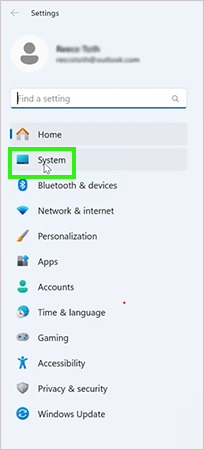
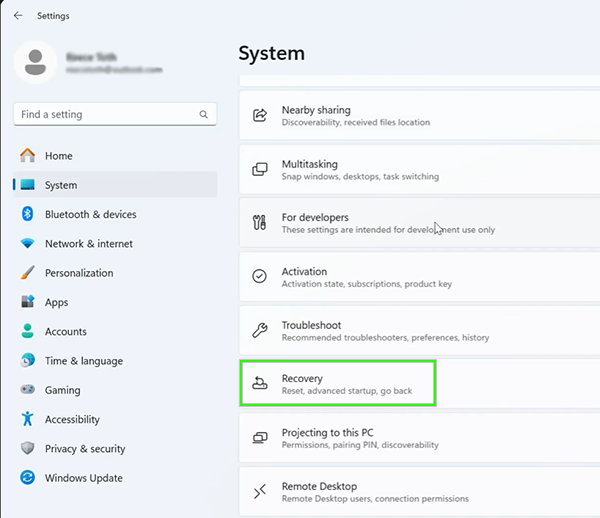
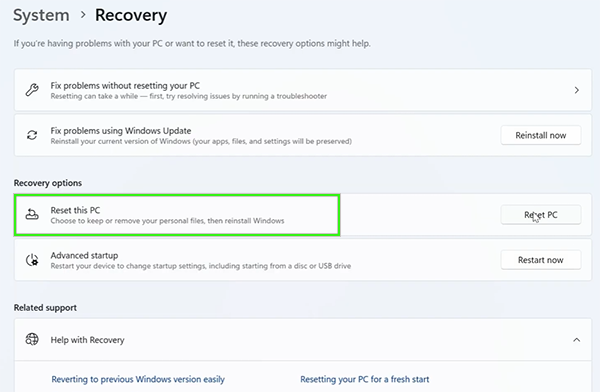
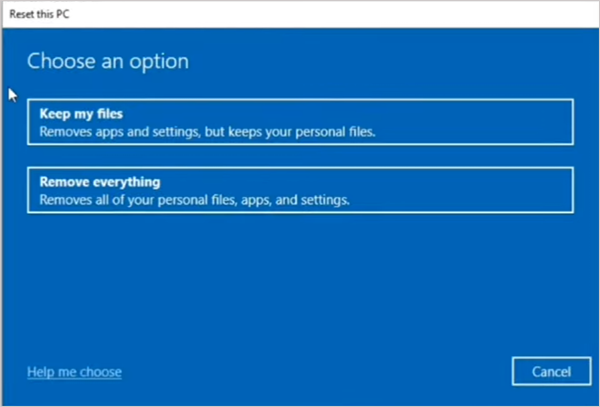
You can easily reset your Acer notebook in Windows 10. There are different built-in features to reset your device. Here are the steps to reset your device.
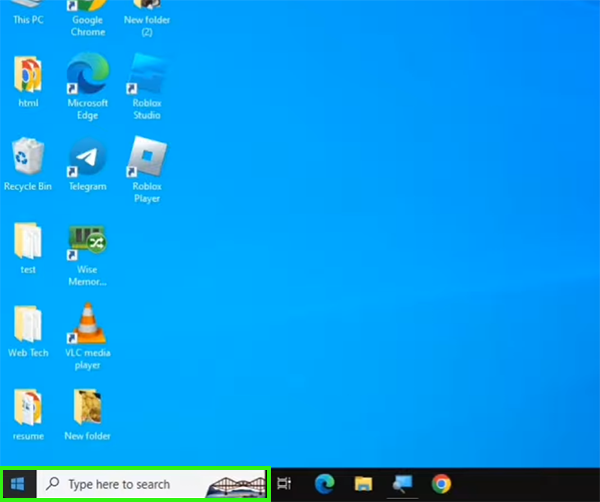
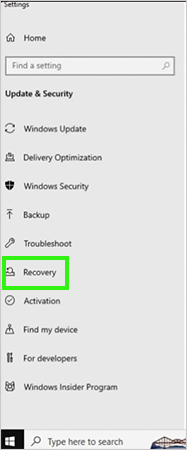
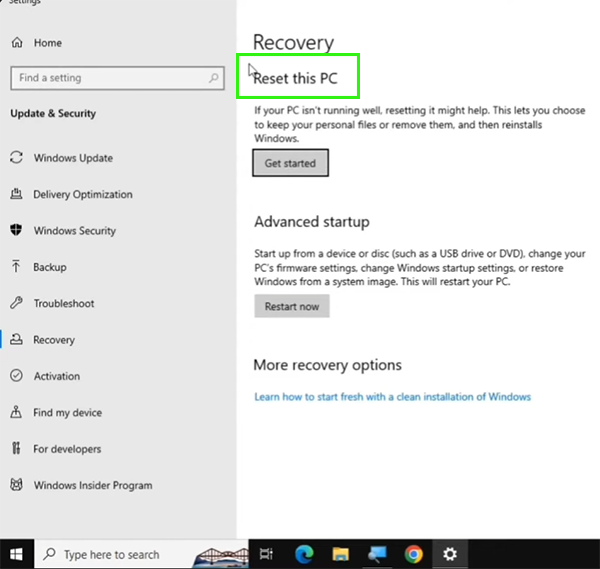
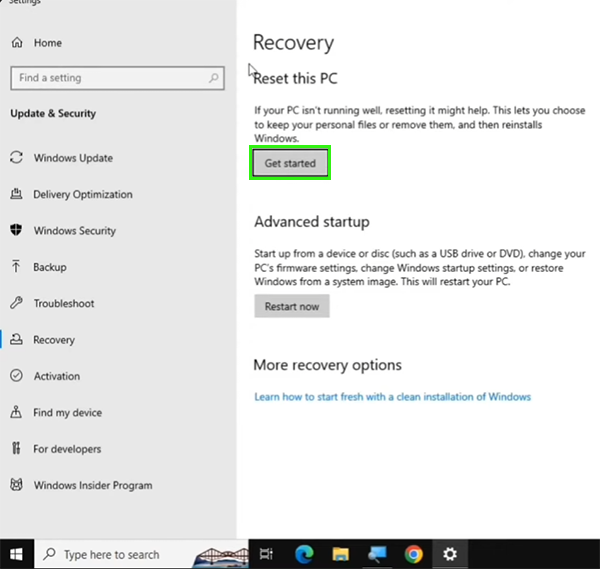
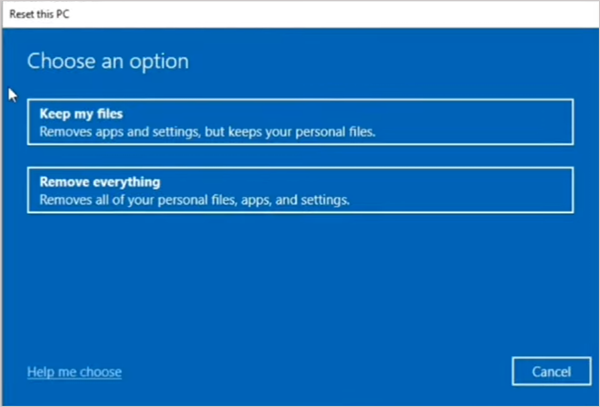
There are different methods to reset your notebook. This is a Windows 10 built-in feature to reset your device from the Windows recovery option. Here are the steps to reset your Acer notebook.
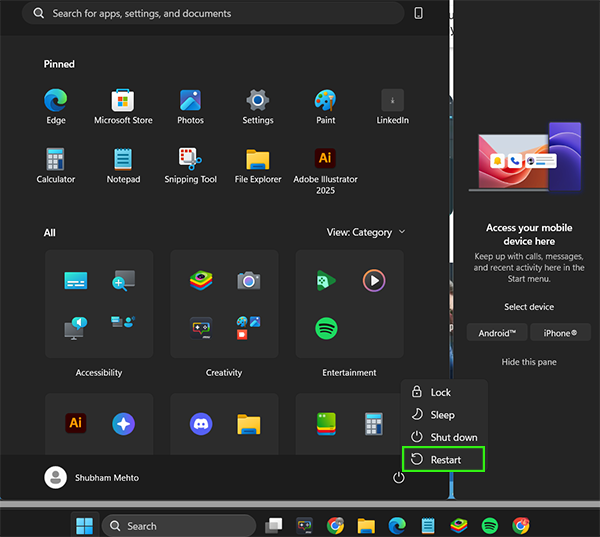

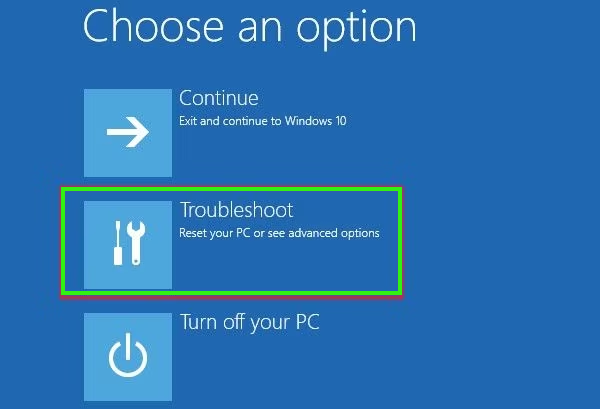
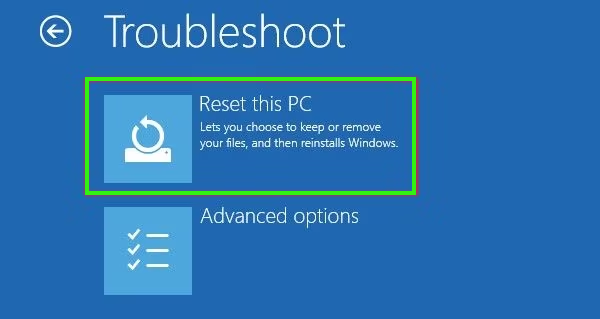
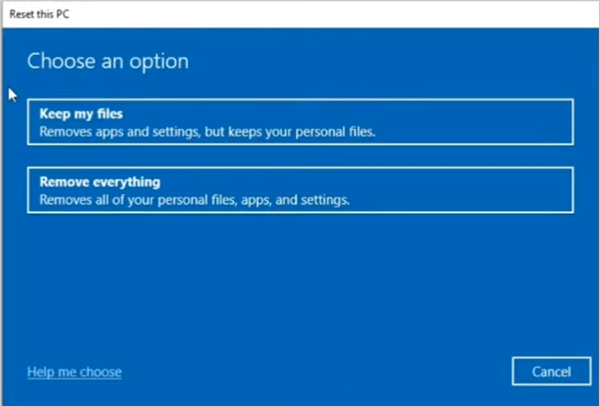
The most important step before resetting your Acer notebook is creating a backup. After resetting the notebook, it erases all the data and personal files, so create a backup of the important files you cannot lose.
There are many methods to create a backup of your important data and files, such as the Windows backup feature, a third-party application, or physical external storage.
Here, you can create a backup on your Acer notebook.
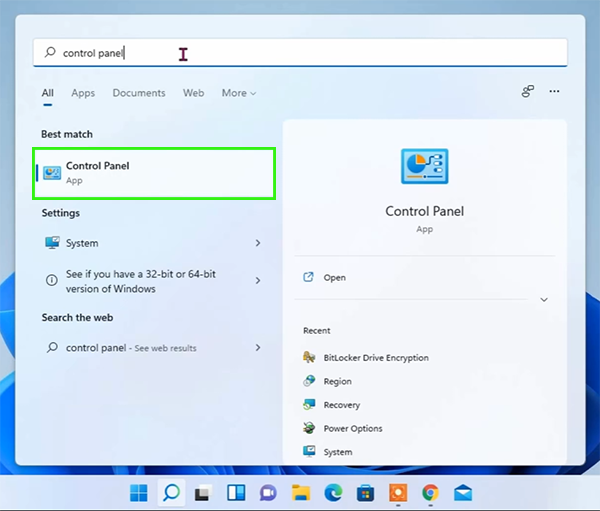
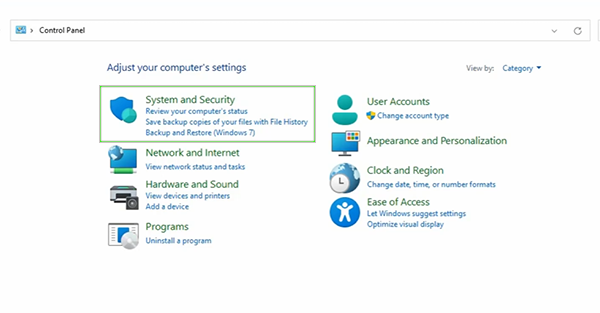
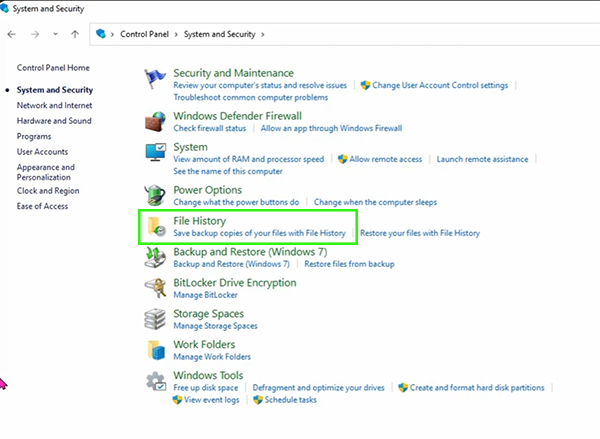
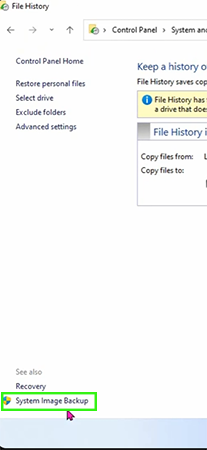
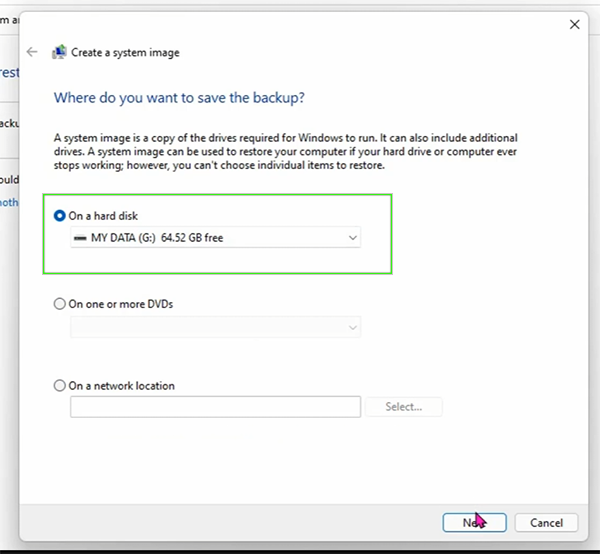
You can reset your Acer notebook easily with Windows’ built-in feature. Resetting your device will delete all data and files; make sure to create a backup before resetting your device.
You can select the option to keep your files while resetting your device; select your important data and files, and delete the remaining data. Resetting your notebook will increase its performance and reset all the settings to default.
In this guide, we have elaborated on how to reset an Acer laptop and how to create a backup before resetting. If this guide is helpful, you can check out more such guide videos on the Getassist YouTube channel.
You can easily reset your Acer notebook in Windows 11. Open Settings, then click on System settings, then scroll and search for recovery, and tap on Reset this PC.
Yes, resetting will delete everything, and it also depends on what option you select while resetting the pc.
It generally takes around 30 minutes, and it also depends on what option you select.
Yes, you can reset your Acer laptop if it won’t start with the help of Windows Recovery.
Yes, it’s very important to create a backup before resetting your device to save your important data and files.