Personalized chats, hide online activity, share large files, multiple accounts on a single device, and many more amazing features you enjoy when you shift to WhatsApp Plus.
But what exactly is WhatsApp Plus software, what are its features, and is it safe to use?
Let’s find out!
WhatsApp Plus is a reimagined, or say an unofficial modified version of the original WhatsApp application that lets users customize their chats and overall chat experience with outstanding features, for instance, viewing one time photo on WhatsApp again, chat themes, dark mode on WhatsApp wallpapers, new font additions, and more.
Here is the gamut of features that WhatsApp Plus offers:
Disclaimer: WhatsApp Plus is a third-party application and an unofficial modified version of the original WhatsApp app. Users should be cautious, as using it may pose risks to personal data and device security.
In this section, you will learn how to download and install the WhatsApp Plus app on your Android, iOS, and PC.
So, let’s get started!
You can also use “Distribute via Enterprise Certificate” and “Cloud Phone Hosting” methods to install WhatsApp Plus on your iOS device, but they expire in 7-30 days and mandate re-installation of the app.
Additionally, this method doesn’t require any jailbreaking.
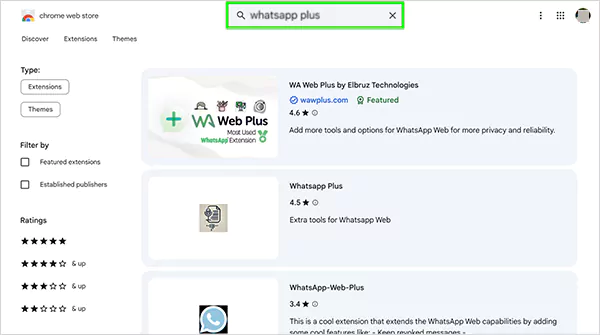
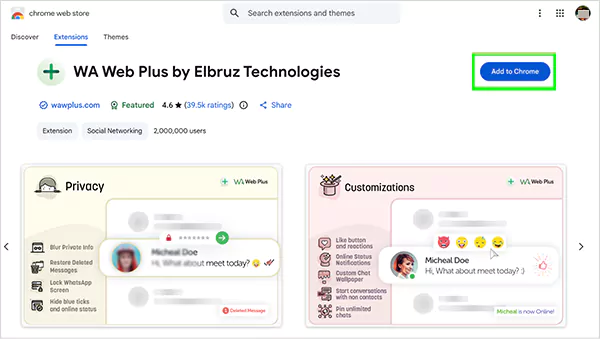
Pro tip: Choose the “WhatsApp Plus Extension” with the high ratings, most users, and the “Featured” tag.
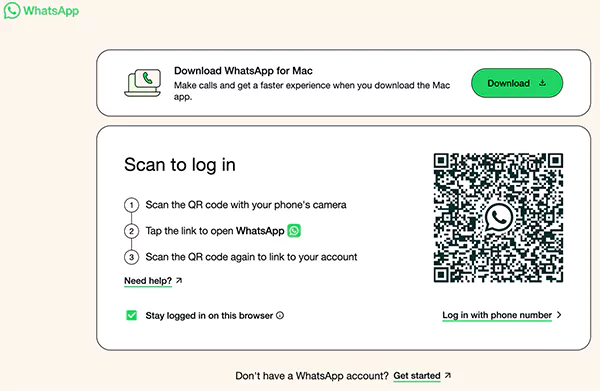
If you’re encountering the “ WhatsApp Plus not working” issue on your device, try installing it.
No, WhatsApp Plus is an unofficial modified version of the original app, and WhatsApp can permanently block your account for using modified versions.
WhatsApp Plus is a third-party application that poses the risk of data theft. Several users have reported that they have received phishing messages after using WhatsApp Plus.