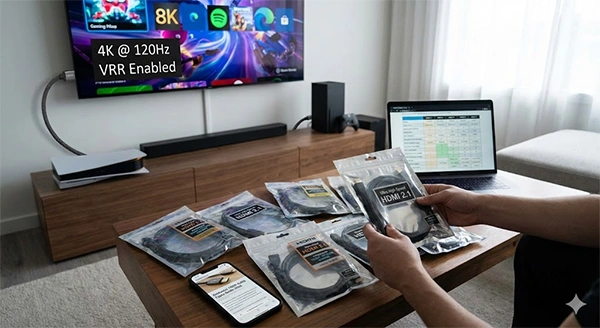
‘An HDMI cable is just an HDMI cable’ is one of the most expensive myths still costing people performance in 2026. The reason why your expensive TV is unable to deliver the expected picture quality could be this.
From TVs and gaming consoles to streaming devices – HDMI is silently playing a crucial role behind. And so the reason for low screen quality, unstable audio performance and compromised gaming experience.
Imagine these cables as roads – work well for scooters, but might choke if you try to run heavy trucks on them all day. Something similar happens when modern tech devices try to push more data through cables that are not even designed for it. And all this happens because of the confusion between different HDMI cables.
This guide will help you explore the different types of bulk HDMI cable available today, how HDMI versions actually work and how to select the right cable based on the actual setup.
Display technology has evolved faster. 4K is now a common feature, 8K is no longer niche and 120 Hz high refresh rates are also expected – especially for gaming purposes. These features require more data bandwidth than the older ones.
Gaming, streaming and professional AV setup have also increased their demands more than before. Consoles like the PS5 and Xbox Series X, high tech PCs and Dolby Atmos sound systems – all depend on a stable and high bandwidth connection.
Now, putting in the wrong HDMI cable will simply not support advanced features. It will be like putting water through a straw when you require a pipe. This makes it central to use the right cable for the required device.
When HDMI cables can’t tune up properly, the resulting issues are rarely obvious at first – you might find your screen flickering, sudden dropout of signals and ‘no signal’ message that pops out when you move the cable slightly. Sometimes the picture works – but only at 60Hz instead of 120 Hz, even though the TV and the console support it.
Gamers experience this when they connect the PS5 to a 120Hz TV – only get 60Hz options. The problem isn’t TV or the game room – it’s the HDMI cable.
Audio issues are the second most common sign. eARC based systems might drop their sound quality to basic instead of Dolby Atmos, creating huge confusion when everything looks properly connected.
Real world example – a home theater system supports high quality surround sound – but the audio keeps cutting out. In most cases, simply replacing the old HDMI cable with a new and certified one solves the problem immediately.
HDMI cables are commonly classified by their performance and not by their version numbers. Official certifications are important as they ensure the cable is first tested for its bandwidth and then delivered to you.
Standard HDMI cables support lower resolutions and bandwidth. They are made especially for older TVs and basic setups.
Use cases – DVD players, 19’s HDTV, and other displays where common displays are not required.
High speed HDMI cables support 1080p comfortably and can also support early 4K at lower refresh rates.
Use cases – Classic gaming consoles, set-top boxes and entry-level 4K TVs.
Premium High Speed HDMI cables are often what people refer to as a 4K HDMI cable, as they support 4K resolution, HDR and stable streaming for modern TVs with ease.
Use cases – 4K devices, HDR TVs and modern home theater setups.
Ultra High Speed HDMI cables are specifically made for HDMI 2.1 features that support upto 48Gbps bandwidth. They allow 4K@120Hz, 8K video, VRR, ALLM and eRAC – making a must for high end displays and next gen consoles.
Use cases — PS5, Xbox Series X, gaming PCs, 8K TVs and advanced AV systems.
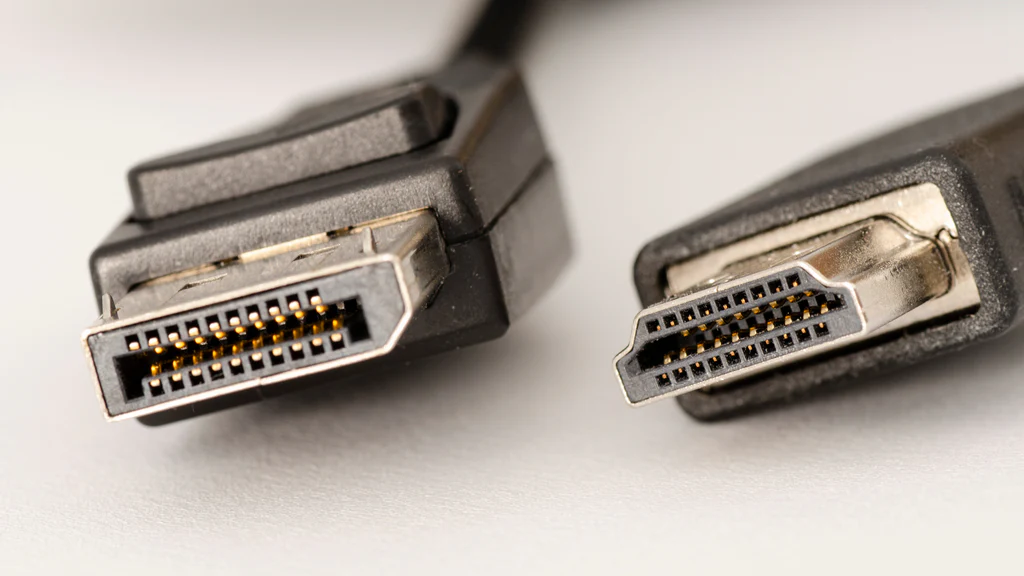
HDMI versions are applicable to devices, not cables. A cable will never be an ‘HDMI 2.1’ just because it’s newer. What actually matters is its bandwidth. Devices provide features after analyzing what they can handle.
According to HDMI.org – HDMI 2.1 increases maximum bandwidth to 48Gbps, which is almost triple that of HDMI 2.0 capacity.
Now, the most important task is to pick the right HDMI cable for varying devices. Even a round-off difference can influence your real experiences –
Signal degradation increases with the increase in cable length. Passive HDMI cables tune up well for short distances – but longer runs often require active HDMI cables.
HDMI certification labels are proof of authenticity. Even many of the modern cables have a QR code to scan – which can be verified with the HDMI certification app.
Build quality also matters. Improper shielding or weak connectors can result in issues that are complex to resolve.
RTINGS testing shows that uncertified cables have much higher chances to fail at high refresh rates – especially when associated with long distances.
Choosing a suitable HDMI cable in 2026 is not about buying the most expensive one – it’s about aligning the cable to your actual needs.
If your devices are modern, future-proofing with certified cables avoids silent limitations and frustrating issues. Consider your HDMI cables like infrastructure not your accessories.
By checking the cable types, associated certifications and real-world use cases – you can prepare a setup that considers your devices and performs accordingly—without hidden compromises.
No, these are the version numbers that are applied on the devices. Cables are classified by their bandwidth, not the version numbers.
No, for routing, browsing, and streaming, premium high speed is more than enough.
Absolutely yes, the screen has a limit of quality from the cable. So might not be able to pass the real quality of your TV.