
“The more we automate, the more human we must become.”
– Ginni Rometty (IBM Ex-CEO)
AI is aggressively automating all the repetitive, routine admin tasks in office workflows. As per the 2025 Future of Professionals Report, AI can free up approximately 240 hours per year for a professional. Professionals are using this time for high-impact work that AI isn’t great at. They’re also enjoying more personal time as a result.
But implementing automation without much thought can invisibilize your touch in your work. It can start looking like a generic AI slop. Hence, it’s also important to keep AI use in your workflow limited. Many people are also taking advantage of advanced AI humanizer technology.
Mundane tasks like data entry, scheduling, and repetitive reporting take up much time of the day for an average professional. AI takes up these tasks so that time is freed up for your use. If the output doesn’t look human enough, you can always take the help of a top-rated AI humanizer.
As the workday is streamlined, the chances of mistakes also go down.
You can channel the redeemed time and energy towards high-value, strategic, creative work or personal endeavours.
Professionals can save hours weekly by automating routine, rule-based tasks and focus on high-impact, strategic work. At the same time, the error rate goes down. Common tasks that are perfect for automation are:
The tasks that can be easily automated related to emails and follow-ups are:
Similarly, for meetings and scheduling, the tasks are:
Lastly, for document management, the tasks consist of:
AI, being a buzzword, has given birth to a plethora of tools. So, choosing just anything is not wise. The top automation tools you should prioritize right now are:
These intelligent co-pilots are meant for:
The most popular AI assistance and productivity platforms and their functionalities are:
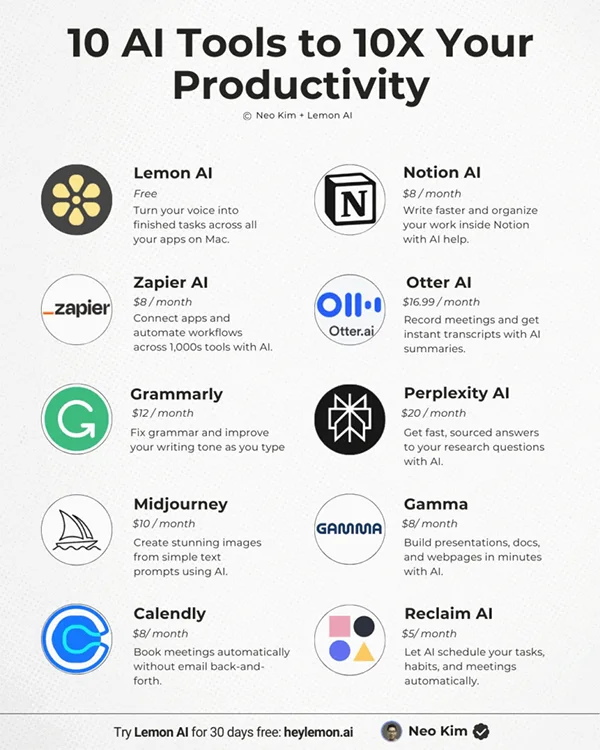
Using no-code builders, you can link various software applications and create complex logical workflows of your own. All this without writing a single line of code.
You can use this capability to:
Again, Zapier is a great beginner tool to connect 9,000+ apps. But besides that, there are:
These tools basically centralize teamwork. It transforms chaotic collaborations into structured, trackable pipelines. Also, it alerts teammates when steps are completed. All of these greatly help in a world with an increasing number of remote workers.
Its best use cases are in:
The top project management and collaboration platforms are:
Automating repetitive admin tasks clearly saves time and boosts productivity. In a Harvard Business School survey, more than 90% of workers said AI solutions increased their productivity.
Low-value work being automated leaves professionals to focus on high-impact work.
In terms of work-life balance, the tendency to stay a while in the office to finish tasks is over. Now professionals leave the office on time thanks to automation.
Many process missteps can lead to wasted resources, integration woes, and team frustration. It’s better to stay clear of them:
As a professional, you can’t shy away from AI considering the market demands. But aggressive automation can make your work look like generic AI output to clients.
So, it’s better to limit it to tasks that just involve emails, scheduling, and file management.
In this increasingly automated world, the humanity of humans will become more and more valuable.
The simplest is the rule-based one. It works on the logic of IFTTT (If this, then that).
The primary four types are fixed, programmable, flexible, and integrated.
The five Ds call for prioritizing tasks that are: Dull, Dirty, Dangerous, Difficult, and Dear.