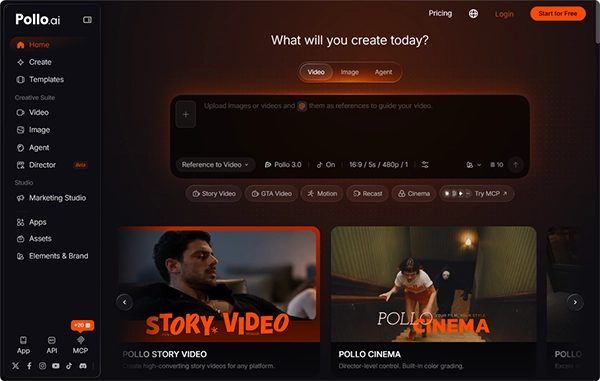
AI video generators can generate incredible results, but picking the proper one turns into a challenging task once each one of the models works differently with prompts, motion, and graphics.
A video that performs well in one demo does not necessarily perform the same way for your personal creative endeavor. This is why it is necessary to test the models under the same conditions. With Pollo AI, you have an opportunity to try both Kling 4.0 and Seedance 2.5 at the same time using the same creative prompts.
By experimenting with its AI video creator, you can compare their output, examine consistency, and decide which model better matches your creative needs and budget.
Kling 4.0 and Seedance 2.5 offer different ways to guide video creation. Based on your choice of model and process, it could be possible to create a scene through reference pictures, key frames, and other types of media.
Kling 4.0 is worth testing when you want to guide important moments in a shot using supported reference and keyframe options. Seedance 2.5 is another option to explore when your project involves image, video, or audio references in supported workflows.
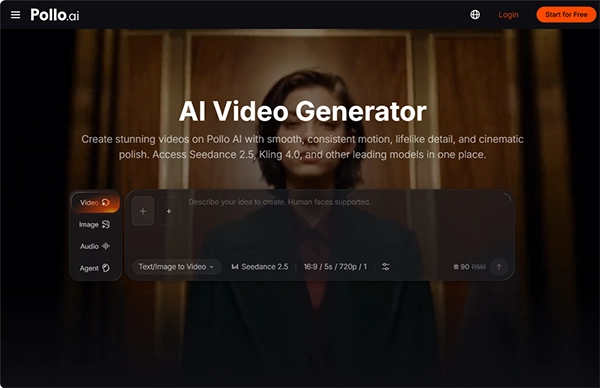
For Pollo AI models, verify what choices you have before proceeding. Not every model has the same controls, so focus on what you can actually use rather than assuming they work identically.
Pick an event that features a known object or motion that can be readily assessed. A red vintage car driving along a wet city street works well because you can check its shape, wheel movement, camera direction, and reflections.
Use this example prompt for both models:
“A small red vintage car drives slowly along a rain-soaked street at dusk. The camera follows parallel to the movement of the vehicle. Warm shop lights reflect on the pavement. Preserve the car’s color and shape, show plausible wheel movement, and keep the atmosphere calm.”
This prompt gives both models the same creative task. It also makes it easier to spot differences in movement, subject consistency, and lighting without relying on personal taste alone.
Begin with text-to-video for the initial comparison. If you give one model extra reference images or keyframes, the test will no longer be completely equal. You can explore those additional controls in a separate round.
Comparing both models through testing in Pollo AI makes it much simpler to compare their abilities to generate videos on one platform. Compare the results from Kling 4.0 and Seedance 2.5 using the same prompt and comparable settings.
Open Pollo AI’s video generation tool and select Kling 4.0. Enter the test prompt and choose your preferred aspect ratio, duration, and resolution.
Finally, use the Seedance 2.5 software and follow the same procedure with the same settings where applicable. If one model does not support an option, make a note of the difference.
This gives you a fairer comparison of how each AI video generator responds to the same instructions.
One result is not enough to judge a model. The clip could be considered a success if it is an especially good try, and failure may just mean bad luck.
If your budget allows, generate three versions with each model. Save all six clips and record the model, settings, generation date, and credits used.
Look at how consistently each model follows the prompt. Does the car stay the same color? Does the camera follow the requested direction? Do the wheels move naturally? These details matter more than finding one impressive opening frame.
Use a simple five-point scale to compare the results. Give each category a score and add a short explanation so you can understand why one model performed better.
| What to check | Questions to ask |
| Subject appearance | Does the car keep its original shape and color? |
| Camera movement | Does the camera follow the car smoothly? |
| Motion | Do the wheels and car movement look natural? |
| Background | Do reflections and surrounding objects stay consistent? |
| Overall quality | Does the clip look coherent from beginning to end? |
Watch every clip in full rather than judging it by a single frame. It is advised to change the file names prior to examining them so that you can avoid being affected by the model that generated the results.
Following the prompt test, examine the additional control features for each model.
For example, you can try Kling 4.0’s supported keyframe options to guide important moments in a product reveal. With Seedance 2.5, you can explore supported reference inputs to see whether they help with a more specific visual direction.
Keep these experiments separate from the original test. The first round compares how both models respond to the same prompt; the second explores what their additional features can do.
This is where Pollo AI’s multi-model workspace comes into play. You can explore different AI video maker workflows without treating every experiment as an entirely new project.
Not all videos that look good are necessarily the most practical. Consider how many attempts you needed, how much time you spent adjusting prompts, and whether the final clip required additional editing.
Credit consumption can vary depending on the model, duration, resolution, and number of outputs. Compare the cost of producing an acceptable video rather than relying on a single advertised generation price.
It all depends on the project. A product video may need accurate details and steady movement, while a cinematic social clip may place more value on atmosphere and visual style.
Kling 4.0 and Seedance 2.5 should be compared based on the same creativity exercise rather than selecting one from the model name and demonstration. Use one prompt, match the available settings, generate several versions, and review the results carefully. Pollo AI gives creators a practical way to explore both models in one place. Choose the one that works best for your actual project, budget, and creative needs.
Kling 4.0 and Seedance 2.5 are AI video-generating models that provide varying levels of creative control and workflow. The performance of each model can be dependent on prompt instructions, reference inputs, movements, and video settings.
Open Pollo AI’s video generation tool, select Kling 4.0, insert your test prompt, and generate a video. Follow the same procedure with Seedance 2.5.
Making multiple generations allows you to better understand the problem of consistency and reliability. Indeed, there may be a very lucky one-time result as well as an unlucky generation, but several generations will show how reliably the AI model listens to your instructions.