Posting regular content about yourself or your own brand is an important aspect of content marketing, but it’s an undeniable fact that thousands of others do the same, so the question comes: “What’s the best way to stand out? Well, the answer is one other than getting authenticated. So in this blog post, you are going to understand how to get verified on Twitter/X using their new subscription models or authenticity programs.
Quick Answer: Getting verified on X (formerly Twitter) is pretty simple, as it doesn’t have any criteria for followers, views, or engagement impressions. All you need to do is pay a monthly subscription fee to become a verified user, which starts from a basic $3 plan to a premium $40 one.
Getting verified on X (which was called Twitter before) has become easier than ever before, as you can now purchase a badge membership according to your budget, and a badge will start appearing on your profile.
But before that, you need to complete some essential steps to authenticate your identity on X, such as:
After ensuring all these factors, follow this process to get a verification badge.
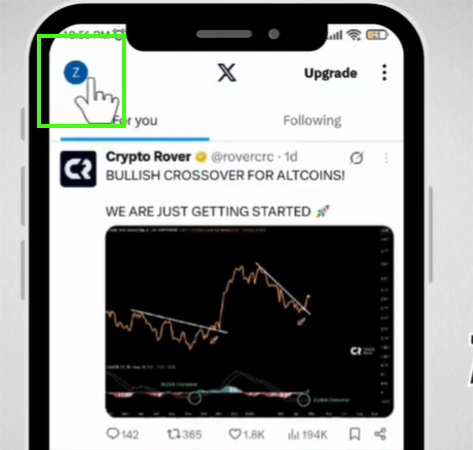
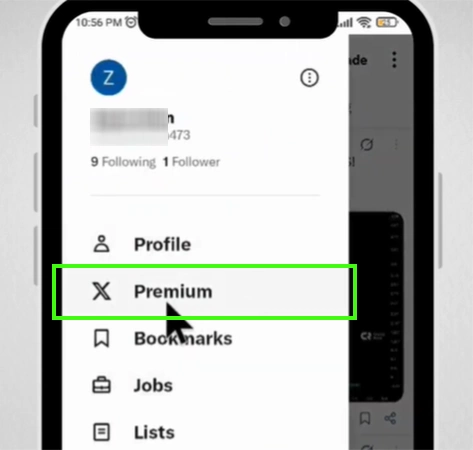
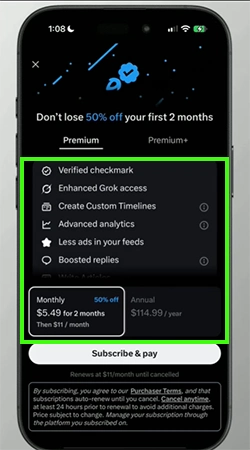
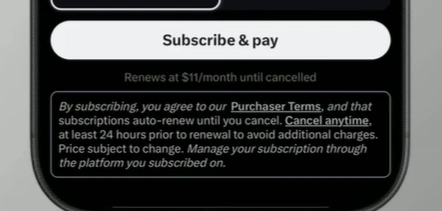
After this, wait for 24-48 hours to get your profile verified by the X officials. When the verification process is completed, you will see a blue badge appearing on your profile.
X has so many features that you might be unaware of, and not applying them might affect your social media presence. So if you are willing to explore new features of this app, along with the latest public feed updates, then make sure to subscribe and press the bell icon on the GetAssist YouTube channel.
Back in the day, when X used to be called Twitter, there was only a single blue tick verification, which was given only to renowned users based on their popularity, relevance, and content type. But now things have changed, as X offers verification badges to every user regardless of their followers and views by charging monthly and annual fees.
| Badges | Availability/Meaning |
| Blue Checkmark | It is a basic verification symbol that users and organizations can acquire by paying monthly or annual memberships. Although users who had this tag when there were such plans still have it without paying a single penny. |
| Yellow/Gold Checkmark | This symbol is only given to special verified organizations, businesses, non-profits, and corporate entities through X’s own authentication programs. Accounts who got this feature a special square-shaped badge, which has a tick in it. |
| Grey Checkmark | To authenticate government agencies, departments, embassies, military leaders, and public officials, this grey checkmark is given to them. This helps prevent the spread of misinformation and the creation of fake accounts that impersonate sensitive national and international legal bodies. |
Verification for Twitter/X is not complicated and requires only a few steps and profile completion, so if you want to highlight online presence or promote your campaigns with utmost credibility, then it’s time to subscribe to a premium membership. X offers different types of members, starting from $5 to $40, and you can choose the one according to your business needs or personal preferences.
Also, if you are part of or running a non-profit organization, then you can opt for a special golden badge through their official verification programs. This was all about the badge systems and how to get verified on Twitter/X, and for more such intriguing content, make sure to stick with GetAssist and subscribe to its YouTube channel for the latest tech updates.
Yes, you can get verified easily with 1000 followers or even fewer on X, as you just pay a monthly fee and complete your profile to get access to the badge.
Twitter (Now X) offers various verification plans starting from $ 3 per month (which does not come with any badge but provides verified identity) to a $40 premium plus membership with a special golden tick mark.
X (formerly Twitter) pays around $5 to $20 per 1,000,000 views, although these prices can vary according to your online presence or content quality.