Are you someone who is facing login issues on Facebook and is willing to find solutions about how to change email on Facebook? That’s why to vanish all your confusions and frustrating measures, this article by GetAssist will share effective steps to change your email address on Facebook to avoid unlinking Facebook for easy procedures.
Easy Steps To Change Email Address On Facebook For Mobile and Desktop
Now, to change the email address on Facebook or log in to Facebook, there are two ways. This can be done either through your phone or a PC. So make sure to go for the one you are comfortable with, as both versions are mentioned below.
For Mobile
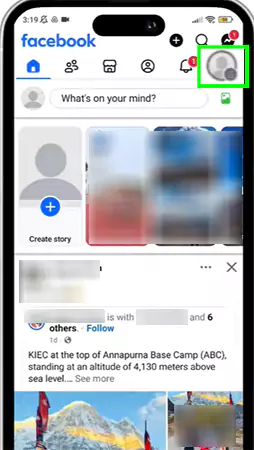
Open the Facebook app, and in the top-right corner, you will see a “Menu Button.” Tap on it.
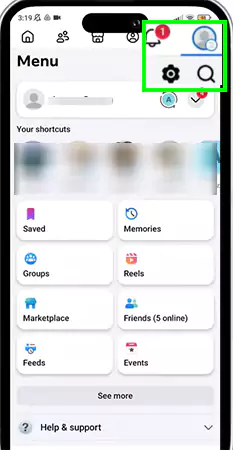
In the menu, you will see a Settings button. Tap on it
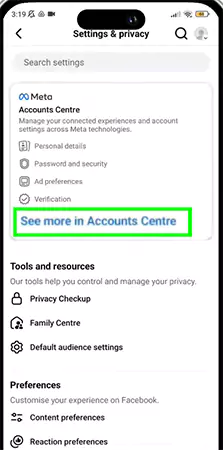
Then tap on the “See more in Accounts Centre”.
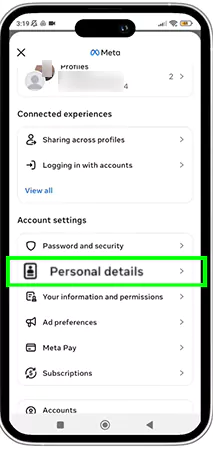
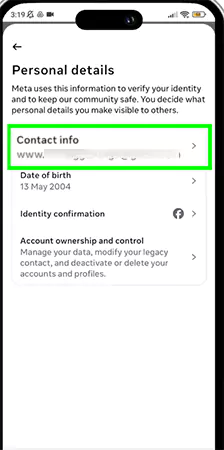
Tap on the Personal Details.
Then tap on the Contact info.
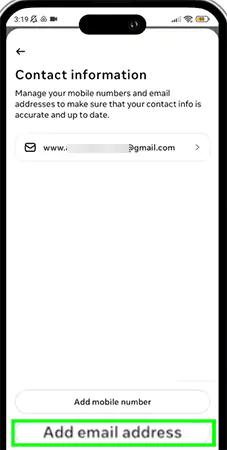
Now, select Add email address.
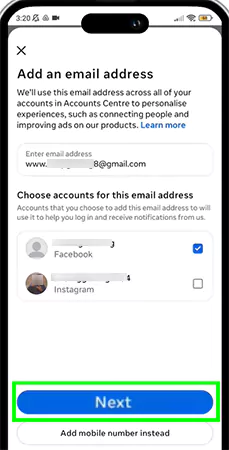
Add your email and tap on next.
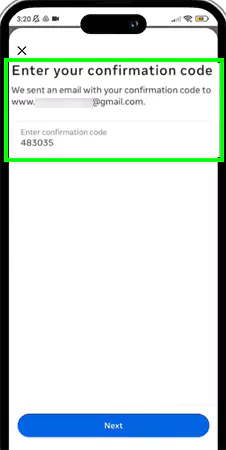
Now you will get a confirmation code. Just enter it.
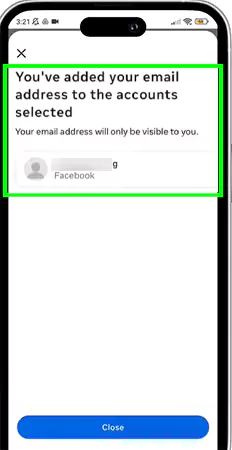
After these steps, your email will be added.
For PC
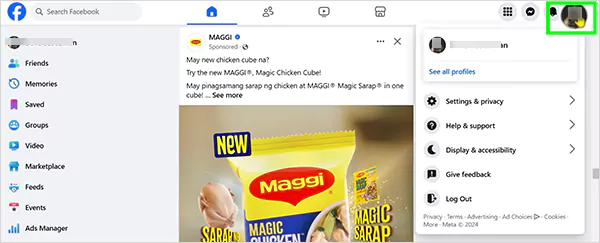
Open Facebook and click on your profile.
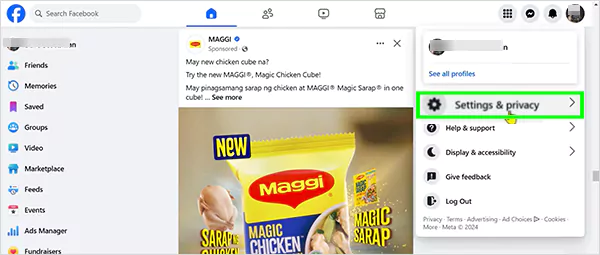
Click on “Settings & privacy.”
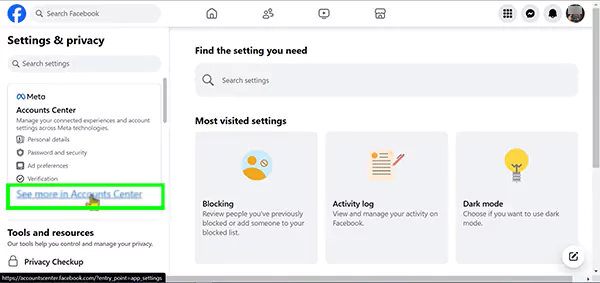
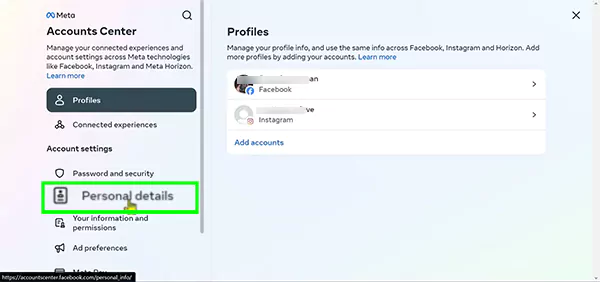
Then click on “See more in Account Center”.
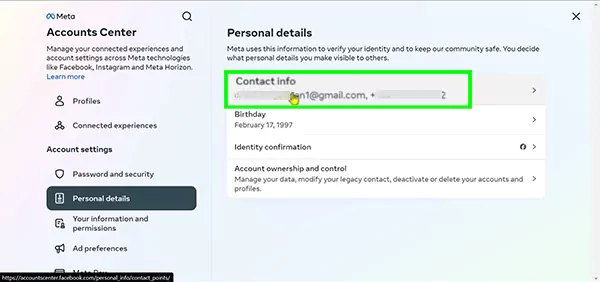
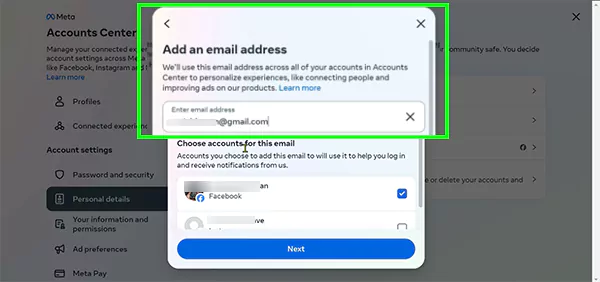
After that, you will reach the account center. Now, click on personal details.
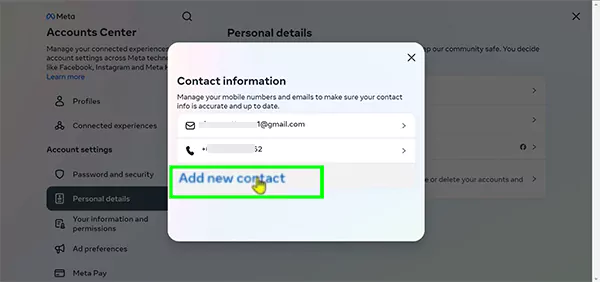
Then click on Contact Info.
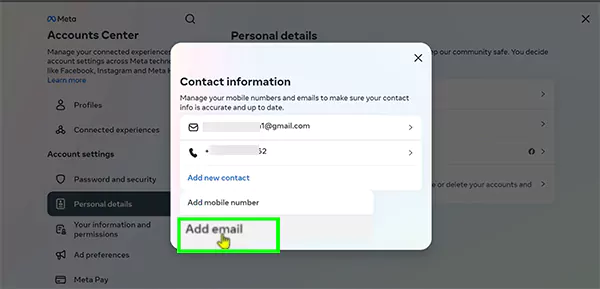
Click on “Add new contact.”
Select “Add email.”
Enter your email afterward.
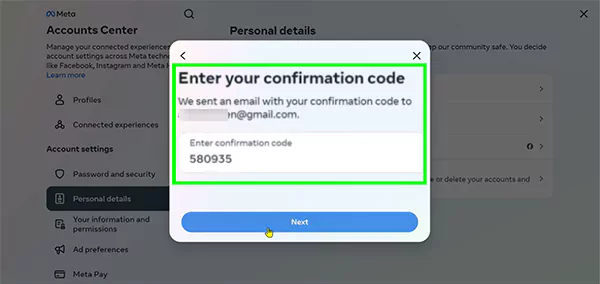
Now you will get a confirmation code. Just enter it.
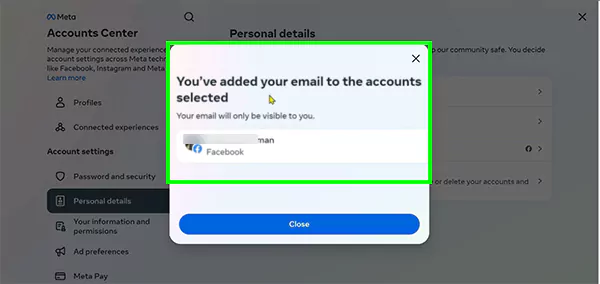
Your email is added.
Well, these are a few easy steps that will solve your query of how to change email on Facebook. However, if you want a video solution of various Facebook errors and updates, then you can check out the GetAssist YouTube channel.
What are Some Potential Issues Users Can Face When Changing Email on Facebook?
How to change email on Facebook without facing any issues? Is a question asked by many, but it never works that way. Users can face some frustrating pitfalls, like:
Confirmation e-mail failure during the identification of your old account history due to verification codes going to spam or junk folders.
If the old mail is logged out before adding and verifying the new one, then users can face issues, like locking out their account from their socials.
Users may encounter glitches where Facebook refuses to remove an old, inactive email address.
Rapidly changing accounts can lead to a hold on the process as META’s anti-theft mechanisms come into play. META can also permanently delete the Facebook account if it finds constant malicious activities on any account.
Is It Necessary to Change the Email Address on Facebook?
Undoubtedly, it is necessary to change the email on Facebook or update it with strong passwords, as it helps in numerous ways, like:
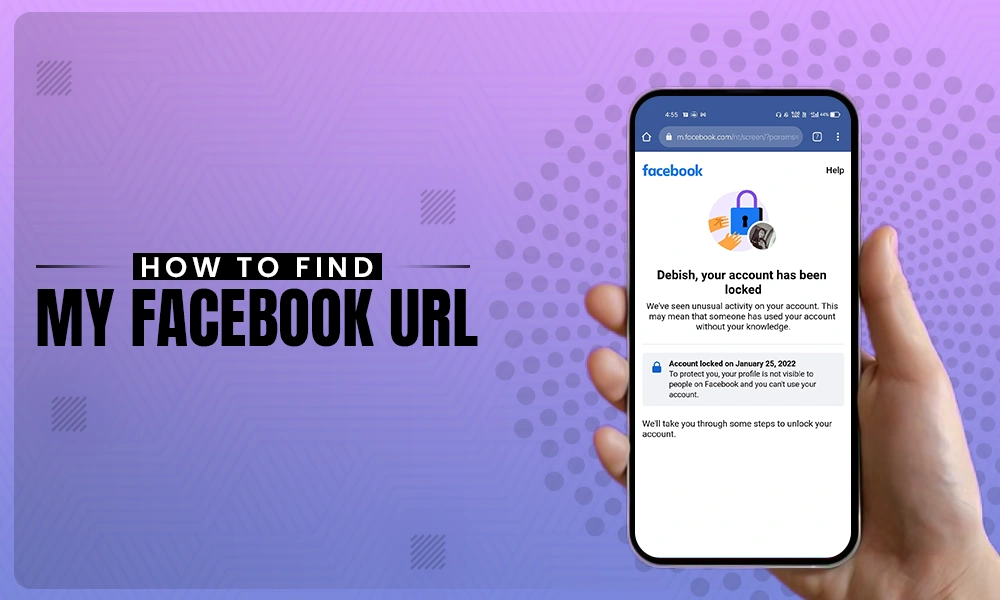
Account recovery, where cases like old emails are hacked, or you are seeing a lock on your Facebook profiledue to some third-party intervention.
You need an active email to receive security notifications and to use as a login identifier.
When you abandon an old email account, you might get disconnected from Facebook communication centers, and they can permanently revoke your access. It is necessary to change the email on Facebook.
You will also get safeguard from various types of data losses and migration problems if your device gets lost or damaged.
Conclusion
Changing and using the appropriate email for Facebook is the foremost necessity because it helps you to work in an authentic ecosystem and allows you to maintain your privacy within yourself. You can easily understand how to change email on Facebook with a few easy steps mentioned above. If you find this guide useful, then do check out more Facebook-related guides only on GetAssist.