MacBooks are one of the most compatible and dependable devices for many users around the globe, but as we all know, sometimes they can also undergo some major problems. The most common issue with these gadgets is to fix USB C port MacBook not working issue.
So if you are having the same problem or dealing with errors like black lines on MacBook Pro’s screen, then sit back and relax because GetAssist has got your back to solve all your MacBook problems
The Hub USB Type C MacBook port often gets damaged because of some unwanted reasons that we often overlook, such as:
Well, there are some common ways to fix USB C port MacBook not working issues and frustrating automatic keyboard lighting errors on MacBook Air, so this section aims to solve them all in one place:
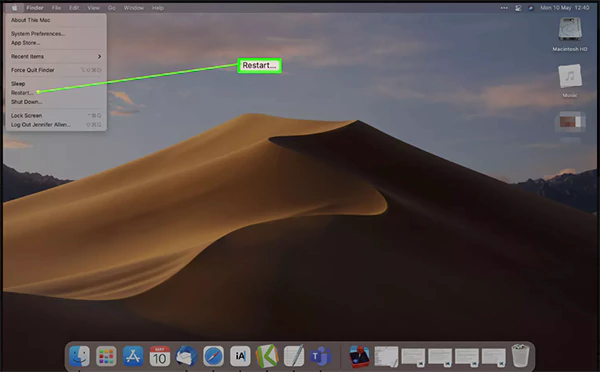
Restarting your MacBook can solve a lot of the issues in your MacBook, as it automatically eliminates the current errors of the system and sometimes even fixes your USB problems.
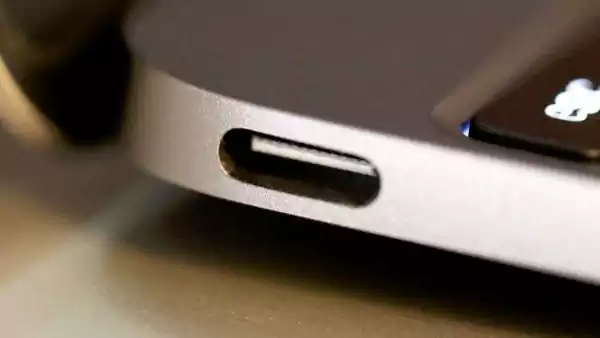
Make sure to check and clean the USB-C port of your MacBook devices from time to time, as the retained dust can damage the overall port functionalities and even impact the performance of your system.
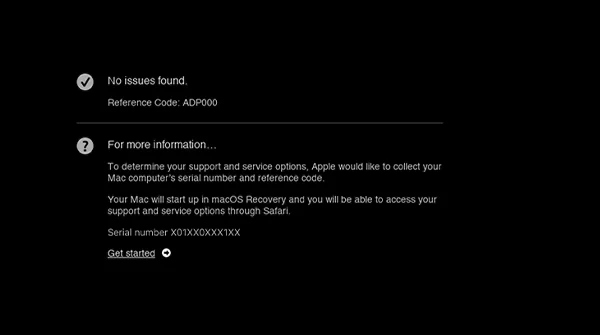
To run Apple Diagnostics for solving the Mac USB C port not working problem, you must follow these steps:
For more such updates regarding MacBook issues and their resolutions, you can count on the GetAssist YouTube channel and click the bell icon to stay notified with the latest information.
To avoid your Macbook USB C port not working problems in your device, you need to follow some dos and don’ts mentioned below:
In short, to fix USB C port MacBook issues, you need to follow some simple steps like restarting your MacBook, cleaning and closely checking its port, and running Apple diagnostics in sequence. This will help to avoid any circumstances that can hinder your experience. Make sure to provide proper care to your MacBooks, and don’t forget to follow GetAssist for more such content.
A genuine port repair from an authorized service center of Apple can lead to $45-$199.
If the damage is not severe and you are tight on budget, then going for repair is the best option
Yes, Apple USB-C braided cables come under the manufacturer’s warranty of one year.