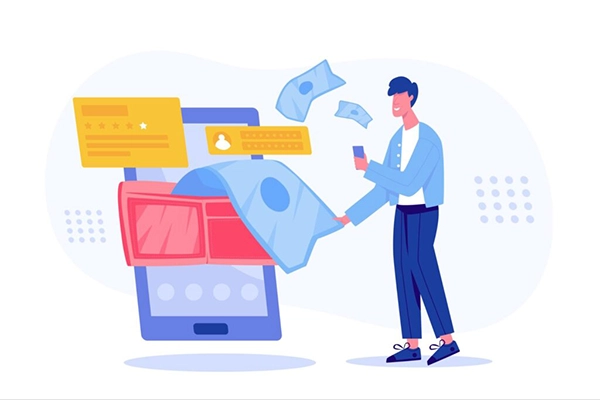
There are many payments you have to make every month on a specific day, totalling a specific amount. But when every variable is predetermined, and you just have to push the “Pay” button, it becomes a redundant chore.
That’s where Autopay came into the picture. Just set up the payment once and forget it.
But now, the convenience service is making a dent in the pockets of people unintentionally. For example, a study found that 42% of people simply forgot about a subscription they’re still paying for.
And stopping these recurring payments is not a straightforward task either.
In this guide, I’ll tell you how to cancel subscriptions. The following sections expand upon how automatic payments work, common mistakes that turn them from boon to bane, how you can stop them easily, and top apps that help with that.
KEY TAKEAWAYS
- Recurring payments that you’d set up months ago and don’t even use the service anymore can drain your wealth.
- Prioritize the wallet app to set up autopay for subscriptions.
- Use subscription management tools if necessary.
- Always be mindful while setting up an autopay and review your statements regularly to spot unnecessary subscriptions.
Autopay surely makes your life easier, but it can also become a financial burden if used ignorantly. This situation can arise as a result of some behavioural factors, “set-it-and-forget-it” inertia, and some business strategies that make cancellation almost impossible.
It’s pretty common among people to sign up for some service, set it to autopay, and then forget about it altogether.
Ultimately, the money just keeps getting out of your pockets for products and services you no longer use.
Auto Payments and Subscriptions automatically and recurrently deduct a certain amount from a bank account or credit card. These are usually set up for services like streaming, utilities, and EMIs. As we’re talking about streaming, do you know you can stream your Netflix on Discord itself?
Anyways, users have to authorise a “mandate” just once and set up the payment frequency and limits. The service provider gets permission to debit the set amount from the user at the scheduled intervals. These automatic, timely payments don’t let the service interrupt and save from late fees as well.
Now you want to know how to cancel subscriptions? For that, you have to revoke the mandate you agreed upon while setting up autopay.
You can contact your service provider or bank for the same. But an even easier method is to do that through the app:
Afterwards, monitor the bank statements closely. If you still spot any recurrent payment, contact the bank itself and place a “stop payment” order.
PRO TIP
Act 3 days before the due date. Follow a dual-layered approach: Cancel from the merchant first and then place a “stop payment order” with your bank.
There are many tools that help you track and manage your subscriptions, and they mostly fall into two categories: automatic and manual. Automatic subscription management apps link to your bank account/credit card and detect all recurring payments, while the manual tools don’t need linking.
Regardless, you can manage and cancel your subscriptions equally well on either of them.
Here’s a list of some top tools:
Top mistakes that people make regarding automatic payments are:
To avoid all these, review your subscriptions annually and identify the unnecessary costs. Make it a habit to use a digital wallet for subscriptions. And keep the SMS/Email alerts enabled for every recurring payment processing.
If not handled carefully, the convenient autopay can easily make a hole through your pocket.
To avoid that, simply keep these things in mind:
May your financial peace of mind increase, and your recurring expenses decrease!
The only major reason is subscription fatigue. The sheer volume of services makes tracking difficult.
You can easily do that through the provider’s or your bank’s website, or through your digital wallet app.
Look for recurring payments in your bank account and credit card statement. Also, search your emails for terms like “subscription confirmed” or “free trial”.