Instagram has become one of the primary platforms to chat with your friends and followers, send reels and stories, and reply to them.
Sometimes, we open a chat but forget to reply because the conversation remains open and doesn’t show a blue dot to indicate a new message. For this issue, Instagram creates an option to mark messages as unread. Follow the guide to learn how to unread messages on Instagram.
Marking a message as unread will remind you to reply and mark messages as unread in your DMs and the person cannot find out whether you read the message or not.
You can easily mark messages as unread in your DMs on both Android and iPhone.
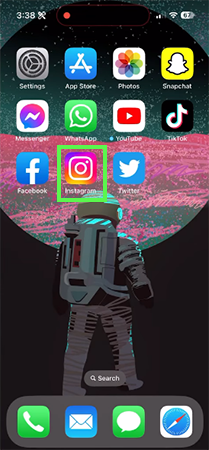
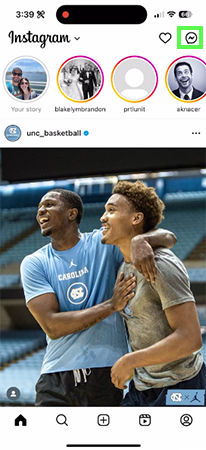
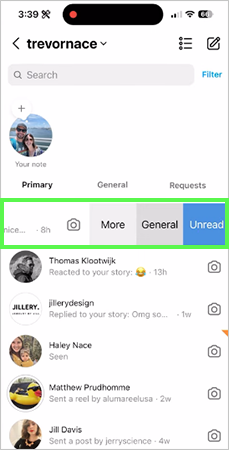
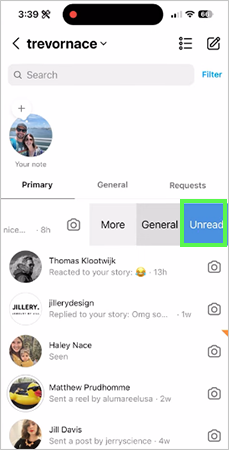
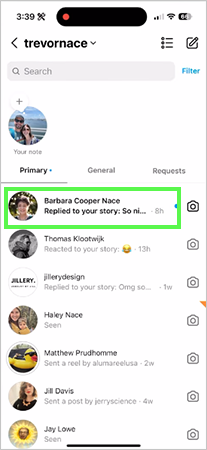
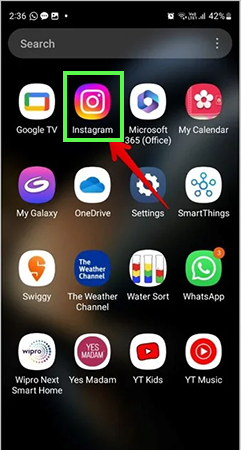
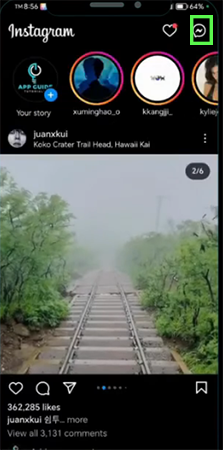
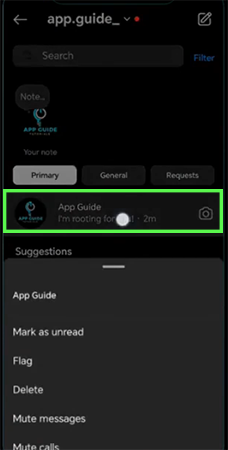
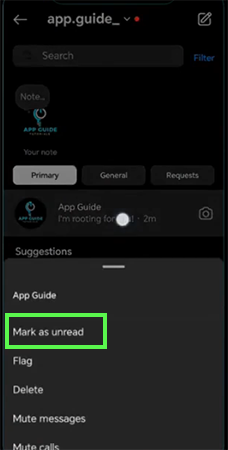
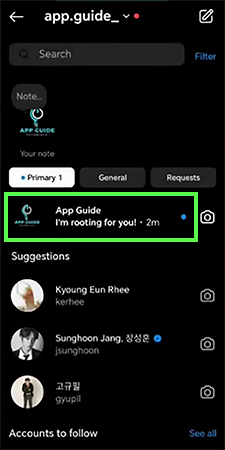
The feature of marking Instagram messages as unread on Instagram is not available for normal or personal accounts; this feature is only available in Instagram Business or Creator accounts. With this account, you are able to gain reach and engagement by running ads and also mark messages as unread.
Instagram gives a built-in feature to mark any message as unread. Marking any message as unread will help you remember to reply to that message. You can only use this option if you have an Instagram Business or Creator Account.
You can convert your personal Instagram account into a Business or Creator Account. After converting your account, you can mark it as unread by swiping on that message on iPhone and by pressing and holding on Android. If this guide is helpful, you can check out more such guide videos on the Getassist YouTube channel.
Yes, you can hide a read message on Instagram by turning off your account’s read receipts.
You can turn off read receipts directly through the Instagram App by going to your profile settings, selecting Messages and story replies, and toggling off Show read receipts.
Yes, you can mark messages as unread if you have an Instagram Business or Creator Account.
Yes, marking any message as read will show it as seen to the next person.
Yes, you can archive any chat message on Instagram by pressing and holding the message and clicking Archive.