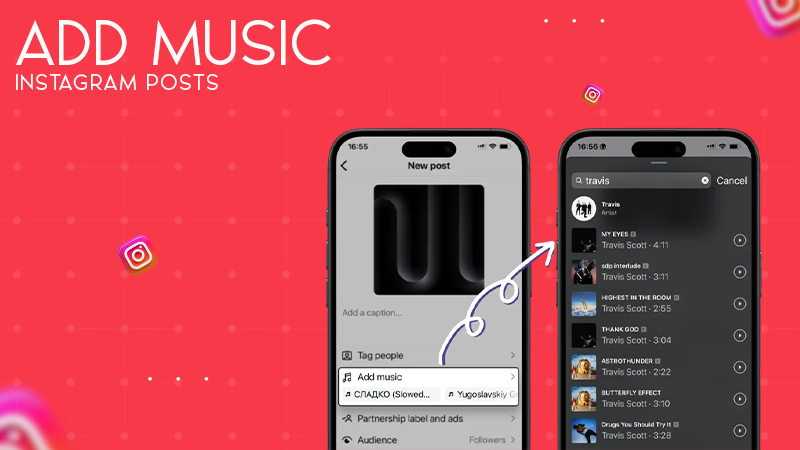
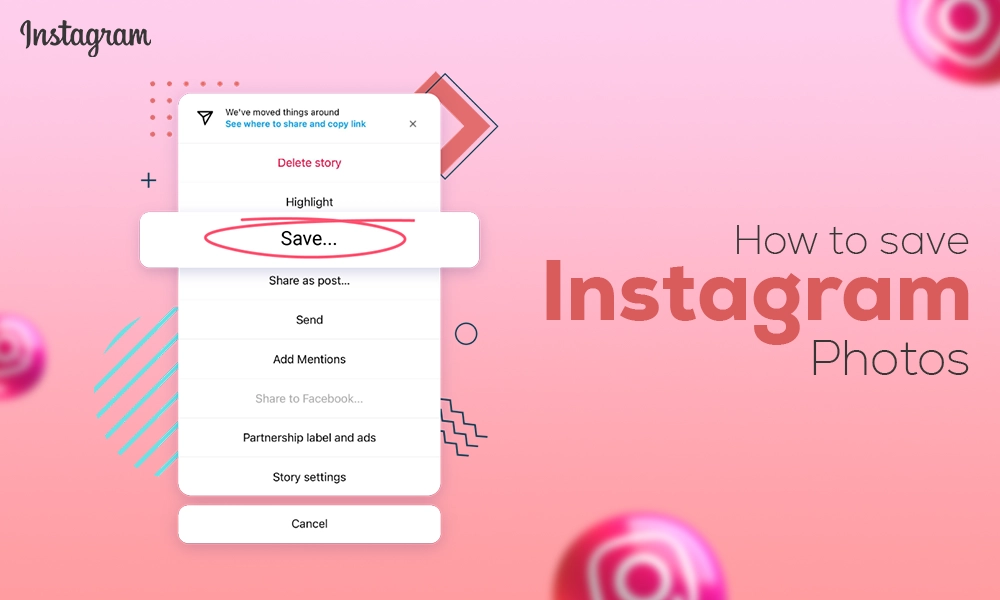
Instagram’s scheduling feature is a powerful and efficient tool that enables content creators to create and schedule content in advance, thereby serving as a lifesaver.
This feature helps in reducing the relentless pressure of creating, editing, and publishing content while catering to audience expectations and algorithmic demands.
Therefore, in this write-up, you will learn about the best ways to schedule a post on an Instagram account at once.
So, let’s schedule!
Yes, you can schedule Instagram posts. The post includes Reels, Photos, and Carousels. To note down, you can only schedule IG stories through Meta Business Suite.
Instagram officially launched the in-app post scheduling feature back in 2022, which has acquired immersive attention and is appreciated worldwide. However, an Instagram user can schedule a post up to 75 days in advance.
Scheduling an Instagram post is a simple and smart process that can be done using 3 easy methods:
But before we get started with our first method, make sure your Instagram account is a professional or business account.
If not, you can instantly switch your private account to an Instagram Business or Creator Account to unlock the scheduling post feature.
Now that you are ready with your professional account, let’s begin!
Instagram offers its users an in-app Instagram Post Scheduler feature to schedule posts on Instagram, excluding IG stories. Yes, it simply means that you can organize posts and reels directly from your Instagram app.
The Steps to Schedule and Post to Instagram:
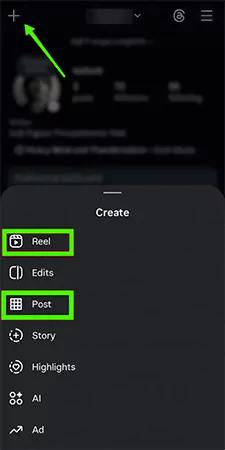
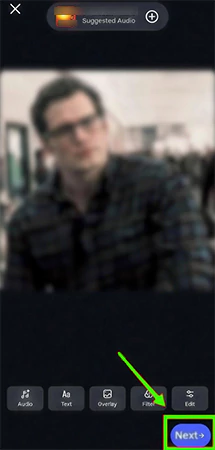
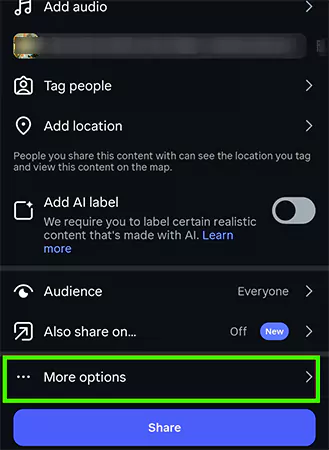
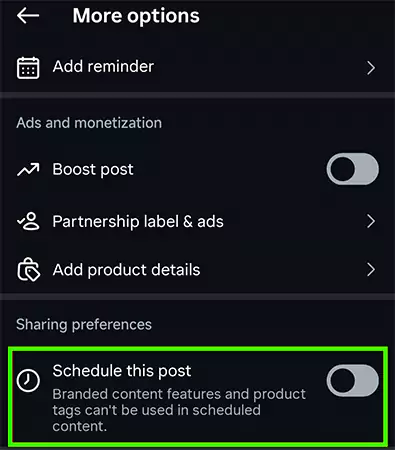
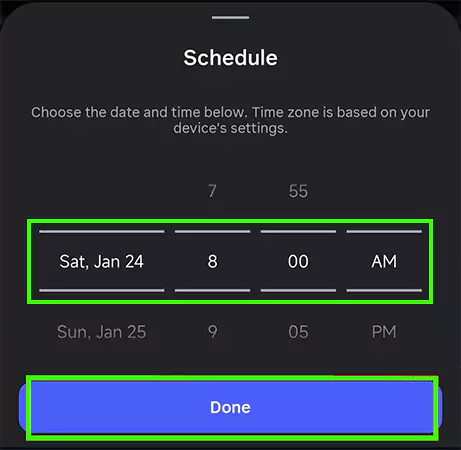
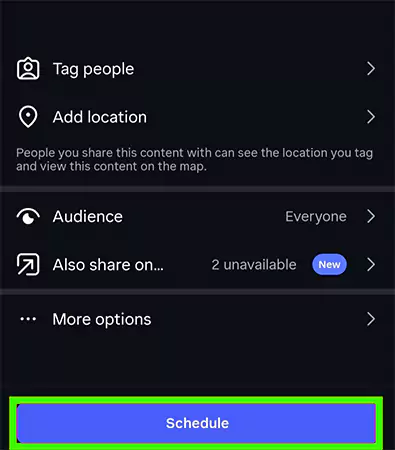
And that’s how you can schedule and post to Instagram, any post or reel directly from your Instagram app without paying or downloading any additional features.
It is important to know that product tagging, collaborative posts, sponsored posts, and fundraiser features are incompatible with schedule content at this time.
The Meta Business Suite is also a robust alternative tool to schedule posts, reels, and even stories on your Instagram account- a desktop-friendly method.
The Steps of Scheduling Instagram Posts and Stories Using Meta Business Suite:
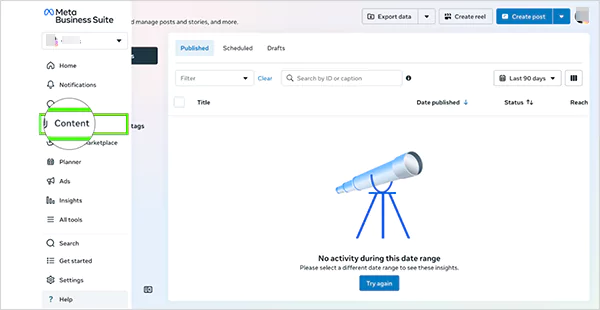
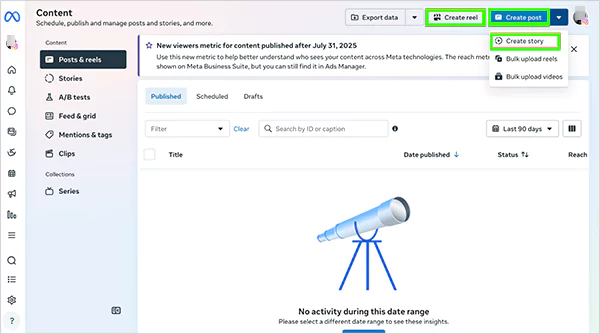
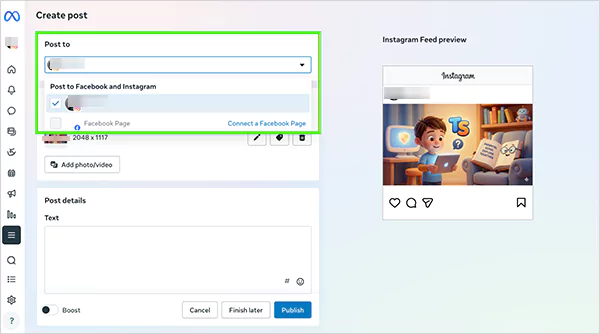
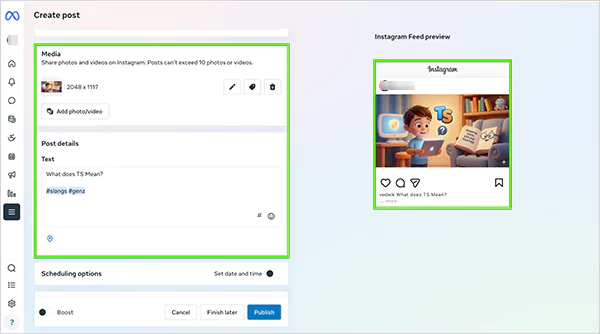
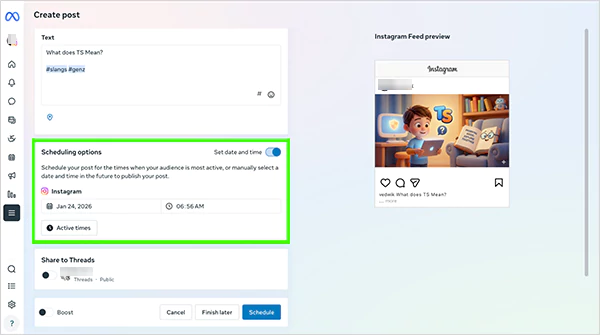
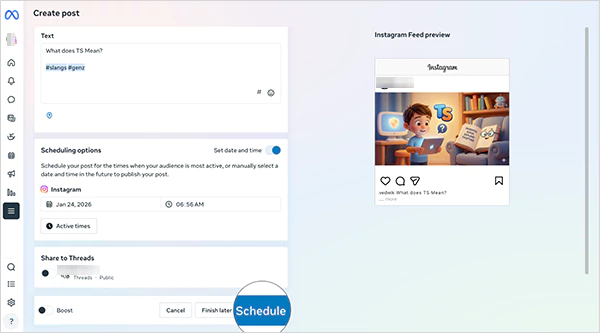
By following these simple steps as they are, you can easily schedule posts and manage multiple Instagram accounts simultaneously. Now, it’s the moment to move towards our last method to organize IG posts in advance.
Leveraging the Instagram in-app feature and Meta Business Suite are two of the best methods to schedule posts on your IG account and possess all the capabilities to get the job done.
However, utilizing third-party Instagram post schedulers is also an alternative answer to the question, Can I Schedule Posts On Instagram? This comes in handy only if you are looking to schedule an Instagram collab post, as this feature is still limited.
But does it lower your reach or penalize performance?
The answer given by the Instagram CEO was satisfactory. He has confirmed that scheduling tools, whether natively or via 3rd party tools, are absolutely fine and don’t affect your engagement.
He also advised creators to emphasize consistency, post during optimal audience active times, and create engaging content instead of worrying about manual vs. automated posting.
However, we still suggest you use the native feature and Meta Business Suite to schedule the Instagram posts rather than relying on third-party tools, as it poses a degree of risk of an Instagram account hack.
Scheduling Instagram posts is a great practice that offers amazing benefits.
By using Instagram’s native scheduling feature and Meta Business Suite, you can effortlessly and effectively plan your Instagram posts and stories and stay stress-free.
Do not miss trending things to post on your Instagram account, checking out who shared your IG post, and interacting with comments, likes, and shares for your dream engagement. In case you are facing more such issues like this, subscribe to the GetAssist YouTube channel and get your hands on easy and quick fixes.
Yes, you can schedule Instagram posts on the Instagram native app, Meta Business Suite, and using 3rd party tools.
You can schedule a post on Instagram only from a professional Instagram account. Switch your account from a personal account to a Creator or Business account to enjoy this feature.
No, scheduling posts on Instagram doesn’t affect your account’s reach or penalize performance, as per the head of Instagram, Adam Mosseri.
Yes, it is absolutely free and safe to schedule posts on Instagram.
For a good posting schedule for Instagram, check your account insights to see when your followers are most active, analyze content type, and maintain consistency.
Apart from this, a robust schedule comprises posting 3-5 times per week, with peak engagement occurring on Wednesday and Thursday between 11 a.m. and 6 p.m.