Did you just open the app and find your TikTok For You page overflowing with videos? It’s time to unfollow some of the users whose content you no longer enjoy.
In this article, you will learn how to unfollow on TikTok by following two simple methods.
It’s time to declutter your following list. Let’s begin with it!
Unfollowing somebody on TikTok for whatever reason can be done within a few seconds. All you require is a device with an internet connection and your ID logged in.
So, there are two easy methods that teach how to unfollow someone on TikTok from your following list in a snap!
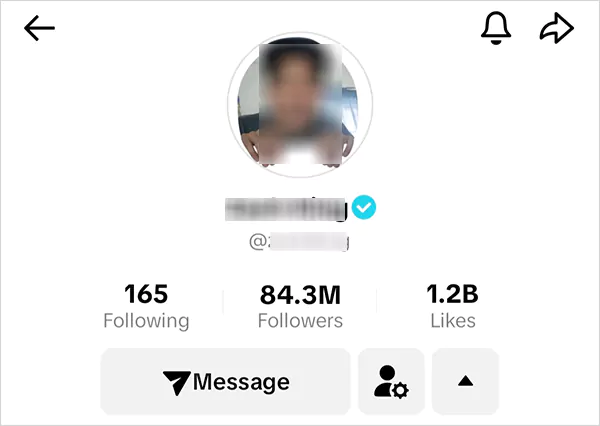
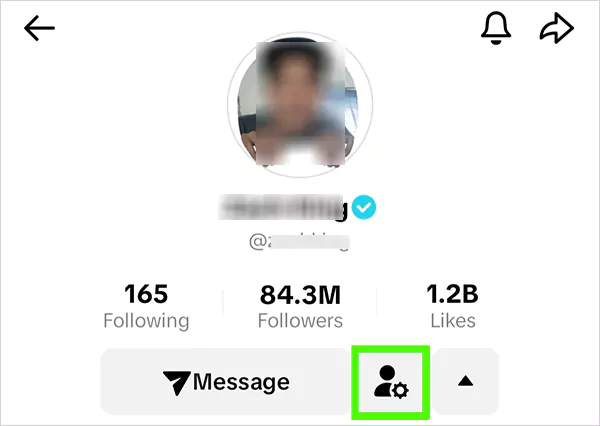
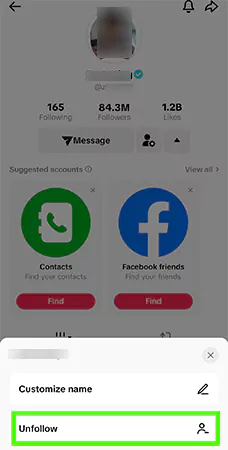
Now, let’s see how you can delete someone directly via your following list.
To unfollow anybody from your following list is as convenient as the previous one. So without further ado, let’s check it out!
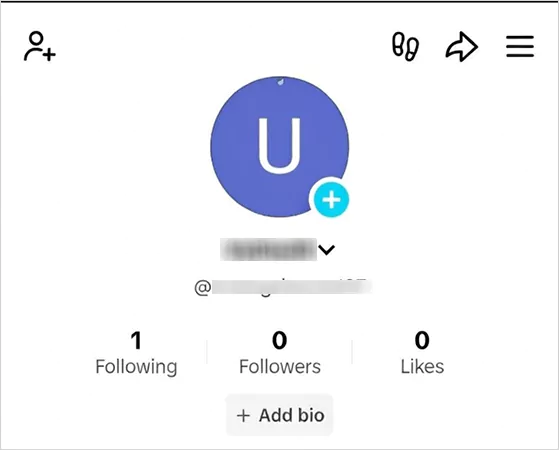
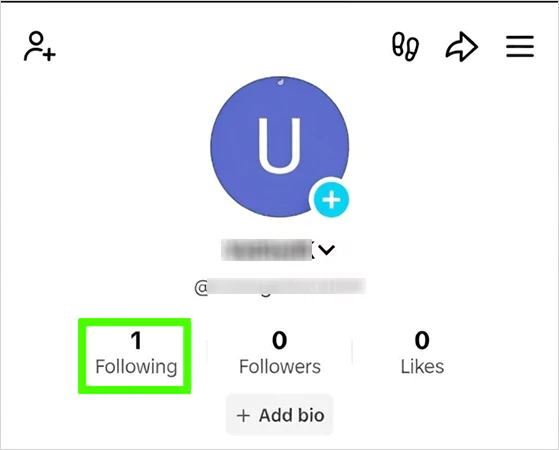
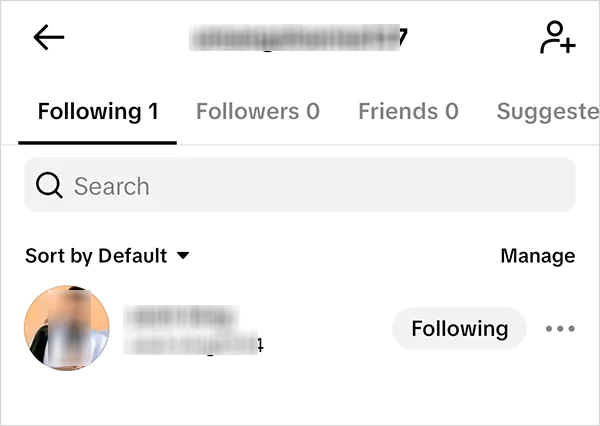
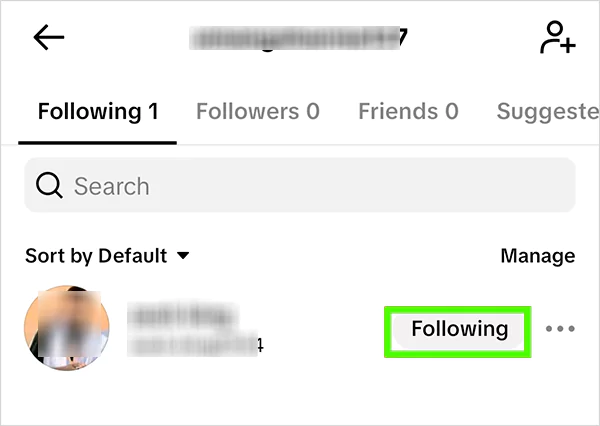
And that’s how you can easily remove any account from your TikTok following list. But does TikTok notify them that you have unfollowed them? Have a doubt?
Let’s clear the air for you!
When you choose to unfollow someone on TikTok, there are certain things that happen that you should be aware of before removing anyone from your TikTok account.
So, if you understand the importance of most followers on TikTok and want to unfollow unwanted accounts on TikTok, you can follow the upcoming simple steps to remove accounts from your account.
NO! TikTok doesn’t send unfollow notifications to the account that you remove from your following list. This discreet approach from the short-video platform protects users’ privacy and prevents awkward situations between users. That simply indicates that you can edit out your following list without worrying about unwanted occurrences.
However, the other person can still find out that you have removed or blocked them by going through their following list and seeing a decrease in the number.
Other clues that imply that you have decided to unfollow/block them are when your video stops appearing in their feed, or when they search your account and see a follow button instead of following or no account.
Indeed! The popular social media platform allows you to unfollow multiple TikTok accounts at once, and it is effortless.
All you have to do is click on your “Profile” and then tap on the “Following” tab, and you will be able to see all the accounts that you follow. As per your preference, find the users that you want to unfollow and click the “Following” or “Friends” button to remove them.
Disclaimer: Rapidly unfollowing people from your TikTok account can lead to shadowbanning, though you can safely unfollow 200 accounts from your following list at once.
Unfortunately! TikTok doesn’t provide any master or ultimate button that allows users to unfollow everyone on their account in a single click, leaving users with the only manual and safe option.
So, if you want to reset your TikTok account, follow the same steps cited in the previous section, redirect to your following list, and tap on the “Following” button right next to the username.
If you have a few dozen accounts to unfollow, say below a hundred, the manual method will take you a few minutes only, and if you have zero accounts in your following list and if the “following” number is rich, there are some alternative ways.
So, if you don’t want to go through with a tedious and tiresome one-click-at-a-time process to remove all accounts, you can leverage some third-party apps and services that claim to remove all the followers in a short time.
As a discerning platform, we value our readers’ account safety and security sincerely. Therefore, we highly advise you not to seek any third-party apps or services on a whim to mass unfollow accounts or go viral on TikTok quickly.
There are multiple cases that have been reported in the past by users across the globe for digital infringement, such as stealing TikTok login information and hacking accounts.
If you are really keen to unfollow everyone from your account, you can leverage a trusted pay service after thorough research and contemplating reviews to outsource this unfollowing task.
If someone has commented on your video with inappropriate or foul language on your video, sent sensitive content and harassed you via direct messages, or someone’s content triggered you, TikTok’s blocking option is a robust approach to tackling such situations.
Blocking on the TikTok app disables messaging, likes, follows, and commenting and provides users with a personalized and safe TikTok experience. So, if you want to block any account, here are the mere steps;
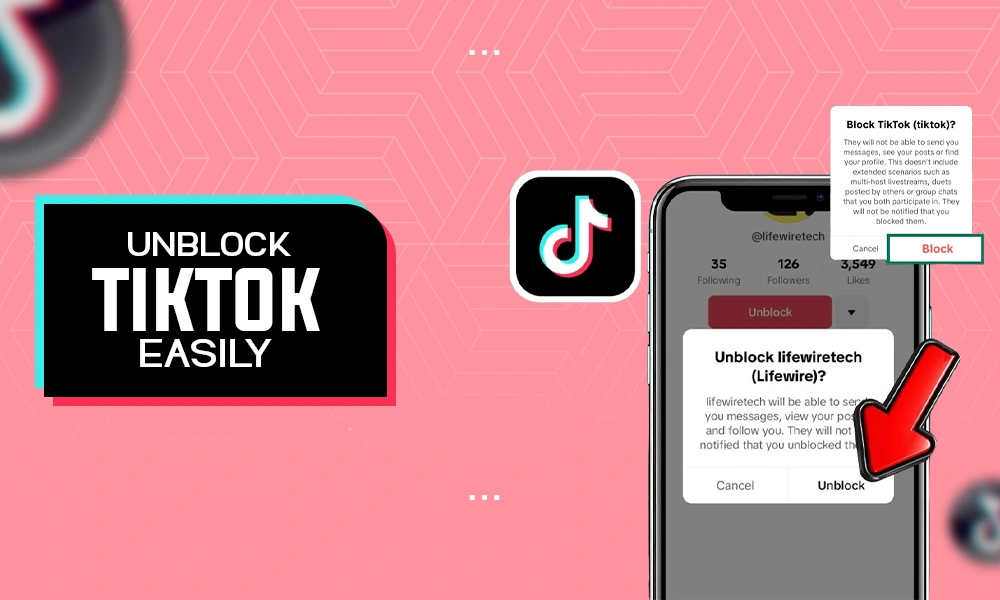
And if somehow you want to reverse your call and unblock them on TikTok, redirect to their “profile page” and click on the “three dot icon” and tap “Unblock”.
Apart from this, you can also mass-block TikTok accounts that comment on your posts if you do not like them. All you have to do is long-press on the comment, and it will take you to a window with a few options.
Next, select “Manage Multiple Accounts”, and you can select up to 100 accounts to unblock. Then, tap More and block accounts.
By following these mere steps, you can block and unblock anyone on your TikTok handle.
Unfollowing someone on TikTok is a very simple and agile process that anyone can exercise by following two easy methods comprising 2-3 steps each. You can also remove multiple accounts from your following list conveniently.
Also, we again urge our readers not get deceived by any third-party app or services claiming that they can unfollow everyone from your account in a single click or get more views on TikTok; their sole purpose is to defraud you and kidnap your TikTok credentials. Hope, now your doubts are clear about how to unfollow on Tiktok.
You can unfollow anyone from your TikTok account by heading to their profile and clicking the “Person” icon or via searching and tapping on “Following” or “Friends” your following list.
You can unfollow up to 200 TikTok accounts at once from your account to avoid TikTok Shadowbanning.
You can use third-party apps to mass unfollow TikTok accounts, but they aren’t legitimate and steal your TikTok account credentials and hack your account.
Absolutely, you can remove accounts from your following list secretly as TikTok doesn’t send any unfollow notifications to the users; only follow notifications will be sent to the users.
You will not be able to see their content on your Following Page. Though you can see their posts by searching their profile or someone sharing their content with you. Their content can also pop up on the For You page.