Getting TikTok unblocked or accessing it in a location where it’s banned is a thing that every person wants to do when they want to explore new content. So if you are one of them, then this GetAssist article will provide some easy steps that will help you watch TikTok from anywhere.
Now, for unblocking TikTok and using it smoothly for hours without doing unnecessary actions like changing your age, you need to understand some basic steps that you can easily perform using a smartphone. Let’s take a look:
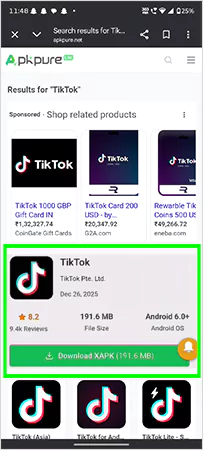

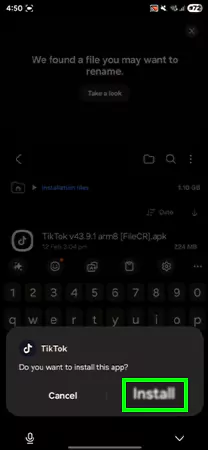
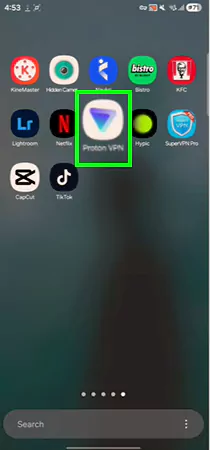
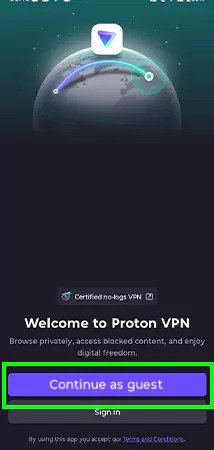
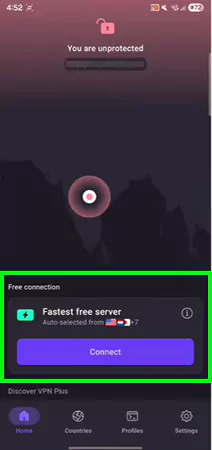
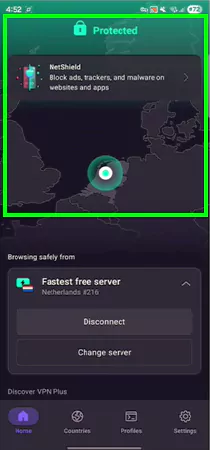
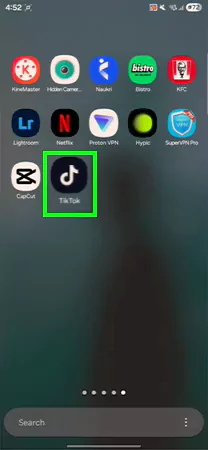
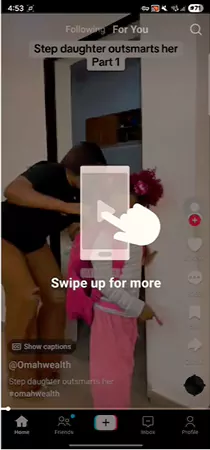
This is the easiest way to get your TikTok unblocked and enable you to experience what you have been waiting for so long. Also, if you want video solutions for more such TikTok-related content and various troubleshooting, check out the GetAssist YouTube channel and press the bell icon for future updates.
While unblocking the TikTok application, you can face some common errors that can disrupt your overall experience, which include:
Although there are countless proxies and VPNs available in the market that can get your TikTok unblocked, the majority of them don’t work well eventually and cause regular issues like account deactivation.
People often face such a situation and then start finding ways to recover their TikTok account. That’s why we have tested some apps and websites for you, which are mentioned in the table below, that will provide a hassle-free experience when watching videos, creating videos, and following or unfollowing someone on TikTok.
| Websites | Applications |
| CroxyProxy | ExpressVPN |
| Webshare Proxy Browser Extension | NordVPN |
| Undetectable.io | ProtonVPN |
To end this topic, we have shown you some easy ways to get your TikTok unblocked using some simple steps so that you can enjoy your favorite content without the hassle of accessibility. Although we have used ProtonVPN as an example, you can use any unblocked websites to watch TikTok or an available VPN app to view it according to your preferences. Make sure to follow GetAssist on both the YouTube channel and website for more such troubleshooting updates.
Yes, it can ban your IP address if you try to breach their terms and conditions or use it frequently for malicious purposes.
Yes, you can use a VPN for accessing TikTok. It is one of the most popular and legal practices.