A journey of starting a successful YouTube channel starts with making and setting up the channel correctly. It paves a smooth path from uploading a YouTube video to monetizing your channel.
So, let’s hop into “How to start a YouTube channel?” with different methods.
How to Make a YouTube Channel? ( YouTube Website and App)
You can create a YouTube channel with two different methods: via the YouTube website and via the YouTube app.
Via the YouTube Website
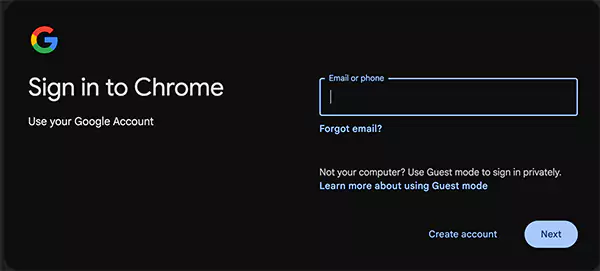
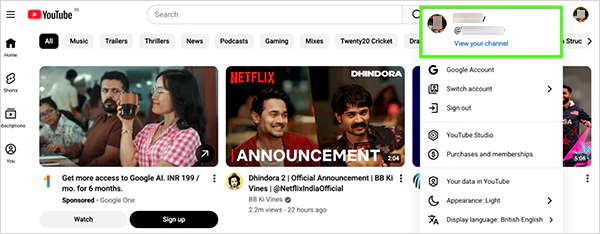
Open your browser and sign in with your existing Google account, with no channel or create a new one.
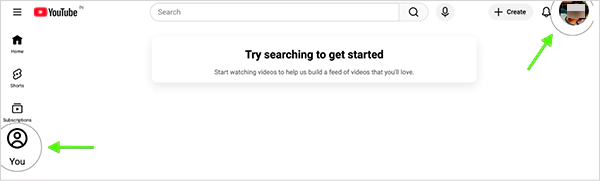
Open YouTube.com and click on the “You” tab on the left or your “Profile” icon on the top right.
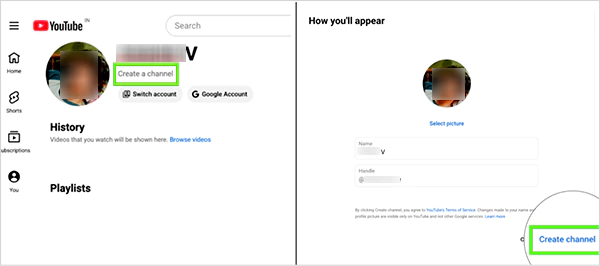
Click on “Create a Channel” and choose your profile picture, name, and YouTube handle. Lastly, hit “Create channel” to create your new YouTube channel.
Click on “View your channel” to view and customize your new YouTube channel.
Fun Fact: You can create a second YouTube channel with the same Google account and manage multiple accounts.
Using the YouTube App
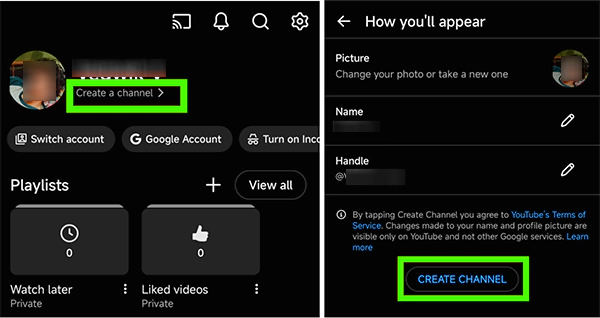
Open the YouTube app on your device, and select a Google account with no channel or create a new account.
Tap the “You” tab on the bottom-right, and hit “Create a Channel >”. Next, choose a picture, name, and handle for your YouTube channel and click “Create Channel”.
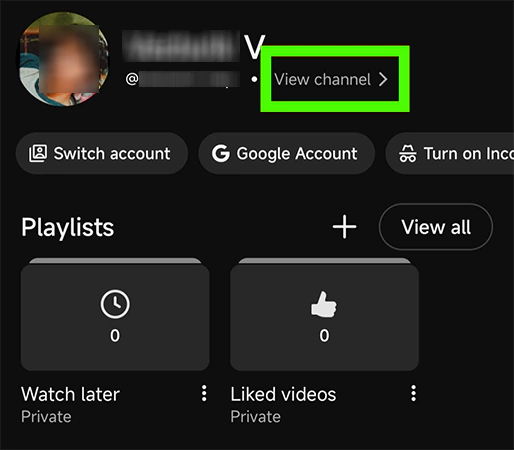
Now, tap again on the “You” tab and press “View Channel >” to see your new YouTube channel.
So, here are the two simple answersto “How do I start a YouTube channel?”
Till now, I have shared how to start a YouTube channel. Now, it’s time to check on some of the best practices for a new YouTube account that an individual should follow:
Focus on SEO if you’re a tutorial channel or your channel features product reviews.
Value matters more than the quality of your content. Focus on packaging: appealing title, eye-catching thumbnail, etc.
Study your channel analytics and post when your audience is available the most.
Gear improves your content and gives you confidence to create.
What’s the strongest way to start off a new YouTube channel?
The strongest way to start off a new YouTube channel:
Set up your YouTube channel correctly.
Insert 2-3 relevant and solid keywords after your video title and description (avoid saturated hashtags).
Make sure your video title has searchable terms in it.
Use an attention-grabbing thumbnail.
Post your video, and if it gains no traction, tweak the SEO and swap hashtags.
Drop the next video, analyze how it performs, and tweak again according to the results.
How to decide on topics when starting a YouTube channel?
Write and organize your ideas by ranking new ideas at the top. Keep checking your YouTube channel analytics and experiment with content and its packaging.
How to monetize a YouTube channel in less than three months?
Here’s how you can monetize a YouTube channel in less than three months:
Title, thumbnail, and description are very important.