How to Sign Out of YouTube? Simple Steps to Log Out of YouTube (Latest 2026)

| Updated on February 17, 2026

Want to learn how to sign out of YouTube from your Desktop, Phone, or Smart TV?

Check out the easy sign-out steps with the precise snippets that will make sure you don’t get lost during the sign-out process.

So, let’s begin!

How to Log Out of YouTube? 

Logging out of YouTube via the YouTube web and app is very facile and effortless. By following the simple steps given below, you can easily log out of YouTube from any device. In addition, you can get more such queries answered on the Getassist YouTube Channel in just minutes. 
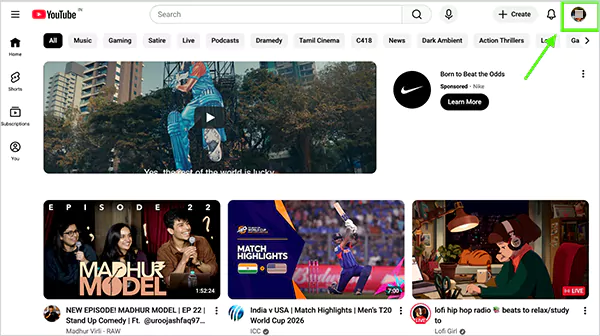
YouTube Website

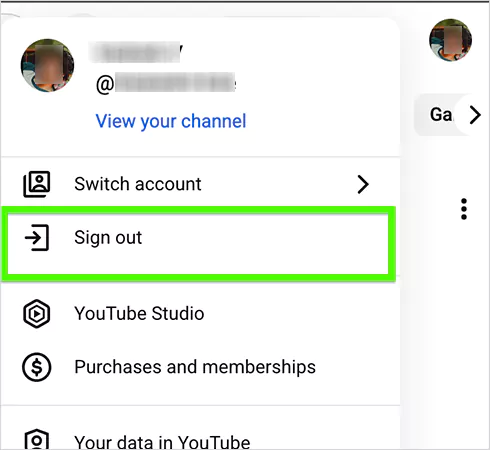
  • Go to the YouTube Website and click on your “Profile Picture”  in the top-right corner.
    Profile Picture
  • Next, click the “Sign Out” to sign out of your YouTube account.
    Sign Out

Notes

When you sign out of YouTube, you often sign out of other Google services as well, such as Google Docs, Google Sheets, Gmail, etc., and your account activities get paused.

YouTube App

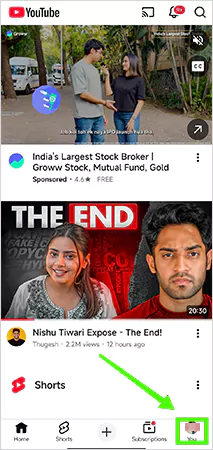
  • Open the YouTube App and tap “You” in the bottom-right corner.
    You tab
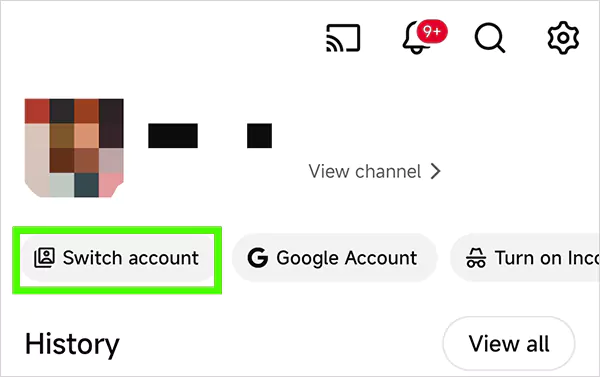
  • Now, press the “Switch Account” tab under your profile picture.
    Switch Account tab
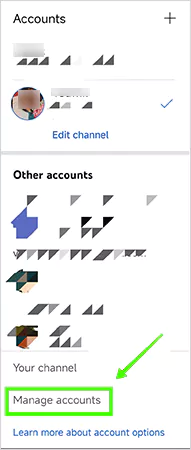
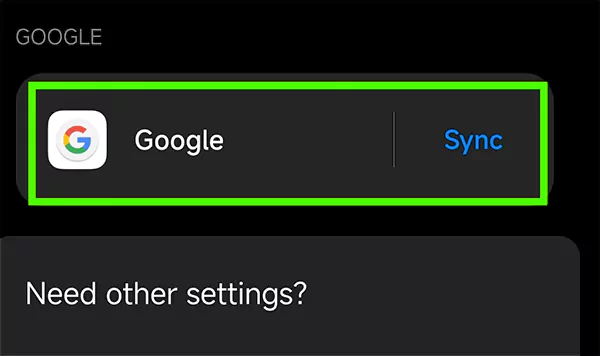
  • Next, tap “Manage Accounts” and select “Google”.
    Manage Accounts and Google
    Manage Accounts and Googlee
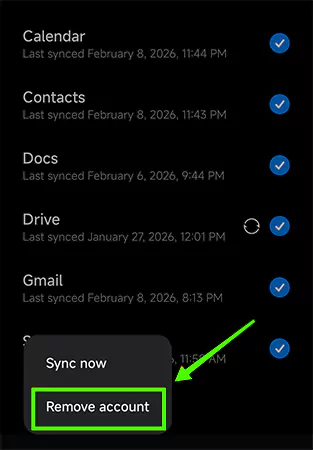
  • Lastly, choose the account you want to sign out of the Youtube and tap “Remove Account”.
    Remove Account

And that’s how you can sign out of your YouTube app.

How to Sign Out of YouTube on All Devices?

Here are easy steps to sign out of YouTube on all devices:
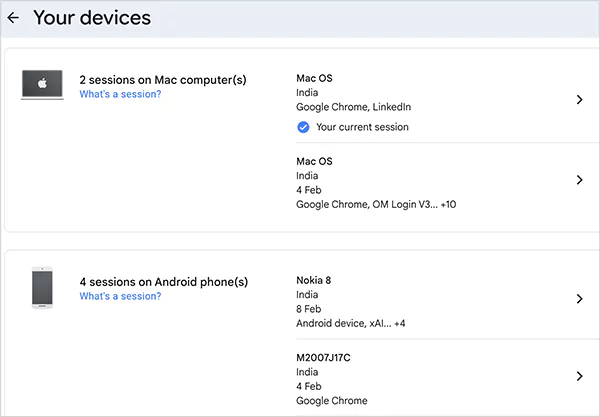
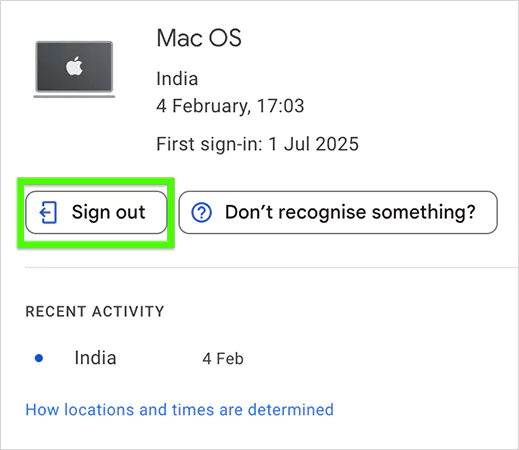
  • Open the Google Account on your browser and log in to see all the devices your Google account is signed into.
    Signed in Devices
  • Now, simply choose the devices and hit the “Sign Out” button.
    SignOut

FAQ

How to Sign out of YouTube from an iPhone/iPad?

Here’s how you can sign out of YouTube from an iPhone/iPad:

  • Open YouTube >> Tap “Profile” >> Click “Switch Account” >> Hit ‘Use YouTube Signed Out” to sign out.
How Do You Logout of YouTube?

By clicking “Sign Out” from your YouTube Profile, removing the reactive Google Account from your device, and signing out of all devices.

Can I Log Out of YouTube Remotely?

Yes, you can log out of YouTube remotely using the “sign out of all devices” method.

Is there any other method to sign out of the YouTube app without removing the respective Google Account?

Unfortunately, no! There aren’t any other methods to sign out of the YouTube app without deleting the Google account.



Vera Olehi

Social Media Writer


Related Posts

×