TikTok is a widely used social media app for creating short videos. As of early 2026, TikTok has been downloaded over six billion times cumulatively. People often take screenshots of your things that they find important, interesting, or to promote your TikTok content. Although TikTok natively allows for the easy sharing of exciting videos on its platform, you may want to screenshot comments on a post, a chat, or even screen-record videos.
Let’s admit it. TikTok’s screenshot notification policy is confusing.
In this article, we will dig into exactly does TikTok notify screenshots. What content can you safely screenshot, and more!
NO. TikTok does NOT notify people when you screenshot or screen record anything on the platform.
You can safely screenshot or screenrecord:
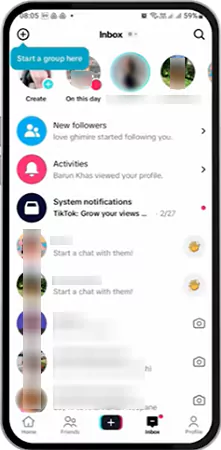
TikTok sends inbox notifications for new followers. The most followed people on TikTok must be getting loads of these. TikTok also sends notifications for direct messages, mentions, comments, likes, tags, favorites, Q&As, and suggestions. You continue to receive push notifications if you aren’t using the app in the foreground.
However, TikTok hasn’t implemented a screenshot notification system until now. So, you can screenshot anything on TikTok, and the OP (Original Poster) won’t know. And this works both ways. So, if you ask: Can I see if someone screenshots my TikTok? The answer is still NO.
Regardless, whenever you screenshot or save someone’s content, respect their privacy and the platform’s copyright guidelines. Unauthorised distribution of someone’s videos, photos, or messages without their permission can violate TikTok’s terms & conditions, leading to potential legal issues.
Let’s do a comprehensive notification policy breakdown for every TikTok feature screenshot you might take:
Regular TikTok videos are videos posted by TikTok creators. NO notification is sent to creators when you screenshot/screenrecord them. When you screenshot/screenrecord videos from a TikTok creator, they won’t be able to know you screenshotted by any means. Your privacy is 100% protected.
TikTok also has an option to save/download the videos. So the question arises: Does TikTok notify if someone saves your video? So the answer to this question is also no. TikTok just lists the count of those saves/downloads to them. However, creators have controls to allow or disable saves/downloads on their videos.
TikTok stories are 24-hour short posts, pinned on top of a profile page. In addition to screenshots, people often ask, “Does TikTok notify when you screen record a story?” Just like in regular videos, NO notification is sent to creators when you screenshot/screenrecord their stories.
However, unlike regular videos, stories list the viewers to the creators. Still, it doesn’t list who took a screenshot of the story.
Direct Messages (DMs) are the chat feature on TikTok. Even here, NO notification is sent to the other person when you screenshot your chat with them, be it text, photos, videos, or voice messages, or videos shared with you on TikTok.
Moreover, TikTok doesn’t even have a disappearing message feature in DM like the one popular on Instagram.
Creators who know how to get more views on TikTok attract people to their profile pages. Once there, those people might ask, “Does TikTok notify if you view someone’s profile?” or “Does TikTok notify screenshots of someone’s profile?” The answer to both of these questions is a big NO.
If you screenshot someone’s profile page, they will not receive any notification. You can safely capture their profile picture, username, bio, follower/following counts, posted videos grid, liked videos grid, pinned videos, etc.
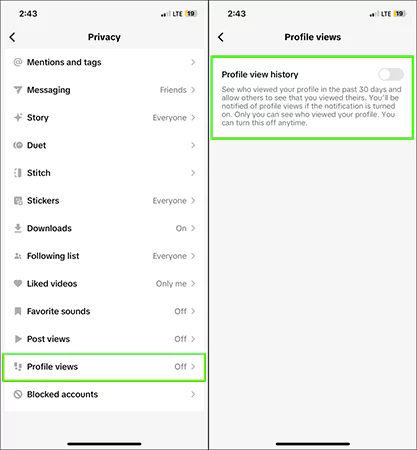
Though creators can see who viewed their profile, this is only if the creator and the visitor both have activated the feature of “Profile View History.”
Reposts are the posts created by someone but shared by someone else on their profile. It doesn’t trigger any alerts or notifications, even when you screenshot someone’s reposts.
TikTok Live is when a creator goes live-streaming. NO notifications are sent to the host if you screenshot/screenrecord anyone’s TikTok Live stream. You can safely capture the live video feed, comments, viewer count, gifts being sent, etc.
No, TikTok doesn’t notify the user if you screenshot captions and comments on the platform. Creators sure can see the comments you make, but can never know if you screenshot them. You can safely capture any captions or comments, whether on regular videos or TikTok Live.
Below are some of my general observations regarding why TikTok has not introduced the screenshot notifying feature yet.
TikTok’s philosophy and approach have always been about open sharing and virality. And just like any other platform, the platform also wants engagement and users want to go viral on TikTok.
At this time, screenshots and screenrecordings help with the reach of content. When people see a screenshot, they search for the original post, be it a profile, photo, or video. It also helps creators in gaining popularity outside of TikTok. Hence, screenshots are a win-win for both TikTok and the creators.
Screenshot notification systems are complex to implement. Detecting screenshots has its challenges. iOS and Android handle screenshots differently. Then there are third-party screenshot tools. Screenrecordings are even harder to detect. And even if all checks are implemented, you can’t stop external cameras.
Now you know the answer to the question: Does TikTok notify screenshots? Let’s see how you can take screenshots on TikTok.
There are multiple ways through which Android users take screenshots in the TikTok App:
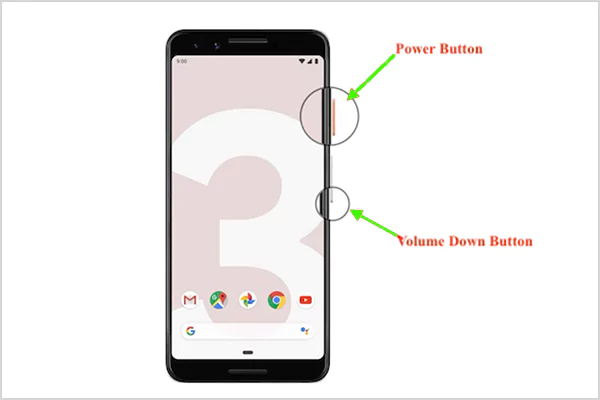
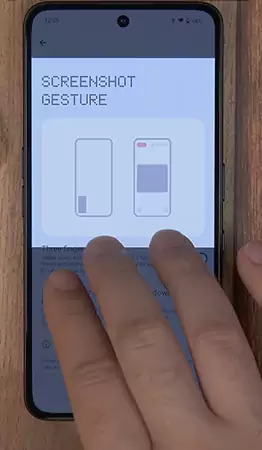
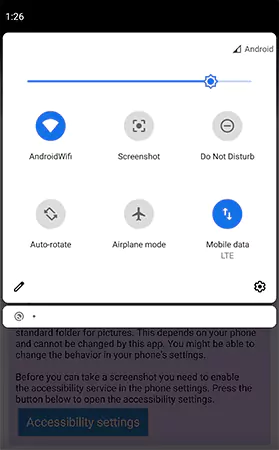
The screenshots can be accessed through your Photo Gallery.
For your Apple mobile devices, you can follow the given steps to take screenshots in the TikTok app:
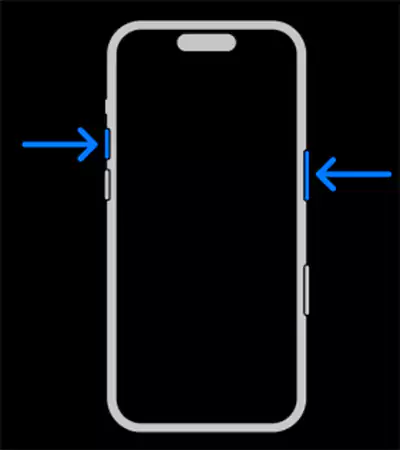
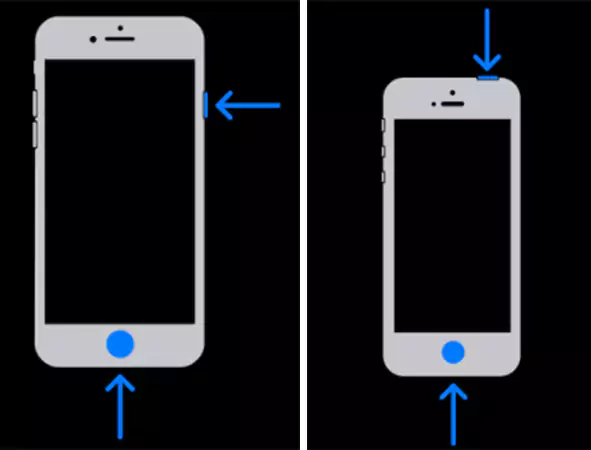
Hence, the screenshots are saved in the Photos Album.
There are many alternatives and workarounds to taking screenshots. You can simply download the TikTok videos in the app itself, or you can use third-party downloaders. Screenrecording is also an alternative to screenshots.
You can download the TikTok videos in-app by following these steps:
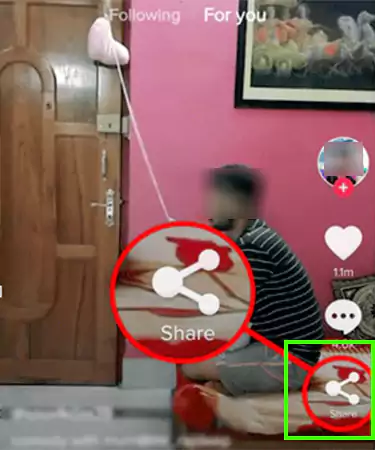
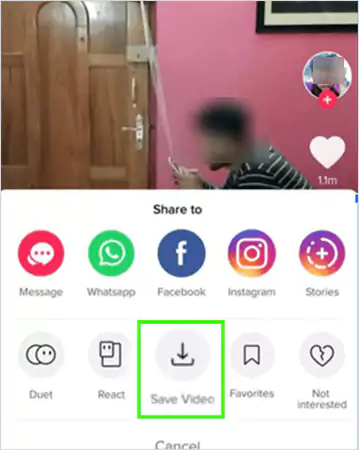
Compared to screenshots, these are complete videos with audio. Downloading through this feature keeps the video quality intact, and the overlay interface is not visible in the video either. However, a watermark is pasted on the download. Also, this method only works if the creator has allowed downloads.
You can also download the TikTok videos through external downloaders. These can be either online downloaders or mobile/pc applications.
The steps to download through these external downloaders, like Savefromnet, TikTokdownloader, and more generally, work similarly:

While employing this method, respect the creator’s copyright and don’t repost without proper credit. Personal use of the downloaded video is still fine, but for commercial use, you have to have the creator’s permission.
You can also screen-record instead of screenshotting. Just like screenshots, TikTok doesn’t detect screenrecording either.
You can screenrecord the TikTok videos by:
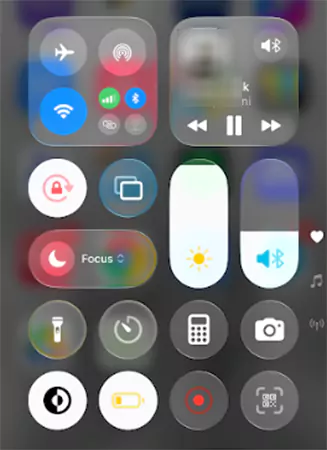
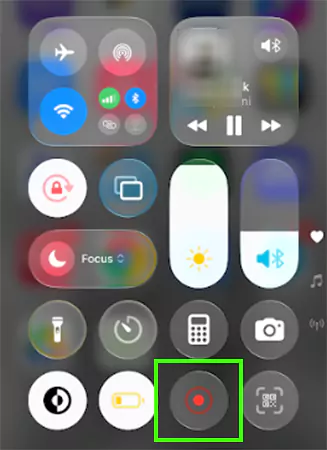
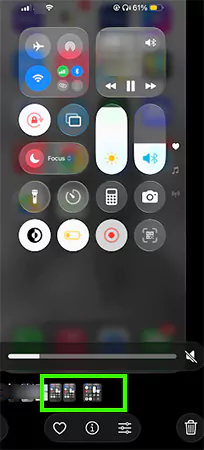
You can get the full video with audio, even if the creator has disabled downloads for their videos. However, the interface elements like comments and reactions would be visible in the screenrecording.
To ethically screenshot, you have to respect the creator’s content copyrights. The following table states the dos and don’ts regarding the same:
Screenshots can get problematic if they are used for harassment and bullying. You should not use them out of context to create false narratives or amplify negativity. Screenshot use can lead to privacy violations if you:
Hence, stay away from spreading sensitive information or harassment. Report to TikTok if you spot anything like this on the platform.
Does TikTok notify screenshots? Unfortunately, no. You cannot protect your account or content from screenshots on TikTok, but you can still adjust some privacy settings and follow some content protection strategies to safeguard your account.
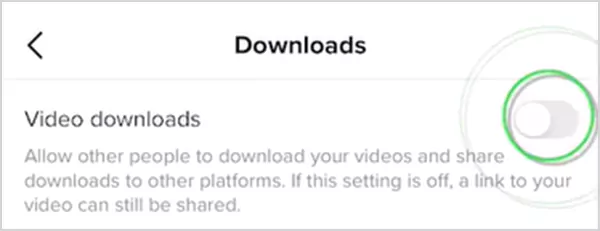
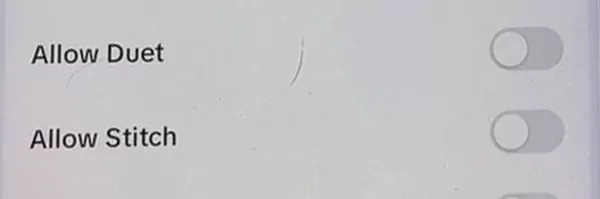
You can consider tweaking the following privacy settings to safeguard your account and content:
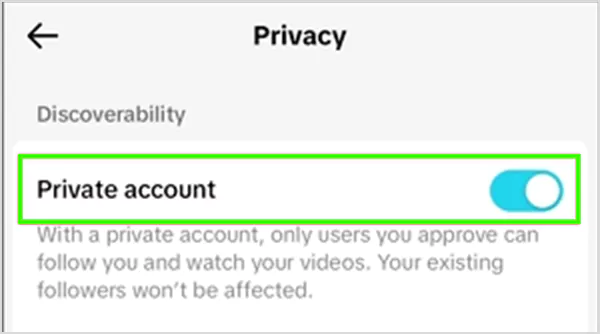
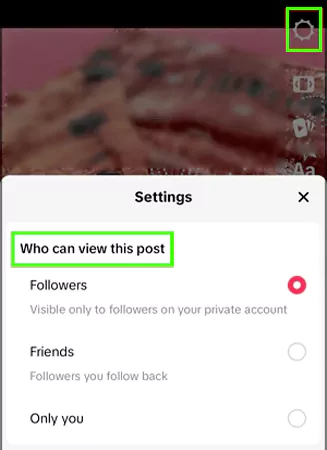
The article has answered the question: Does TikTok Notify Screenshots? And the answer is a categorical NO. TikTok doesn’t even notify creators when someone screen records their content.
TikTok’s virality-focused and share-friendly nature is the reason for its no screenshot-notification policy.
However, this doesn’t mean absolute freedom to screenshot or record someone else’s content. You should keep in mind certain things, such as consent, privacy, and copyright of the creators.
Creators, on the other hand, can modify privacy settings and employ other content protection strategies to safeguard their profiles and content.
NO. TikTok never notified of screenshots. And, as of early 2026, it still does not notify for screenshots of videos, profiles, DMs, stories, comments, etc.
NO. If you screenshot or screenrecord someone’s TikTok video, they can’t know by any means. You can safely screenshot or screenrecord any video on the platform; TikTok can’t even detect. If you ask: Can I see if someone screenshots my TikTok? The answer is still a big NO.
NO. TikTok doesn’t send any notification or alert to a creator when you screenshot their profile page or profile picture.
NO. There is no way for someone to know if you screenshot their TikTok DMs. You can freely screenshot the chat, but never use it for any malicious activity.
TikTok has NOT implemented any system for detecting or notifying of taking screenshots or screen recordings.